Posts from 2020

Swift TIL 8

2 min read
TIL

Although I read up on it a few days back, it was only this evening that I fired up Emacs (well of course I'm testing Swift with Emacs, what did you think I'd do?!?) and dabbled with some code to really get a feel for how casting works in Swift.

Swift seems to be one of those languages that does it with a keyword rather than a non-keyword approach. The two main keywords being as? and as!. I kind of like how there's a polite version and a bossy version. Having the two makes a lot of sense from what I read too.

To try and illustrate my understanding so far (and do keep in mind I'm not writing this with the express purpose of explaining it to anyone else -- I'm writing this to try and retain it all in my head by working through it), here's a bit of utterly pointless and highly-contrived code that defines three classes in a fairly ordinary hierarchy:

class Animal {}

class Dog : Animal {}

class Cat : Animal {
    func beAdorable() {
        print( "Purrrrrr!" )
    }
}

So, so far, so good: we have animals, we have dogs which are a kind of animal, and we have cats, which are also a kind of animal, but they have the special ability of actually being adorable. 😼

Now, for the purposes of just testing all of this out, here's a horrible function that makes little sense other than for testing:

func adore( _ a : Animal ) {
    ( a as! Cat ).beAdorable()
}

Given an animal, it forces it to be a cat (by casting it with as!), and then asks it to be adorable (because, of course, cats always do as they're asked).

So, if we then had:

adore( Cat() )

we'd get what we expect when run:

Purrrrrr!

So far so good. But what about:

adore( Dog() )

Yeah, that's not so good:

~/d/p/s/casting$ swift run
[3/3] Linking casting
Could not cast value of type 'casting.Dog' (0x10a1f8830) to 'casting.Cat' (0x10a1f88c0).
fish: 'swift run' terminated by signal SIGABRT (Abort)

One way around this would be to use as?, which has the effect of casting the result to an Optional. This means I can re-write the adore function like this:

func adore( _ a : Animal ) {
    ( a as? Cat )?.beAdorable()
}

Now, if a can be cast to a Cat, you get an optional that wraps the Cat, otherwise you get an optional that wraps nil (hence the second ? before attempting to call the beAdorable member function).

So now, if I run the problematic dog call above again:

~/d/p/s/casting$ swift run
[3/3] Linking casting

In other words, no output at all. Which is the idea here.

I think I like this, I think it makes sense, and I think I can see why both as! and as? exist. The latter also means, of course, that you can do something like:

func adore( _ a : Animal ) {
    let cat = a as? Cat
    if cat != nil {
        cat!.beAdorable()
    } else {
        print( "That totally wasn't a cat" )
    }
}

which, in the messy dog call again, now results in:

~/d/p/s/casting$ swift run
[3/3] Linking casting
That totally wasn't a cat

Or, of course, the same effect could be had with:

func adore( _ a : Animal ) {
    if a is Cat {
        ( a as! Cat ).beAdorable()
    } else {
        print( "That totally wasn't a cat" )
    }
}

It should be stressed, of course, that the example code is terrible design, so given the above I'd ensure I never end up in this sort of situation in the first place. But for the purposes of writing and compiling and running code and seeing what the different situations result in, it helped.
Swift TIL 7

1 min read
TIL

This post is very much a case of me writing it down to try and get it all straight in my head, and to make sure it sticks. The other day I was reading about Swift's types and type-equality checks, and as I'd expect from plenty of other languages I've worked with, there's a way for checking that two types are the same, such that super/subclasses aren't taken into account, and a way where they are. So, given this silly code:

class Animal {}

class Cat : Animal {}

print( Cat.self == Animal.self )          // False
print( Cat.self is Animal.Type )          // True
print( type( of: Cat() ) is Animal.Type ) // True

it's made clear that == checks for strict equality and a super/subclass relationship isn't taken into account. On the other hand is does take it into account.

Only... what's with this whole .self sometimes and .Type other times business? That took a little bit of writing code and playing to get comfortable with. Here's how I understand it now (and do feel free to correct me below if I'm way off):

Given the above code, Animal.Type is the type of a value that expresses the type of Animal. On the other hand, Animal.self is a value that is the type of an Animal. Yeah, I know, that still reads oddly. But written as code:

let feline : Cat.Type = Cat.self

I think it makes a lot more sense. And having got there I felt I better understood it. I'm not 100% sure I'm 100% with it, but I'm getting there.

Swift TIL 6

1 min read
TIL

I'm going to file this one under "it seems really unnecessary, but it's also kinda cool". While reading up about protocols the book I'm reading introduced the ExpressibleBy*Literal protocols, where the * is one of a number of obvious literals. For example: ExpressibleByStringLiteral. As you might imagine, it lets you create a class that can be initialised with a literal value, as opposed to needing to appear to call the constructor for a class.

So, for a silly example:

class Hello : ExpressibleByStringLiteral {

    private let what : String

    required init( stringLiteral what : String ) {
        self.what = what
    }

    func say() {
        print( "Hello, \(self.what)!" )
    }
}

You could, of course, write this:

let v1 = Hello( "world" )
v1.say()

but because of ExpressibleByStringLiteral you can also write:

let v2 : Hello = "universe"
v2.say()

Now, sure, in this case it saves you nothing, but this does also mean that parameters of functions whose type uses one of the `ExpressibleBy*Literal protocols can be passed a literal, rather than a "long-hand" instantiated object. For example:

func Greet( _ h : Hello ) {
    h.say()
}

Greet( "davep" )

I can see that being quite handy.

Swift TIL 5

1 min read
TIL

I'm going to file this one under "it makes perfect sense, but I don't think it aids in making the code readable" -- something which I'm finding is a bit of a theme with Swift.

In Swift self gets used and gets used in a way you'd expect from many other languages. So far so good. But, it seems, Self is also a thing too, and it's different from self. Whereas self is the current instance, Self is the current type. So consider this:

class Greeting {

    class func message() -> String {
        "Ayup!"
    }

    func message() -> String {
        "Well hello there"
    }

    func emit() {
        print( Self.message() )
        print( self.message() )
    }
}

Greeting().emit()

When run, the output is:

Ayup!
Well hello there

It makes sense that that's the case. I actually really like the ability to use Self rather than having to use Greeting, but damn that's really setting things up for either mistyping or misreading code. You're going to want to hope that your development environment makes it super obvious what's a value and what's a type when it comes to using font choices.

Swift TIL 4

1 min read
TIL

Some languages favour a "one way to do it" approach, some favour "there's more than one way to do it". I'm not sure I'm at a point where I have a feel for what Swift's approach is, but I'm getting the impression it's more the latter than the former.

If there was one thing that made me think that, it was when I found out that Swift's bool type has a toggle method.

var cool = false

print( cool )
cool = !cool
print( cool )
cool.toggle()
print( cool )

giving:

$ swift run
false
true
false

I can see a number of reasons why that's actually going to be handy -- the main one being when you want to throw around a toggling method -- but it still struck me as rather odd on first reading. I also think it's worth me making a personal note about it because foo.toggle() isn't going to stand out as much as foo = !foo when reading code. At least not for a short while.

Swift TIL 3

1 min read
TIL

Today's little "Swift TIL" is observers. While reading up on the language I was delighted to find that it has observer support baked right into the language, for any sort of variable. So code like this:

var name  = "David" {

    willSet( new ) {
        print( "About to change name from \(name) to \(new)" )
    }

    didSet( old ) {
        print( "Name changed from \(old) to \(name)" )
    }
}

name = "davep"

Does what you'd imagine:

About to change name from David to davep
Name changed from David to davep

Not only can I see how that'd be useful for the main sorts of purposes that Swift is put to, I can think of many times when I'd have benefitted from that in my general day-to-day work. Of course, you can create an observer approach in any language really, but having an idiom that's part of the language feels nice and tidy.

Swift TIL 2

1 min read
TIL

Following on with writing little notes to myself so I remember some key things as I learn about Swift...

I sort of feel like this will make reading code a little harder, so it's one I want to keep in mind. When calling an instance method, if it's not ambiguous, you can omit self. from the call. For example:

class Foo {
    private func inner() -> String { "Foo" }
    func outer() -> String { inner() + self.inner() }
}

print( Foo().outer() )

This makes me feel a little uneasy, and I strongly suspect I'll always use self. when writing such code: I'm a big fan of the idea that we write code for people, not for compilers.

Swift TIL 1

1 min read
TIL

As I mentioned yesterday, I'm going to make a small series of posts where I write down things that I've stumbled on while getting to know Swift that are, for me personally, worthy of note, different, unusual, cool, or just simply "WTF!?!".

Because learning new stuff is fun.

My first one is that you can use keywords as identifiers if you "escape" them with backticks. Kind of like this:

let `let` = "let"

print( `let` )

I'm struggling to imagine a situation where I'd ever want to do this. I'm still unsure if my reaction is "that's cool" or "WTF?!?".

A second attempt to learn Swift

5 min read

It's five years ago this month that I bought myself my first macOS (then OS X) device. After many years of having a Windows machine as my daily driver, which was also my work machine (I worked from home), I decided it was high time that I returned to having a Unix-a-like system on my desk too. For a decade or so, starting in the later-90s, I'd had a GNU/Linux desktop. I still had a Windows desktop (until a couple of years ago most of my work was on DOS and Windows), but thanks to the wonders of a KVM, and later an X server that ran on Windows, my personal hacking was done on a GNU/Linux desktop.

But as things moved around, priorities changed, as life moved on, the GNU/Linux boxes got retired and never quite replaced. Eventually, in 2015, I found myself with the means and desire to recover that sort of setup. Long story short, after a lot of reading up and weighing up options I decided that the best option for a desktop Unix was... an iMac!

I loved it. Sure, there were lots of little things on the surface that were different or annoying or just plain not as cool as the Mac fans would tell you, but under the hood I found what I needed: a Unix CLI with all the things I knew well. And, of course, it ran GNU Emacs just fine; that was the really important thing for me.

Pretty much right away I decided that it might be fun to learn the tools necessary to develop native Mac apps, and perhaps even iOS apps. I downloaded XCode, bought a book, and started working through it. Having got that book, I decided it might be interesting to own an iOS device too. So, sort of needing an MP3 player, and having no wish to get an iPhone, I got myself an iPod Touch. So I was all set to devour the Swift book, write some stuff for OS X, create an iOS app or two, and... life happened. Stuff cropped up that distracted me from taking that further and I never really returned to working through the book.

Fast forward to now and that initial iMac and iPod purchase spiralled a wee bit. Next after the iPod was an iPad Mini, when my Nexus 7 was starting to show its age and it was obvious that Google wasn't going to produce any more good Android tablets. Then, when I needed a very portable Unix-a-like machine for trips between where I was living and Edinburgh, I got myself a MacBook Air. Since then the iPod Touch has been replaced once, as has the iPad Mini. I now also own an iPad and a MacBook Pro. Unless Apple screw up and turn Macs into something unusable for developers (there are rumours), I imagine I'll be using Apple devices for some time to come now.

And then, last month, having finally got frustrated with where Google were going with Android and the Pixel series, I jumped ship to the iPhone 11.

As of right now I'm in a situation where I'm all about the Apple ecosystem regarding hardware and operating systems (including for my work machine), all of which is there to support my heavy use of the Google ecosystem (actually, the one bit of Google hardware I still lean on heavily is the Google Home -- I have 3 around my home).

So... given all of that, I thought it was time to look at returning to learning Swift, with a view to writing some native macOS and i(Pad)OS stuff. I soon realised that the book I'd bought back in 2015 was rather out of date. It covers Swift 1.2 -- we're now up to 5.2! Given this, and given I've forgotten pretty much everything I'd read at the time, I decided I should start again from scratch.

This weekend I've started reading my way though iOS Programming Fundamentals with Swift. While this obviously has an emphasis on iOS, I'm already finding that the first part of the book is a really great introduction to the Swift language in general. The pace seems just right, and the way topics are grouped makes it easy enough for me to skip over what's obvious (I don't need to know what objected-oriented programming is, and what the difference between a class and an object is, etc) and read up on the detail of this particular language when it comes to general concepts I know (knowing the differences between a class, struct and enum in the language is important, for example).

I've yet to write a line of code, but I'm fine with that. The book is spending a lot of time introducing the language before encouraging you to fire up XCode, and I'm okay with that. I'm never a fan of being asked to write out code that I can't properly follow -- that just makes stuff look like magic when it's far more educational to know what's going on. What I am finding is I'm making lots of notes that are either "oh, yeah, this is cool, I like this idea!" or "WTF are you kidding me?!?". Which is really nice -- it's always great to learn a new language that's a bit different from what you normally use.

My plan then, over the next few weeks, it to keep at this and hopefully document my journey. I think I'd like to write a short series of TIL-type posts; nothing too long, just some new thing I read or discovered and my reaction to it. So, if you happen to follow this blog, I apologise in advance for any Swift-spam.

You have been warned. ;-)

My journey to the dark side is complete

4 min read

Ever since the whole business of "light mode" and "dark mode" really kicked off in the mobile OS world, I've been a fan of the dark modes. On both Android and iOS/iPadOS, when apps became available with dark modes, I'd switch to it. When the operating systems themselves adopted the switch, that's what I went for. As well as having a love for all things black (anyone who knows me personally will know that), I think it just looks better on mobile devices. I can't quite say why, but it just works best for me.

So, when macOS got a supported dark mode, I instantly switched it on, obviously. Then, within a day, I switched it back to light mode. Surprisingly it just didn't work for me, and I wasn't sure why. Since then I've tried living with it a few times and it's rarely lasted more than a few hours. There was something, something I couldn't quite put my finger on, that didn't sit right.

Last Monday I decided to give it another go. This time, however, I thought I'd figured it out. The "problem" was Emacs! As mentioned back in January, for as long as I've used it (so since the mid-1990s), my Emacs has always had a light background -- probably because that's how it came "out of the box" (I'm talking Emacs in graphical mode here; I started with it on OS/2 Warp and then moved to a GNU/Linux X-based desktop). I figured that the contrast between the colour scheme of Emacs, and the rest of the machine, was the issue here.

I spend most of my working day either in Emacs, or in iTerm2 -- often rapidly switching between the two. I've always run iTerm2 in the usual dark background mode with light text. So I figured the problem was having a dark OS desktop, dark terminal, and then a light editing environment. Eventually that'd feel wrong.

So I decided that, for the first time in about 25 years, I should give Emacs a go with a dark mode. Taking a quick look at popular dark themes I noticed sanityinc-tomorrow-night looked easy on the eye, so I gave that a go (actually, I gave each of the themes in that set a go, initially starting with sanityinc-tomorrow-eighties, but I finally settled on sanityinc-tomorrow-night).

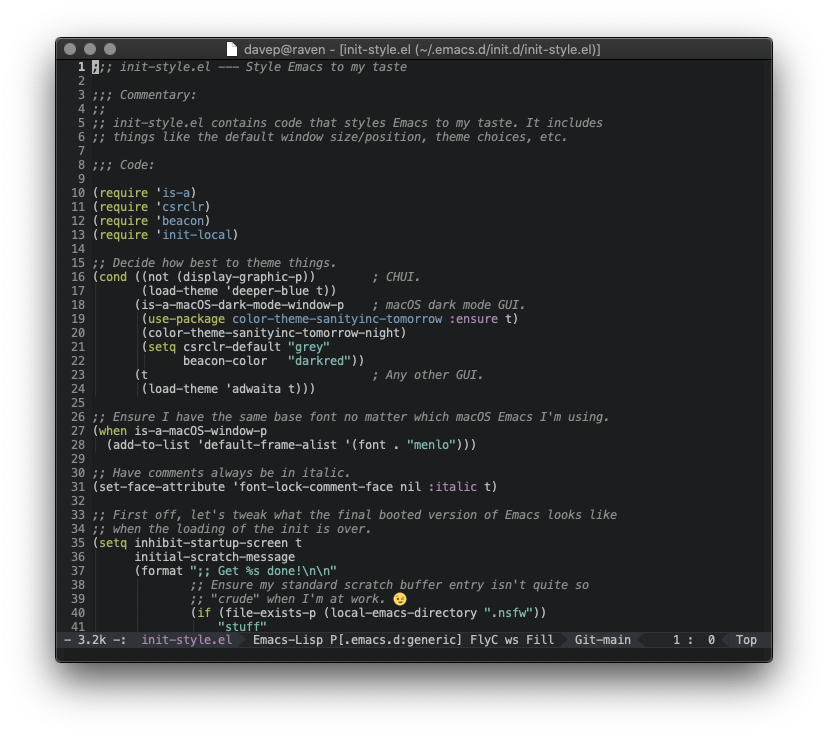
To start with it didn't look too good; not because of a problem with the theme itself, but because, over time, I'd made changes and tweaks to my setup that assumed I'd be using my usual light theme. After some dabbling and tinkering and trying things out, I got it looking "just so".

Screenshot 2020-06-14 at 19.40.43.png

Having got that working, I then thought it would be nice to be able to have Emacs -- at least on restart -- adapt to me switching between dark and light mode on macOS. It turns out that detecting if macOS is in dark mode is easy enough, the command defaults read -g AppleInterfaceStyle will emit Dark if in dark mode. So, knowing that, I updated my personal package for checking things about the environment that Emacs is in to use that information:

(defconst is-a-macOS-dark-mode-window-p
  (and
   is-a-macOS-window-p
   (string= (shell-command-to-string "defaults read -g AppleInterfaceStyle") "Dark\n"))
  "Are we running in a macOS window in dark mode?")

So, as of now, my Emacs setup is such that, if I'm in graphical mode on macOS and I'm in dark mode, Emacs will use a dark theme, otherwise it'll do what it did before -- with a light background in a graphical mode and a more Borland-a-like blue background when in CHUI mode.

This seems to have made a difference. Almost one week on my work Macbook is still in dark mode, and I've switched both of my personal Macbooks, and my iMac, into dark mode too. I think it's sticking this time. Next up is to give some serious consideration to darkening the web in general. Only now am I noticing just how damn bright most of it is!


As a slight aside to the above, I've also made one other change to Emacs: I've finally dropped the display of scroll bars. In the themes I'm using they didn't look so great, appearing to be distracting. For the past 25 years I've had the scrollbars there, but never actually used them; all they've ever done is serve as a visual aid to where I am in a file. Thing is, I'm not sure I ever really pay that much attention to that either. So, as a test, I've also been running with them turned off and, so far, I'm really not noticing them been gone.

The habits we form that we convince ourselves make sense...