Posts from April 2024

Tinboard v0.12.0

2 min read

Tinboard has turned into a tool I use pretty much every day; it's probably my most-used Textual/Python-developed application at this point. This is causing me to think more and more about how I can add things to it that are related to the core purpose, but are also outside of the main "interface with Pinboard" thing.

A thing with keeping bookmarks for a long time is that some of them go stale, go away. Some will just plain 404, others the whole site will disappear. If I find myself going back to a bookmark and seeing this is the case, I'll hit the Wayback Machine and see if there's an archive there.

So I got to thinking: what if I add the ability to perform this check into Tinboard itself? So I did just that.

Now, in the application, if you press w with a bookmark highlighted, it will check with the Wayback Machine to see if the bookmark is in the archive. If it isn't you see this:
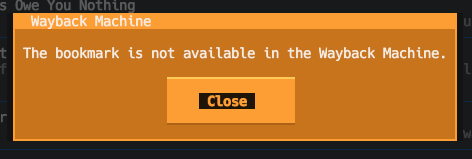
No archive result

On the other hand, if it is in the archive, you'll see something like this:
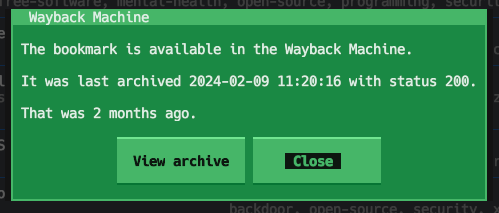
Is in the archive result

I sense this is going to be the first step in a couple of features related to this. I'm thinking that I may go on to add a "swap the URL for this bookmark with the Wayback Machine archive URL" feature, which will be handy for those bookmarks that have one away, and it would also be useful to look at the options for a "please archive a copy of this bookmark" feature.

But, for now, v0.12.0 is available and has this handy (for me anyway) first step.

Tinboard can be installed with pip or (ideally) pipx from PyPi. It can also be installed with Homebrew by tapping davep/homebrew and then installing tinboard:

$ brew tap davep/homebrew
$ brew install tinboard
The source is available on GitHub.

PISpy v0.6.0

1 min read

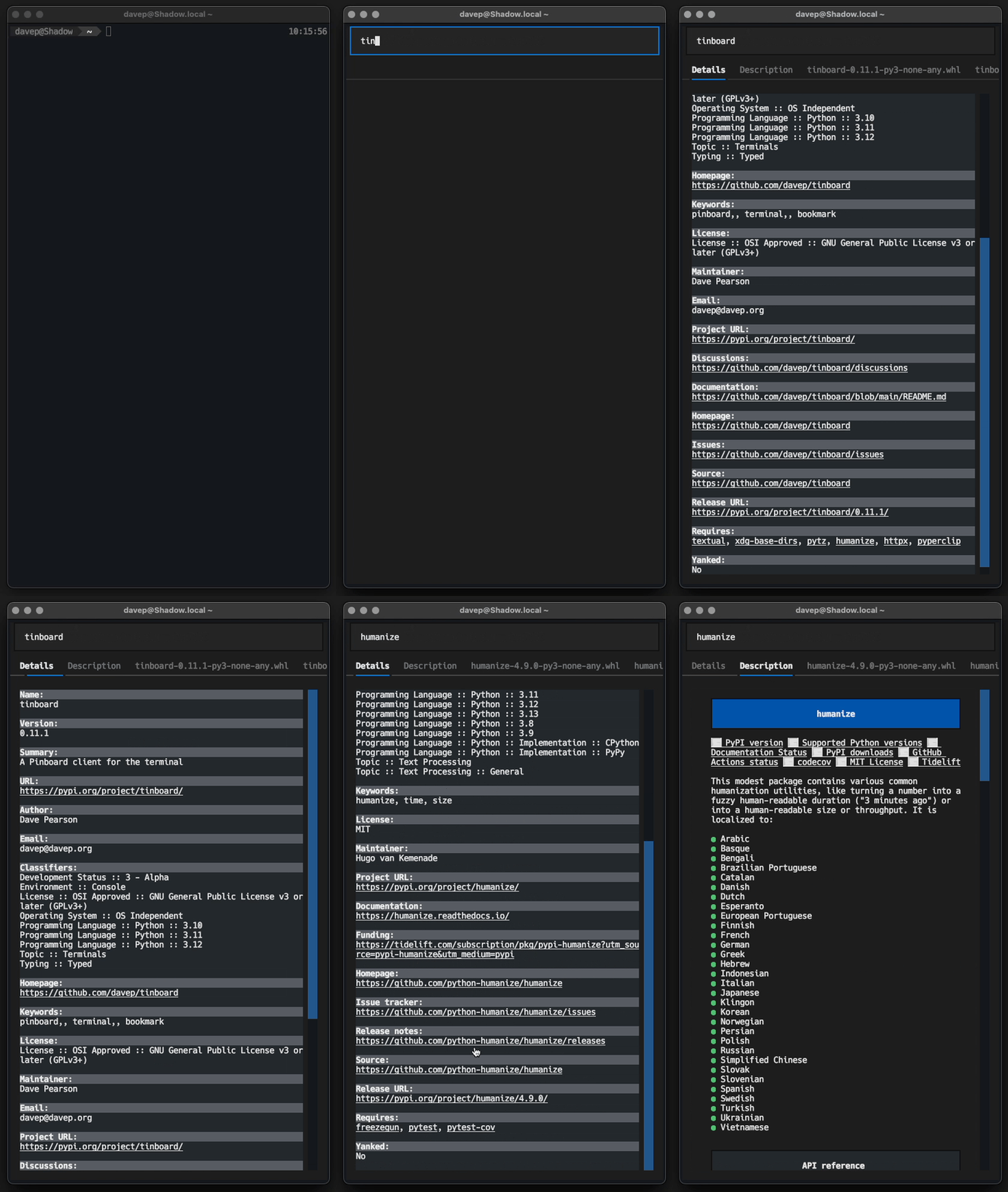
Back in the very early days of the Textual adventure, within the first month or so of working on the framework, we had a period of dogfooding. One of the projects I wrote during that time was a little tool I called PISpy.

The initial version was pretty much a quick hack; during that dogfooding period I did my best to try and develop a new project every couple of days. Since then I've let PISpy descend into bit rot.

In the last week or so I've turned my attention back to it and made an effort to tidy up the code, tidy it some more, and some more, and even some more.

This morning I put the finishing touches to these changes and released v0.6.0.

PISpy in action

PISpy can be installed with pip or (ideallty) pipx from PyPI. It can also be installed with Homebrew by tapping davep/homebrew and then installing pispy:

$ brew tap davep/homebrew
$ brew install pispy

The source is available on GitHub.

macOS desktop widget switching

1 min read

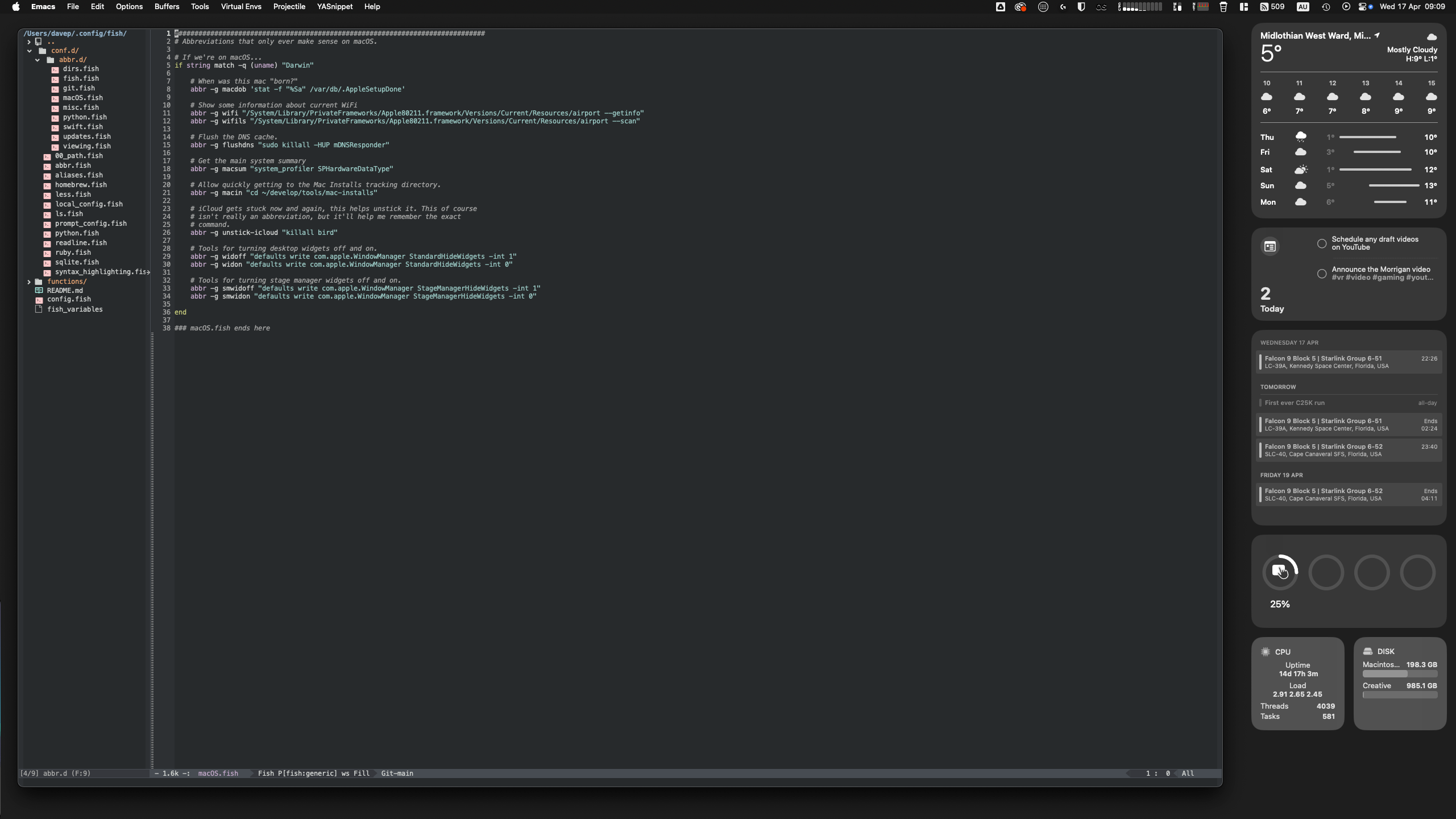
When desktop widgets first turned up in macOS I was pretty quick to embrace them. On my personal Mac Mini I use a pair of screens, the right one mostly given over to Emacs, and there was generally room to space there. These days that screen generally looks something like this:

The usual layout of my right screen

Recently I've got into streaming while I do some coding and it's the right-hand screen that I work on and capture using OBS. When I was setting this up I realised that the widgets being there could be a problem; not because they could distract or anything, more that they could, at times, contain sensitive information (there's my reminder list and my calendar there after all).

What I needed was a quick method of hiding all the widgets, and showing them again later, without it being a lot of faff.

With a little bit of digging around on the net I finally came up with a pair of fish abbreviations that do just the job!

abbr -g widoff "defaults write com.apple.WindowManager StandardHideWidgets -int 1"
abbr -g widon "defaults write com.apple.WindowManager StandardHideWidgets -int 0"

Now, when I'm going to stream, part of my "getting stuff ready to go live" checklist is to run widoff in the terminal; once I'm finished I can then just run widon again to have them come back.

Fast, clean, handy.

I've also got a pair for when I'm using Stage Manager:

abbr -g smwidoff "defaults write com.apple.WindowManager StageManagerHideWidgets -int 1"
abbr -g smwidon "defaults write com.apple.WindowManager StageManagerHideWidgets -int 0"

Although, really, I can't remember the last time I used Stage Manager. I dabbled with it for a wee while, found it vaguely handy in a couple of situations, but it doesn't seem to have stuck as part of my workflow or work environment.

Tinboard v0.11.0

1 min read

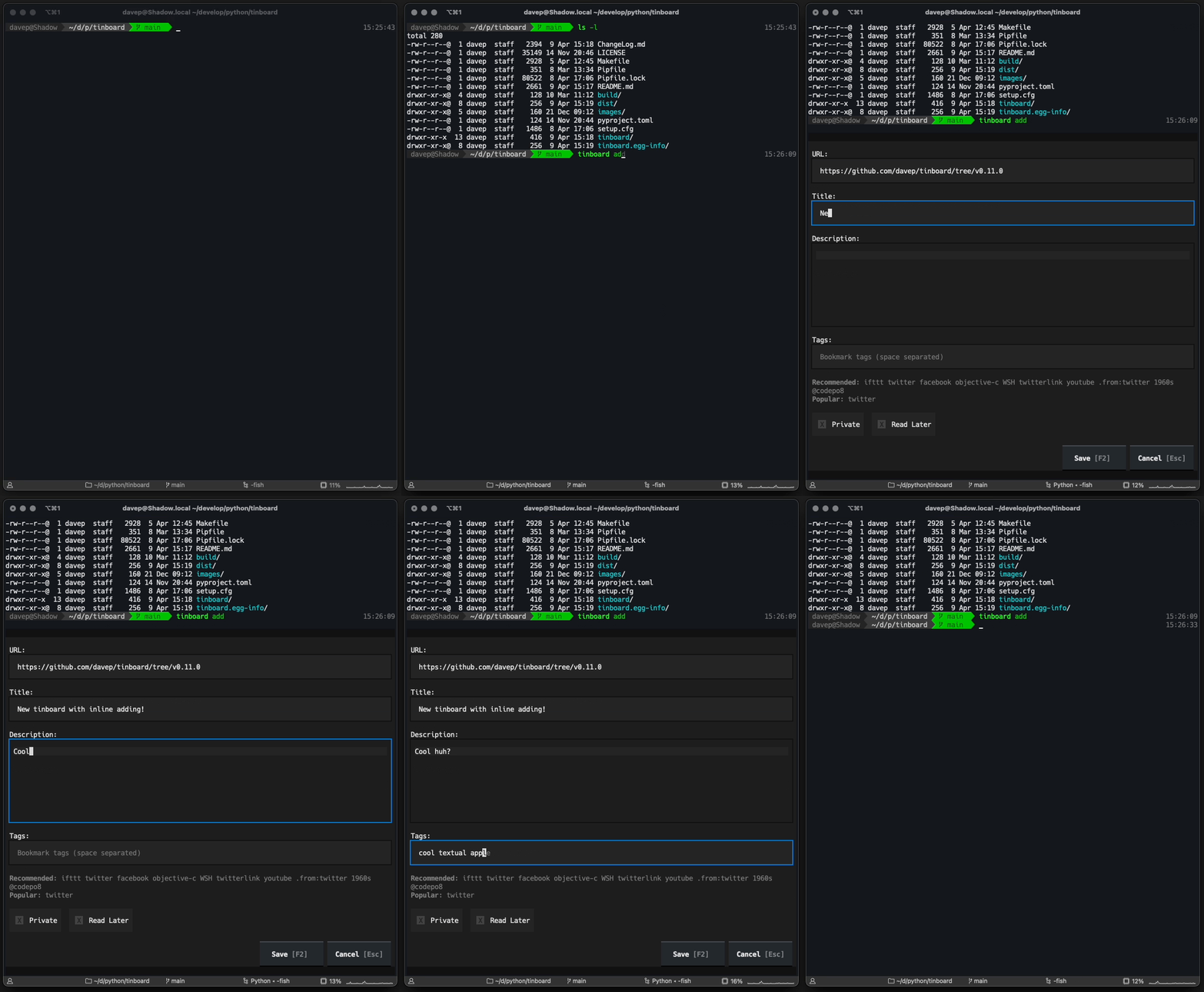
While my time working on Textual might have come to an end, my time working with Textual hasn't. Three days back I experimented with Textual's newly-added "inline mode":

In doing so I extended the application so that it's possible to run tinboard add and quickly enter a new bookmark and then carry on in the terminal, without needing to "go fullscreen". I'll admit it's of limited use, but it seemed like a good shakedown of the feature and in working on it I was able to discover a couple of bugs (#4385, #4403).

The effect of this is this:

Tinboard inline addition in action

Tinboard can be installed with pip or (ideally) pipx from PyPi. It can also be installed with Homebrew by tapping davep/homebrew and then installing tinboard:

$ brew tap davep/homebrew
$ brew install tinboard
The source is available on GitHub.