Posts from March 2024

Goodbye Textualize

3 min read

While I have been on the receiving end of redundancy once before, that was after 21 years of service at a company that, while it was in part about software development, I would never have called it a "tech" company.

So, as of today, I can finally say that the "tech layoffs" came for me and I'm one of 67% of employees being let go from a tech startup.

Achievement unlocked, I guess?

!Achievement unlocked

To be clear: I'm not annoyed about this, I'm not even shocked about this; I planned for this from the off and realised and recognised the gamble I was taking back in 2022.
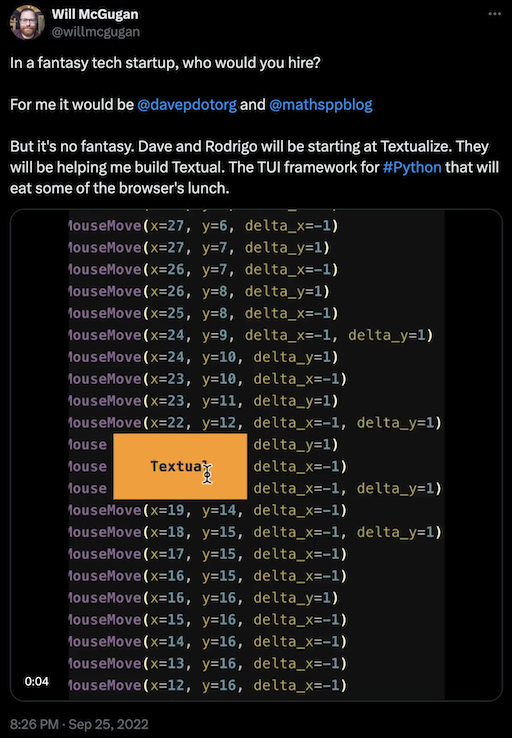
Announcing being hired

I am disappointed about this. Not in a "I'm disappointed in you" kind of way, but disappointed for all involved and what it says about how FOSS projects are funded and maintained.

It's been an interesting journey, and it's been a privilege to do something I've been wanting to do since the 1990s, when I first read the GNU Manifesto and subsequently watched the free software and open source movements develop and grow: work on FOSS for a living. In doing this I've developed my thoughts about the feasibility of such an endeavour, I've refined how I feel about working in very small teams, I've learnt a lot of useful lessons I'm going to draw on in the future (keeping a journal of my experience has been a great move; I have a lot of notes and thoughts written down that I'll be reviewing and distilling for myself over the coming weeks).

Most of all: it's been an absolute blast working on something that people are actually using to build cool things, and to provide help and guidance to those people when they've needed it.

So... what happens now? Well, of course, right now, I'm looking for a new position. If you're reading this and you are looking for someone who's kinda handy with Python and a bunch of other languages and who loves learning new stuff, or if you know someone who is looking for such a person, do drop me a line!

As for what happens with Textual, and my involvement with it...

Well, what happens with Textual is Will's call, of course. As for my involvement with it: I care about FOSS and I care about Textual; I also care about the folk who have been kind enough to use their time to explore it, test it, build with it, commit to it and make neat stuff with it. My intention, as long as free time allows, is to carry on being involved, both on GitHub and in the Discord server.

It's my sincere hope that, as a community of FOSS-friendly developers, we see Textual over the 1.0 line and beyond.

But all that starts next week. It's a bank holiday weekend and I think I might have deserved a run, a bit of mucking about in VR, a beer, and just a wee bit of down time.
Homebrew all the Python things

4 min read

Over the past year and a half I've written a lot of Python code, and a lot of that Python code has been Textual applications; most of those Textual applications have been very quick demonstration or test applications built to help support someone asking for help; some of them have been less-trivial applications written in my own time and for my own use and amusement. Of them I'd say there are two near-daily-drivers, and a couple that I either have more plans for, or like to maintain just for the hell of it.

Those latter applications are all ones that I've deployed to PyPI, and because of that are all ones that I've recommenced be installed using pipx. During that time though I've had half an inclination to make them installable via Homebrew. While probably not installable from the core Homebrew repository1, at least installable from a "tap"2 that's under my own GitHub account or something.

To this end I've had a blog post about packaging Python apps for Homebrew saved in Pinboard for a while now, and every time I look at it I think "this is a lot of faff, maybe later". Today was that "later".

As it turned out, it was way easier than I first realised. The evolution of today pretty much went like this:

Deciding to use a single repository as the "tap"

The blog post above seemed to suggest that for every application repository you want a tap for, you probably want a parallel homebrew--prefixed repository. This in turn would suggest that every time someone wants to install one of your tools, they'd need to add a new tap3. As I looked at it this seemed like way too much faff, so in the end I decided to create a single repository that I'd keep all my formula files in. The naming of homebrew-homebrew meant that the tap name would simply be davep/homebrew.

Simple and clean, I think: things for homebrew, things that can be installed via homebrew, that come from davep. To add the tap it's simply:

$ brew tap davep/homebrew

Ensuring that all my applications and libraries publish source

Although it seems that it might be (possibly, maybe, perhaps, who can tell?) deprecated, it looked like homebrew-pypi-poet was a tool I'd need to do all the heavy work on making the formula file. A quick test threw up a problem where it was complaining that my test package (one of my own applications) didn't have an sdist. Sure enough, through nothing more than never having bothered to make it happen, the source of my libraries and applications wasn't been uploaded to PyPI when I published.

So I went through some of my repositories and fixed that, making patch releases as I went.

Making a Makefile to let me be lazy

The next thing to do was to figure out the most lazy way of building the formula files. From what I could see the main steps to making all of this work were:

  • Make a venv and activate it
  • Install homebrew-pypi-poet
  • Install the package you want to package for Homebrew
  • Run poet to make the formula

Seemed simple enough. For all sorts of lazy reasons I still tend to use pipenv to get things done quickly, and that seemed to work fine here too. I'm also a fan of PIPENV_VENV_IN_PROJECT=true which makes things clean and tidy, so I figured a rule in a Makefile like this:

clean:
        rm -rf .venv
        rm -f Pipfile Pipfile.lock
        pipenv --python 3.12
        pipenv install --dev homebrew-pypi-poet

would be fine to make a clean venv ready to build the formula, and then I'd have a rule for the package itself that depended on the above, like this:

oshit: clean
        pipenv install oshit
        pipenv run poet -f oshit > Formula/oshit.rb

Fixing the package description

The above was great, and worked really well. But there was one issue that I could see: the resulting formula file always had this desc inside it:

desc "Shiny new formula"

From what I could see there was no way to tell poet what I wanted the description to be, and neither did I want to have to remember to edit that line each time I regenerated the formula file. So sed to the rescue then I guess, with this sort of thing:

sed -i '' 's/Shiny new formula/The actual text I want/' Formula/coolapp.rb

The result

The result of all of this is that I now have a repository that I or anyone else can use as a tap to be able to install my stuff using the brew command. So now if you want a little Hacker News reader for the terminal but you don't want to be messing with installing pipx and the like, but you do use brew on your machine, it's just this:

$ brew tap davep/homebrew
$ brew install oshit

Fingers crossed it all "just works" when I next upgrade one of those packages. I will, of course, have to remember to go into davep/homebrew-homebrew and make the-app for the relevant application, and then commit and push the changes, but that's really not too difficult to remember and do.

Hopefully it'll then all just work.


  1. I do actually have one package in Homebrew, but it wasn't me who put it there. 

  2. I really like Homebrew as a tool for getting stuff installed, by oh my gods the naming of things in its ecosystem is terrible and confusing! 

  3. No, really, I mean it, this naming convention is kinda cringe right? 

Tinboard v0.10.0

2 min read

I just realised that it's been a while since I last posted an update about tinboard. This is probably my most-used Textual-based application, and one I'm constantly tinkering with, and just this morning I published v0.10.0.

Often the changes are small tweaks or fixes to how it works, sometimes they're simply updates to the version of Textual used, making use of some new feature or other; I've yet to add another "major" feature so far. They will come, but so far the ideas I have for the application haven't actually felt that necessary. Although I say so myself it does what I need it to do and it does it really well.

So, as a quick catch-up of what's changed since v0.4.0 (which was the last version I posted about):

  • v0.5.0 was released 2024-01-04; this included all the tags of a bookmark when doing full-text searching.
  • v0.6.0 was released 2024-01-10; it fixed a small bug where the tag suggestion facility got confused by trailing spaces in the input field.
  • v0.7.0 was released 2024-02-02; this updated the minimum Textual version to v0.48.2 and removed all the custom changes to the Textual TextArea widget, making use of the updates to TextArea that version of Textual made available.
  • v0.8.0 was released 2024-02-18; this fixed a crash on startup caused by a newer release of Textual (the fault was in tinboard; the update to Textual helped reveal the problem).
  • v0.9.0 was released 2024-02-29; it simply added support for using Esc at the top level of the application to quit (I like to camp on Esc to GTFO).

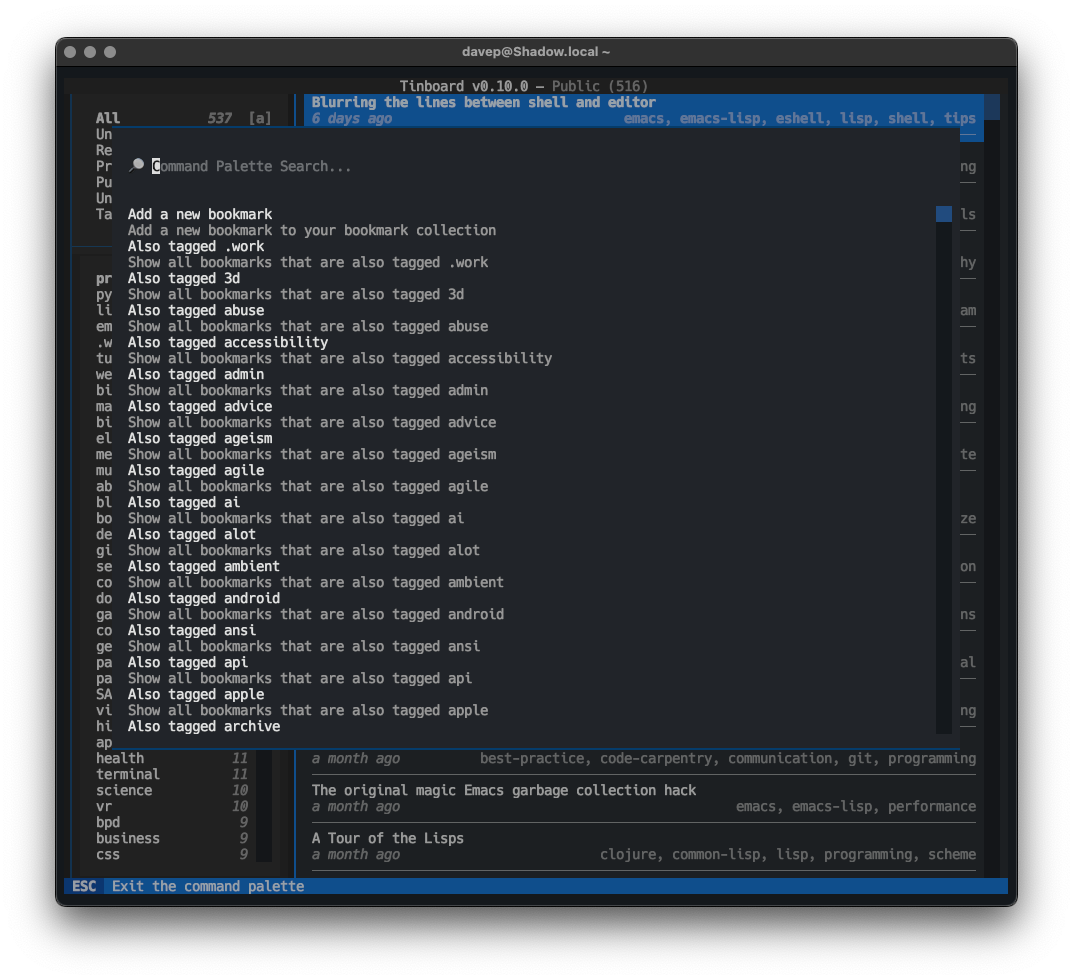
Then, just now, I released v0.10.0. This release makes full use of some work I recently did to enhance Textual's CommandPalette widget, which added a "discover" system. The change in tinboard is that all of the command palette providers now have discover methods too. The result of this change is that when you open the command palette in tinboard (ctrl+p) you can see every possible command right away.

The command palette in discovery mode

Tinboard can be installed with pip or (ideally) pipx from PyPi. The source is available on GitHub.