Posts from January 2024

Quizzical

2 min read

I feel like I'm on a bit of a roll when it comes to building applications for the terminal at the moment; while I'm still tinkering and improving tinboard and OSHit, I had the urge to tackle another idea that's been on my TODO list for a while.

This is something I did for Emacs back in 2017 and I felt it was a perfect candidate for a Textual-based project. It's a terminal-based trivia quiz game, using the Open Trivia Database as the source of questions.
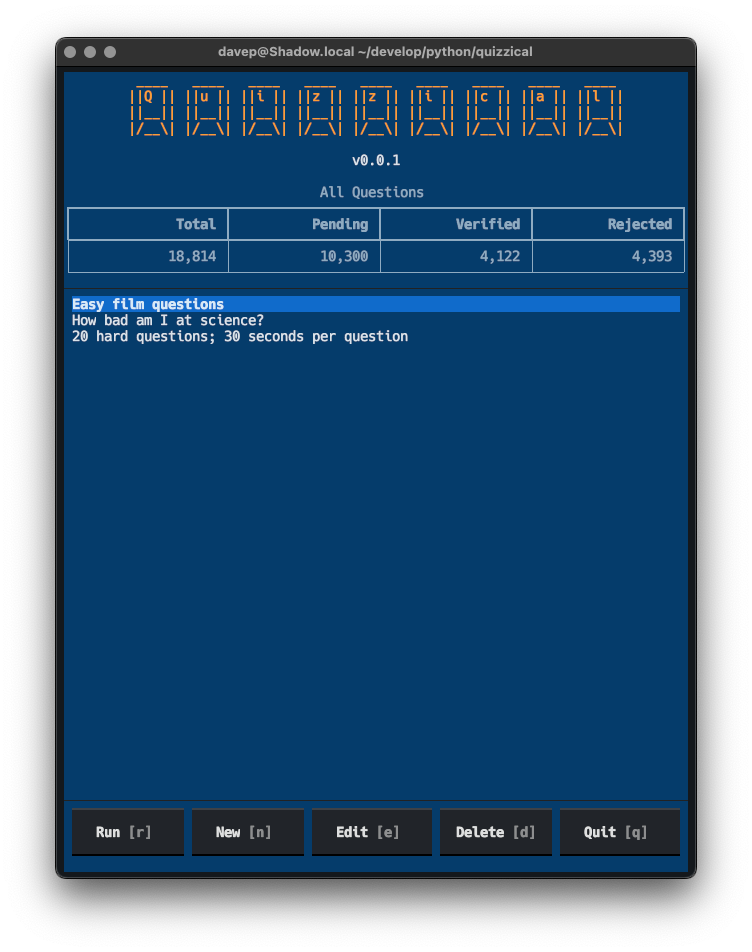
Quizzical

I've just published an early version to PyPI; it still needs some polish and I have a few other ideas for it, but as it stands I feel it's a fun little game to mess around with.

The idea is pretty straightforward: you can run it up and create lots of different quizzes, there are various parameters you can use to create lots of different kinds of challenges:
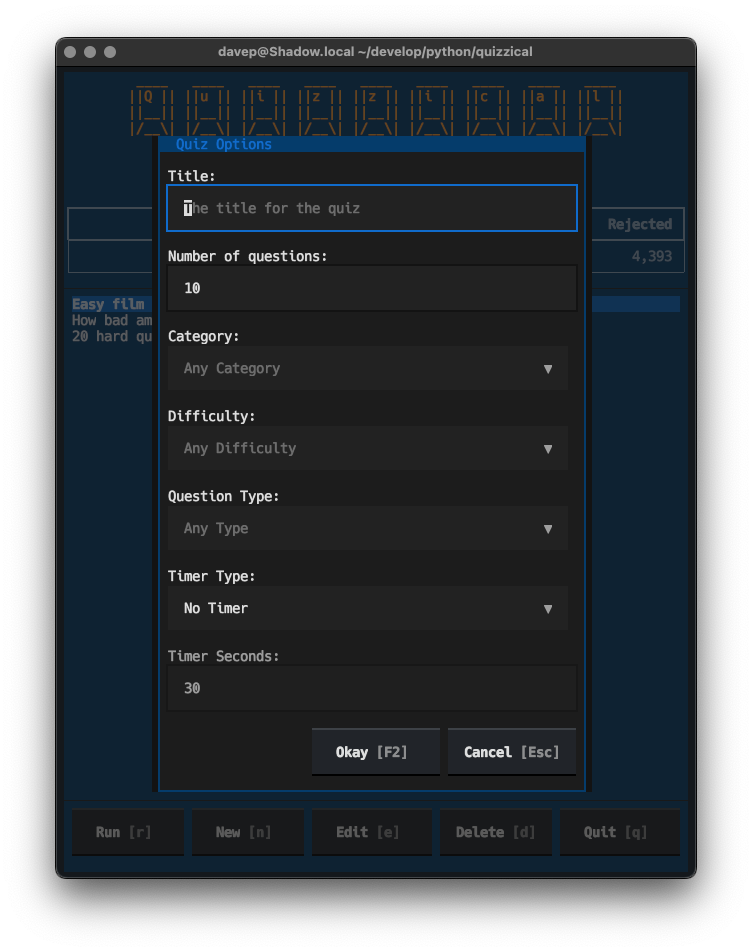
Building a new quiz

Once you're created a quiz, you can run it and answer away:
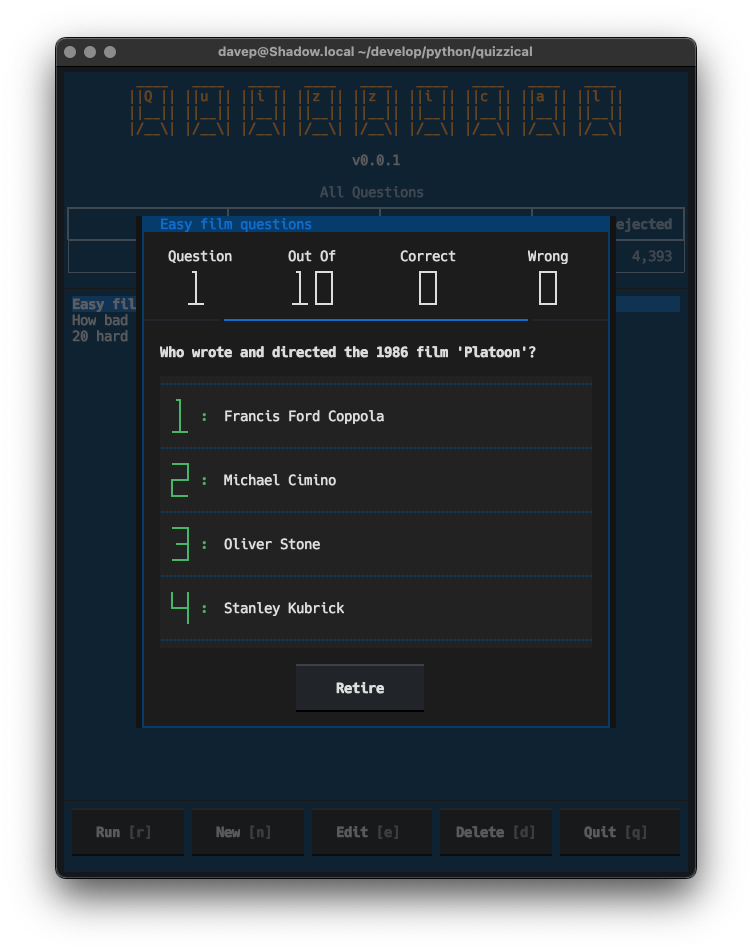
An example question

Right now the idea is that you answer by pressing either 1, 2, 3 or 4 (or just 1 or 2 for true/false questions); when I get a moment I'll also enable mouse support for selecting an answer too (honestly I feel keyboard-answering feels far more natural).

Once the quiz is done you can review your answers and see which were right and which were wrong:
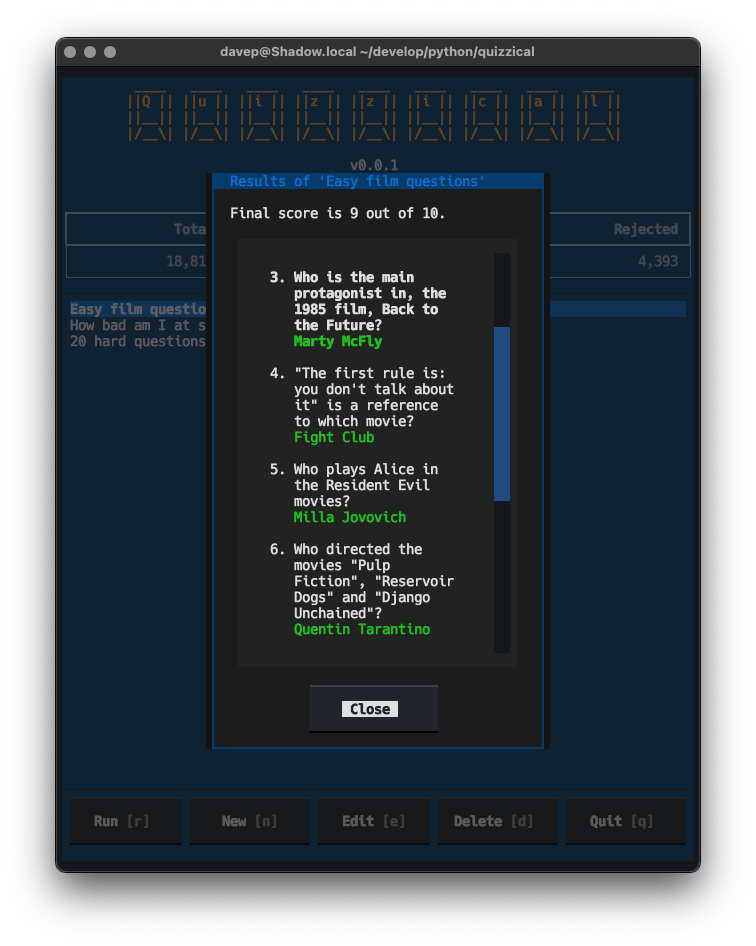
Viewing results

As I say: there's a bunch of other things I want to add to this (keeping track of scores, adding session token support to reduce the chances of repeat questions, etc), but this felt like a good spot to make a v0.1.0 available if anyone else wanted to have a play.

Anyway, if this sounds like your sort of thing, it can be installed with pip or (ideally) pipx from PyPi. The source is available over on GitHub.

PS: Now you can see why I made textual-countdown.
Orange Site Hit v0.5.0

1 min read

Just a wee catch-up post about OSHit, my terminal-based HackerNews browser. Over the past couple of weeks I've made some small changes, so I thought I'd make mention of what I've done.

As of v0.5.0, which I released earlier today, I've:

  • Added a quick way of following links while viewing a comment. While a comment is highlighted you can press l to follow a link; if there's more than one link in the comment a menu will be shown and you can select which one to follow.
  • Added support for viewing polls. Polls seem to be few and far between on HackerNews, so when I published the first version of OSHit I didn't have one to hand to test any code against. Eventually one turned up and broke OSHit (on purpose; I wanted to see when that happened) so I could then add the code to load polls and show them. Right now it just shows scores; I might do actual charts at some point.
  • Added optional item numbers in the lists; turned on/off with F4.

So far all small things, but handy little improvements. There's still a nice TODO list in the README and I will slowly work through it. Along with tinboard these are two applications that have absolutely turned into "daily drivers", so they're going to get a lot of tweaking over the next few weeks, probably even months.

textual-dominfo

3 min read

Last week I was wrestling with some Textual code, trying to get something to lay out on the screen "just so". On the whole this isn't too tricky at all, and for those times where it might feel tricky there's some advice available on how to go about it. But in this case I was trying to do a couple of "on the edge" things and one thing I really needed to know was what particular part of the display was being "caused" by what container or widget1.

Now, at the moment anyway, Textual doesn't have a full-blown devtools with all the bells and whistles; not like in your average web browser. It does have a devtools, but not with all the fancy DOM-diving stuff the above would have needed.

What I needed was the equivalent of print-debugging but with a point-and-ask interface. Now, I actually do often do print-debugging with Textual apps only I use notify; this time though notify wasn't going to cut it.

I needed something that would let me point at a widget and say "show me stuff about this". Something that happens when the mouse hovers over a widget. Something like... a tooltip!

So that was easy:

def on_mount(self) -> None:
    for widget in [self, *self.query("*")]:
        widget.tooltip = "\n".join(
            f"{node!r}" for node in widget.ancestors_with_self
        )

Suddenly I could hover my mouse over a bit of space on the screen and get a "traceback" of sorts for what "caused" it.

I posted this little hack to #show-and-tell on the Discord server and someone mentioned it would be handy if it also showed the CSS for the widget too. That was simple enough because every widget has a styles.css property that is the CSS for the widget, as a string.

After that I didn't think much more about it; until today.

Looking back, one thing I realised is that adding the CSS information on_mount wasn't quite good enough, as it would only show me the state of CSS when the mount happened, not at the moment I inspect the widget. I needed the tooltip to be dynamic.

Thing is... Textual tooltips can't be functions (which would be the obvious approach to make it dynamic); so there was no way to get this on-the-fly behaviour I wanted.

Except there was! The type of tooltip is RenderableType. So that means I could assign it an object that is a Rich renderable; that in turn means I could write a __rich__ method for a class that wraps a widget and then reports back what it can see every time it's called.

In other words, via one step of indirection, I could get the "call a function each time" approach I was after!

It works a treat too.

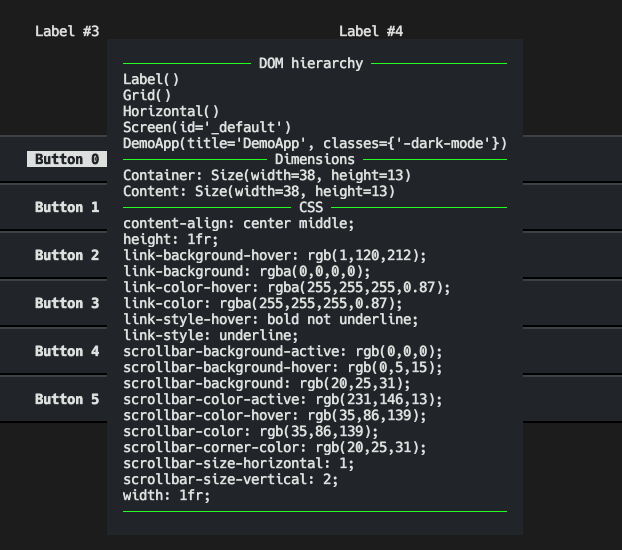
All of which is a long-winded way of saying I now have a print-debug-level DOM inspector tool for when I'm building applications with Textual:

textual-dominfo in action

If this sounds handy to you, you can grab the code too. Install it into your development environment with pip:

$ pip install textual-dominfo

and then attach it to your app or screen or some top-level widget you're interested in via on_mount; for example:

def on_mount(self) -> None:
    from textual_dominfo import DOMInfo
    DOMInfo.attach_to(self)

and then hover away with that mouse cursor and inspect all the things! Whatever you do though, don't make it part of your runtime, and don't keep it installed; just make it a development dependency.

The source can be found over on GitHub and the package is, as mentioned above, over on PyPi.


  1. ObPedant: Containers are widgets, but it's often helpful to make a distinction between widgets that exist just to control the layout of the widgets inside them, and widgets that exist to actually do or show stuff. 

textual-countdown

1 min read

The idea for this one popped into my head while on the bus back from Textual Towers this evening. So after dinner and some nonsense on TV I had to visit my desk and do a quick hack.

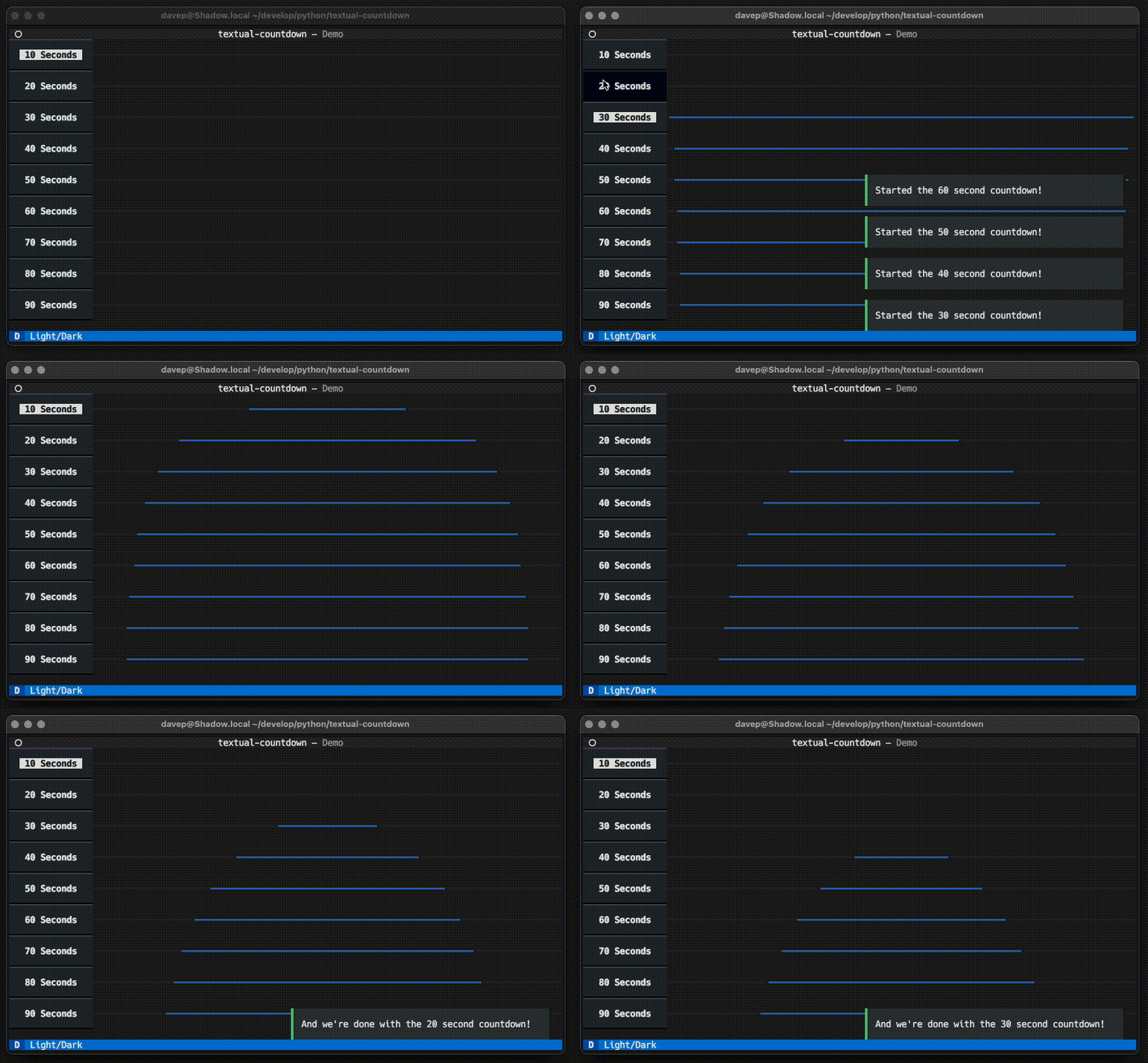
This is textual-countdown, a subtle but I think useful countdown widget for Textual applications.

Textual Countdown in action

The idea is that you compose it somewhere into your screen, and when you start the countdown the bar highlights and then starts to shrink down to "nothing" in the middle of its display. When the countdown ends a message is posted so you can then perform the task that was being waited for in an event handler.

Not really a novel thing, I've seen this kind of thing before on the web; I'm sure we all have. I just thought it would be a fun idea for Textual applications too.

I envisage using this where, perhaps, an application needs to wait for an API-visiting cooldown period, or perhaps as a subtle countdown for a question in a quiz; something like that.

Anyway, if this sounds like it's something useful for your Textual applications, it's now available from PyPi and, of course, the source is over on GitHub.

Orange Site Hit v0.2.0

3 min read

This is actually the second release of OSHit since I first announced it a week back, and I'll get to that other release in a moment.

I've just published v0.2.0, which isn't a very substantial release, but which bumps the required version of Textual to v0.47.1 and has some fun with the new nested CSS feature.

Underlying the point of this release was me taking a "real world" application of mine and nesting as much of the CSS within it as possible, in part to get a feel for how and when it's useful, but also to give it a proper test in a "proper" application. In doing so I think I've found one bug.

Dogfooding is always a good idea.

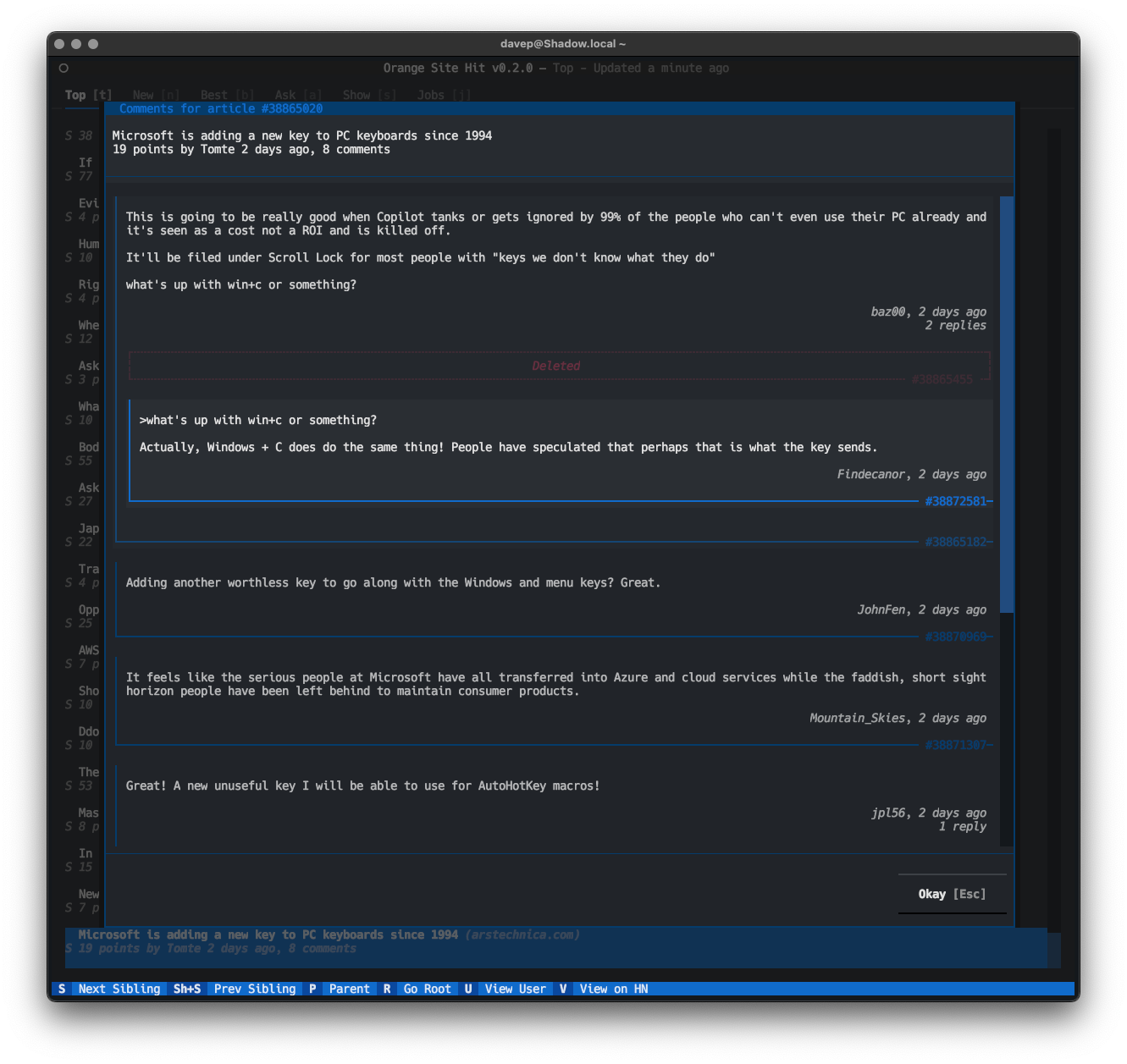
The main visible change in this release is I've played around with the look of the comments dialog a bit:

OSHit you have comments

I'm still narrowing this down, but I think I prefer this look to what I started out with.

Another change I made was also to the comments dialog. Before, if you performed the "expand comments" action on a comment card that already had its comments expanded, it would move focus to the first child comment; this was a deliberate choice that felt right at the time. Having used the app for a few days now I've realised that making it an open/close toggle is far more useful. So that's what I've done.

Now... as for the previous release I mentioned above. That was a fun one.

Back when I released v0.1.0 some joker decided that it would be fun to submit the blog post about it to the Orange Site. The comments there went as you'd expected:

  • Some riffed off the opening paragraph, ignoring the tool itself.
  • Some riffed off the opening paragraph in self-reflective way.
  • Some riffed off the opening paragraph in a "I never see the problem" way.
  • One or two did the usual "why even bother building that when $TOOL_OF_CHOICE exists?" dance to show their terminal purity.
  • One or two posted genuinely useful links to other similar projects.
  • The biggest tree of comments was kind of a fight.

One comment caught my eye though; someone reported having a problem running it. My initial thought on reading it was "my dude, seriously, you're going to report the problem in some random comment on HN rather than raise an issue with the author?!?".

For once I was wrong to be so cynical.

So, yeah, that was the reminder I needed that I'd been intentionally reckless while writing the original code, and hadn't gone back to the API code I'd written and made it behave before doing the initial release.

All of which is to say: if you run into a problem with some FOSS project, be like @mihaitodor. Issue that thing so the developer gets to know about it; don't assume they'll be reading some random comment section, social media site or Discord server!

That and don't make 500+ HTTP requests at once; that might not end well for some.

Orange Site Hit

3 min read

I know I'm not alone in having a relationship with the orange site that is... weird. I generally dislike the culture there, it's almost impossible to read any of the comments without being frustrated about the industry I work in or am adjacent to and some of the people who inhabit it; but as a link aggregator of stuff I might find interesting... I honestly can't think of anywhere better. So, yes, I've been a fairly avid reader of HackerNews for many years, and have even had an account there for over 4 years.

Given this, for a wee while now, I've been meaning to knock up a terminal-based client for it using Textual.

So after work on Tinboard settled down I got the urge to start a new pet project (not abandoning Tinboard, I'm still going to be tweaking and extending it of course) and finally knocking up that client seemed like the one.

Orange Site Hit is the result.

OShit

It's worth making clear from the very start: this is a read-only reader. There is no logging in, there is no voting, there is no posting of things. This is a client built with their own API and it doesn't provide such a thing; at least not now and despite me seeing past promises that this will change, there's no API for doing that sort of thing.1

The idea of this application is you can run it up in the terminal, check the top, best and latest from the categories provided by the API, perhaps dive off into your web browser if needed, and then got on with other things.

It's there for when you're in the terminal you just need your hit of the orange site.

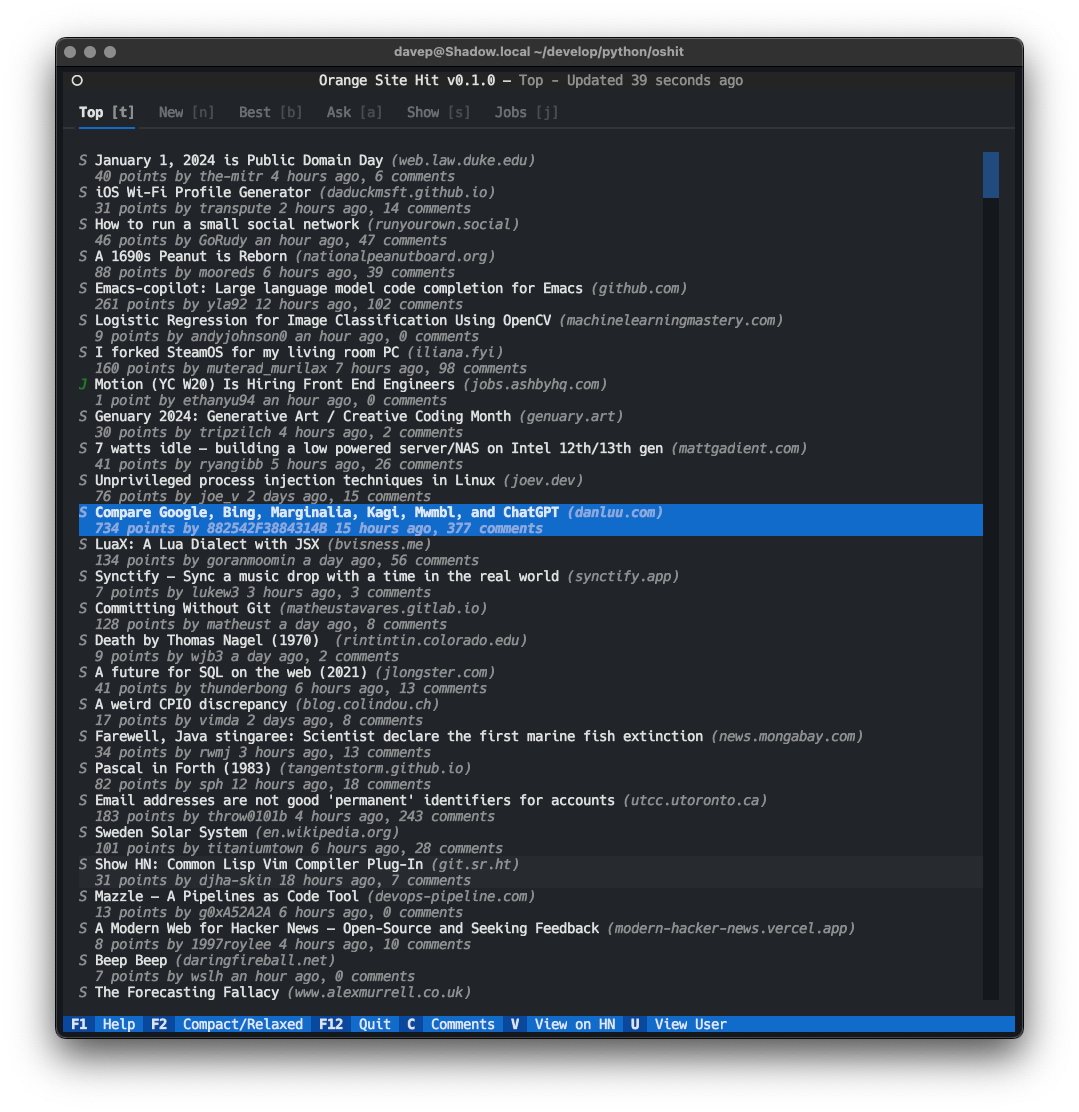
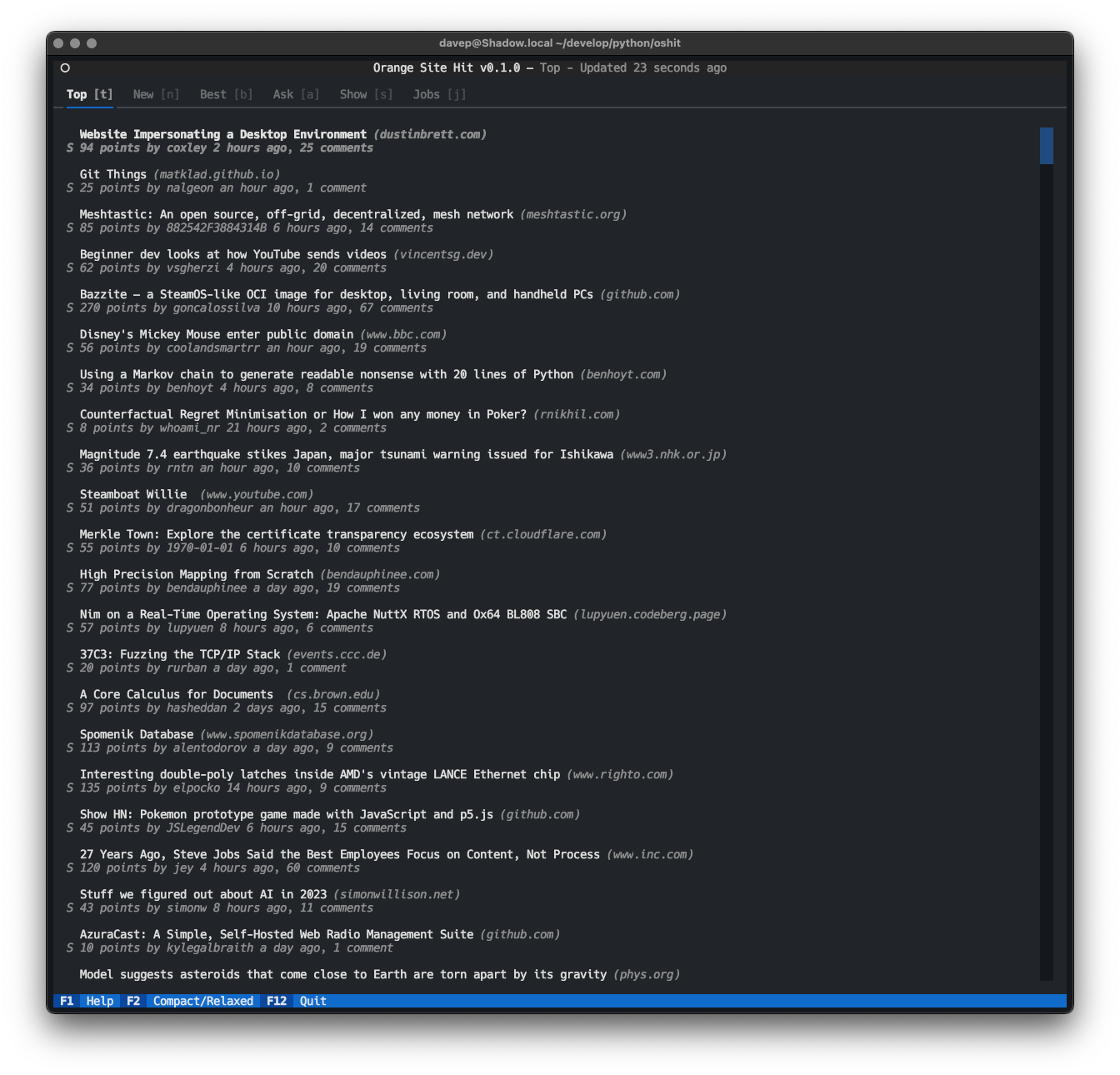
The main screen of the app revolves around the index of items, most of which are going to be stories. You can see an example of that above. For people who prefer things to be slightly less cramped, I've also added a "relaxed layout" mode too:

The index in relaxed mode

From the index you can head off into your web-browser by hitting Enter on any item; if the item is a story that links to somewhere that link will be opened; if it's something more like AskHN, or a job, it'll open the related page on HackerNews itself.

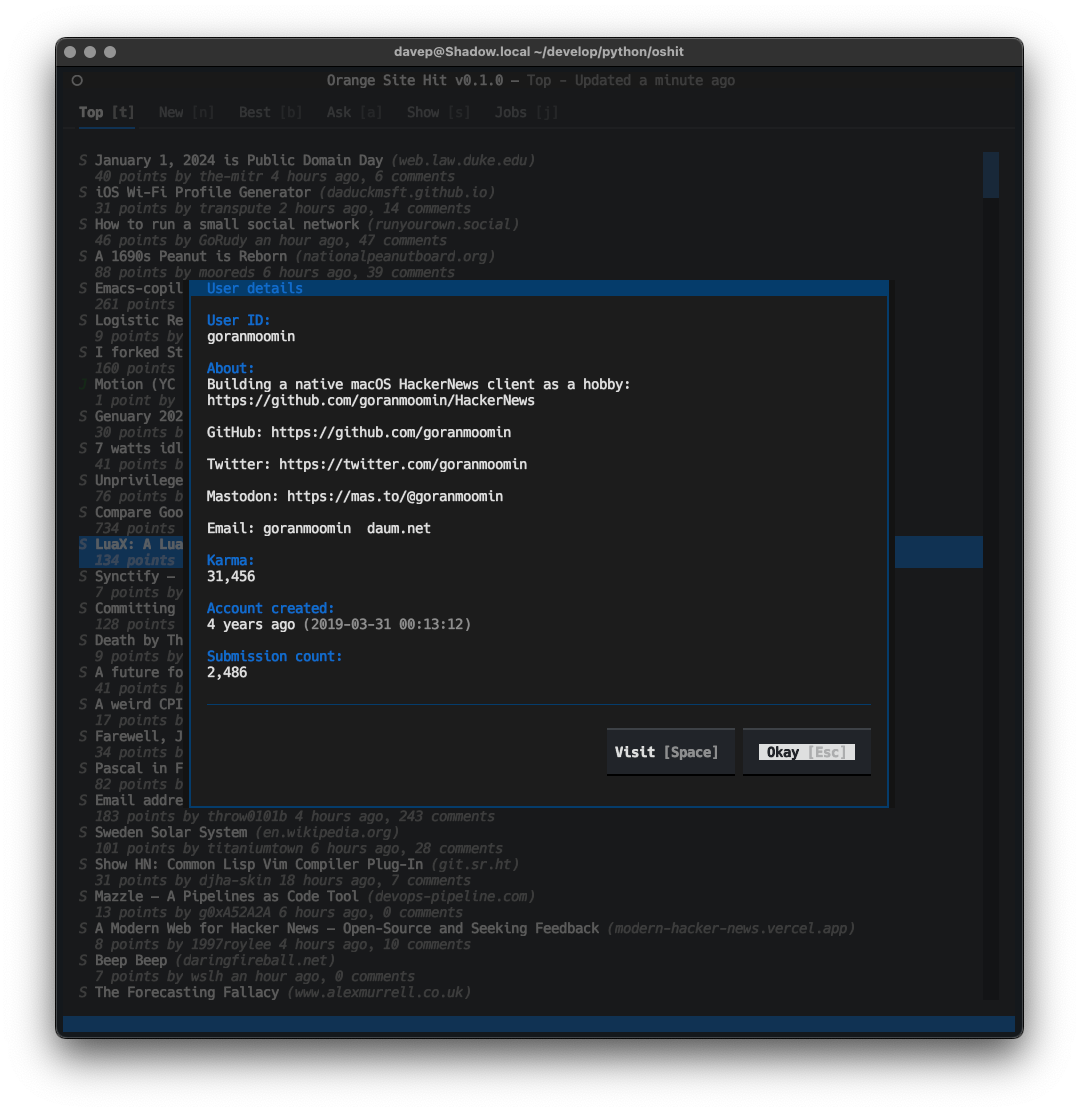
Pressing u with an item selected will let you view the details for the user who posted the item:

Viewing the details of a user

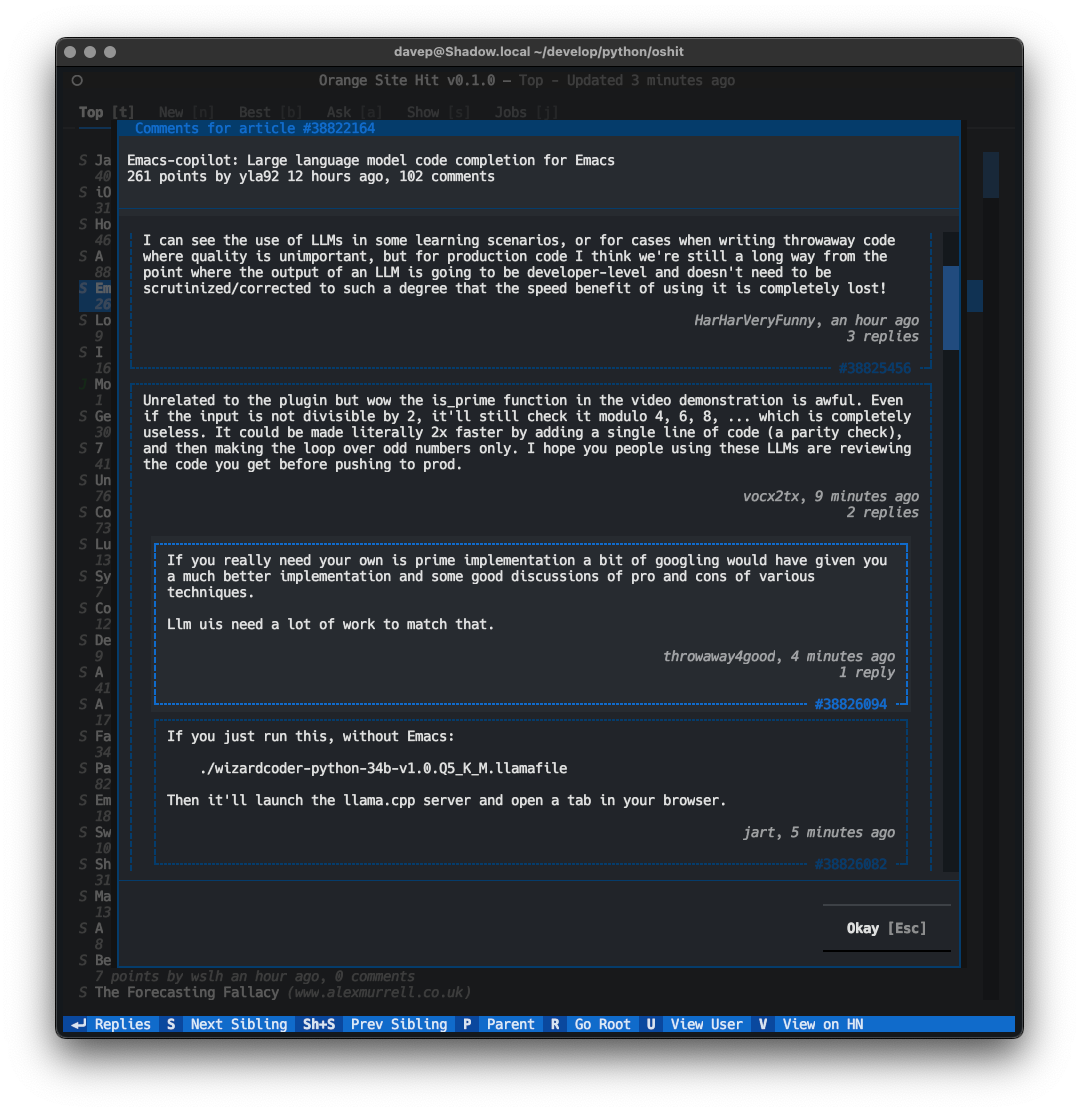
If you're the sort of person who wants to torture themselves by reading the comments (oh come on we all do it!), there's a comment reader/navigator too. With an item selected press c and the comment dialog will open:

Viewing the real meat of HackerNews

I think the navigation within that dialog is fine; although I can see some scope for improvement. At the moment it uses a widget-per-comment (actually, it's at least 4 widgets per comment), which is fine and Textual handles that without an issue, even on items with lots of comments, but longer-term I can see me having some fun using the line API to build a super-efficient comment presentation and navigation widget.

That's it for now; it feels like a good v0.1.0 spot to be in. There are a bunch of things I still want to do with it (better cleaning up of the text, perhaps with some markup support so links get handled, etc; plus lots of ways of searching for stuff), but I felt it was in a place where I could start using it.

Anyway, if this sounds like your sort of thing, it can be installed with pip or (ideally) pipx from PyPi. The source is available over on GitHub.


  1. Yes, there are lots of clients that do all sorts of HTML-scraping of the actual website to make this possible; this ain't that. This ain't going to be that.