Posts from December 2023

Tinboard v0.4.0

1 min read

Although it's not planned this way, so far it looks like I'm on a "every other day" release cycle with Tinboard right now! Today's release is a small but handy one, I think.

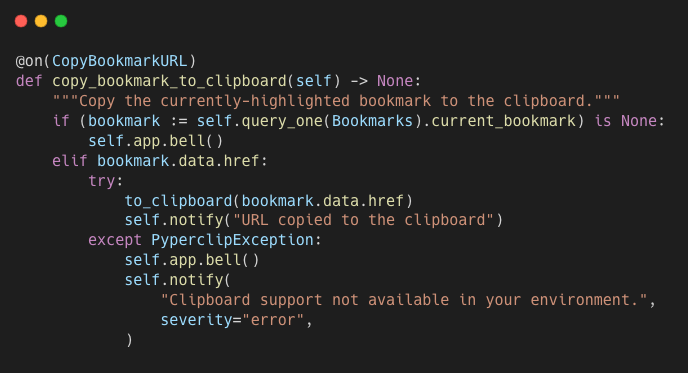
Thanks to the handy little library pyperclip I've added:

  • The ability to copy a bookmark's URL to the clipboard.
  • URL field autofill if you go to add a new bookmark and the clipboard appears to have a valid URL in it.

The code for copying to the clipboard

At the moment the copy facility is just a straightforward copy of the URL, nothing else. At some point I may add an extended copy option, which will open a dialog with a bunch of options of what to copy from the bookmark, and perhaps also how to format it or something. Like, often, if I'm copying a bookmark's URL, it's because I want to paste it into some Markdown document, or some location that will handle Markdown markup.

Perhaps that'll turn up in v0.5.0 in a couple of days? ;-)

Tinboard can be installed with pip or (ideally) pipx from PyPi. The source is available on GitHub.

Tinboard v0.3.0

2 min read

It looks like I'm in a wee period of small incremental changes and release of Tinboard. This morning I've release v0.3.0, which has a couple of small but useful changes.

The first is more of a cosmetic thing. The Footer widget in Textual is handy for showing the current keyboard bindings in a given context, but it can get massively cluttered very quickly (we do have plans to revisit this); in Tinboard this clutter creep was turning into a thing.

So I've removed almost every binding from being displayed in the Footer, and have placed an emphasis on the user pressing F1 to get context-sensitive help, and have also left the most useful bindings in the footer with very minimal descriptions.

Given that this is a keyboard-first application, and I've tried to make the bindings easy to remember, I think it's going to make more sense to do it like this, and will make for a tidier UI too.

There is one disadvantage here of course: by removing the display of bindings from the footer, the mouse-heavy user becomes disadvantaged; if a particular binding doesn't have a UI feature that favours the mouse to cover it too there's no way to initiate that action with the mouse. I'm going to think on this a little. Again, Tinboard is designed for me first and foremost, and my preference is to be keyboard-first when using the application; but finding a good compromise would be advantageous when it comes to advising people asking about Textual application design.

The second change is a simple but useful one. I've added a toggle of the sort order of the tags menu in the left-hand column (bound to F4). Right now it simply toggles between alphabetical order, or bookmark count order (most to least). At some point I might make it more of a cycle than a toggle, but this serves my purposes for now.

Tinboard can be installed with pip or (ideally) pipx from PyPi. The source is available on GitHub.

Tinboard v0.2.0

1 min read

Following on from the initial full release a couple of days ago, I've just released v0.2.0 of Tinboard. There's just one small change in this, but I think it's a really useful one.

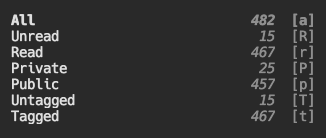
In the top-left corner of the screen there's a menu of main filters, letting you switch between seeing all bookmarks, or a combination of read, unread, public, private, etc... In using the application I quickly realised that it would be handy to have bookmark counts in that menu.

So I added that:

Counts in the filters menu

These counts are a little different from those in the tags list, in that they always show the number of matching bookmarks amongst all recorded bookmarks, not just those currently on display (and so subject to any sort of filter that's in play).

I think this is the right approach here. I know for sure that that's what I want from this, and I am writing this for me after all...

What's handy about this is that it makes it easier for me to see how many bookmarks haven't been tagged, and also how many I haven't looked back over and marked as read. This is already helping me get to untagged-zero.

Tinboard can be installed with pip or (ideally) pipx from PyPi. The source is available on GitHub.

Tinboard

3 min read

Over the past few weeks I've been working on a new pet project, in part done as a Textual "dogfooding" project, but also because this is a tool I've been wanting for a while now: a terminal-based client for the Pinboard bookmarking service.

The dogfooding side of the development has been helping, uncovering a couple of fun bugs in Textual; plus the act of building this has let me try out a few of the newer features we've recently added to the framework.

What's really important though is this is a tool I actually wanted, and I'm using pretty often. I've written a lot of Textual-based applications over the past year, most small examples, some quite a bit bigger, but none of them really form part of my daily workflow. This changes with Tinboard.

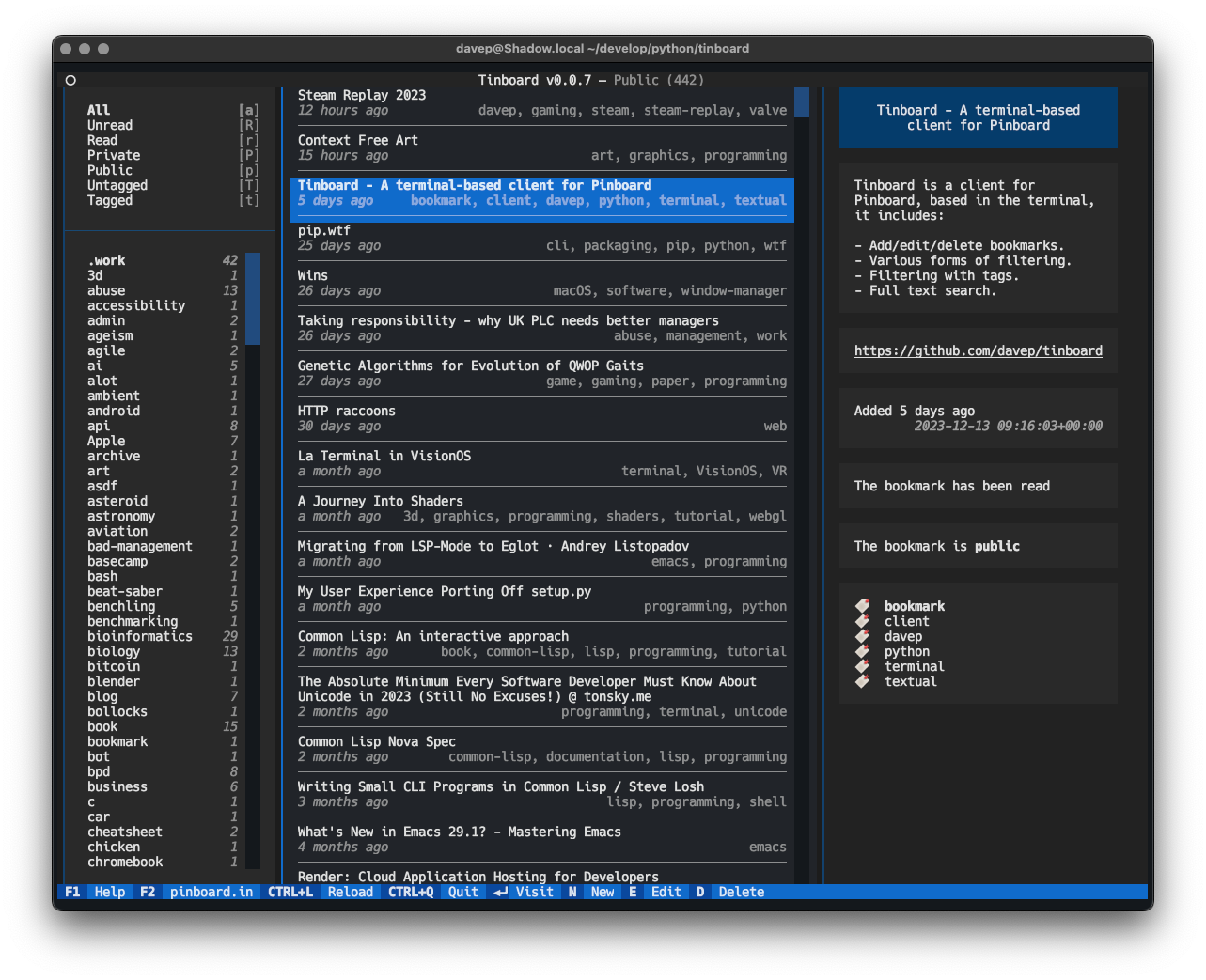
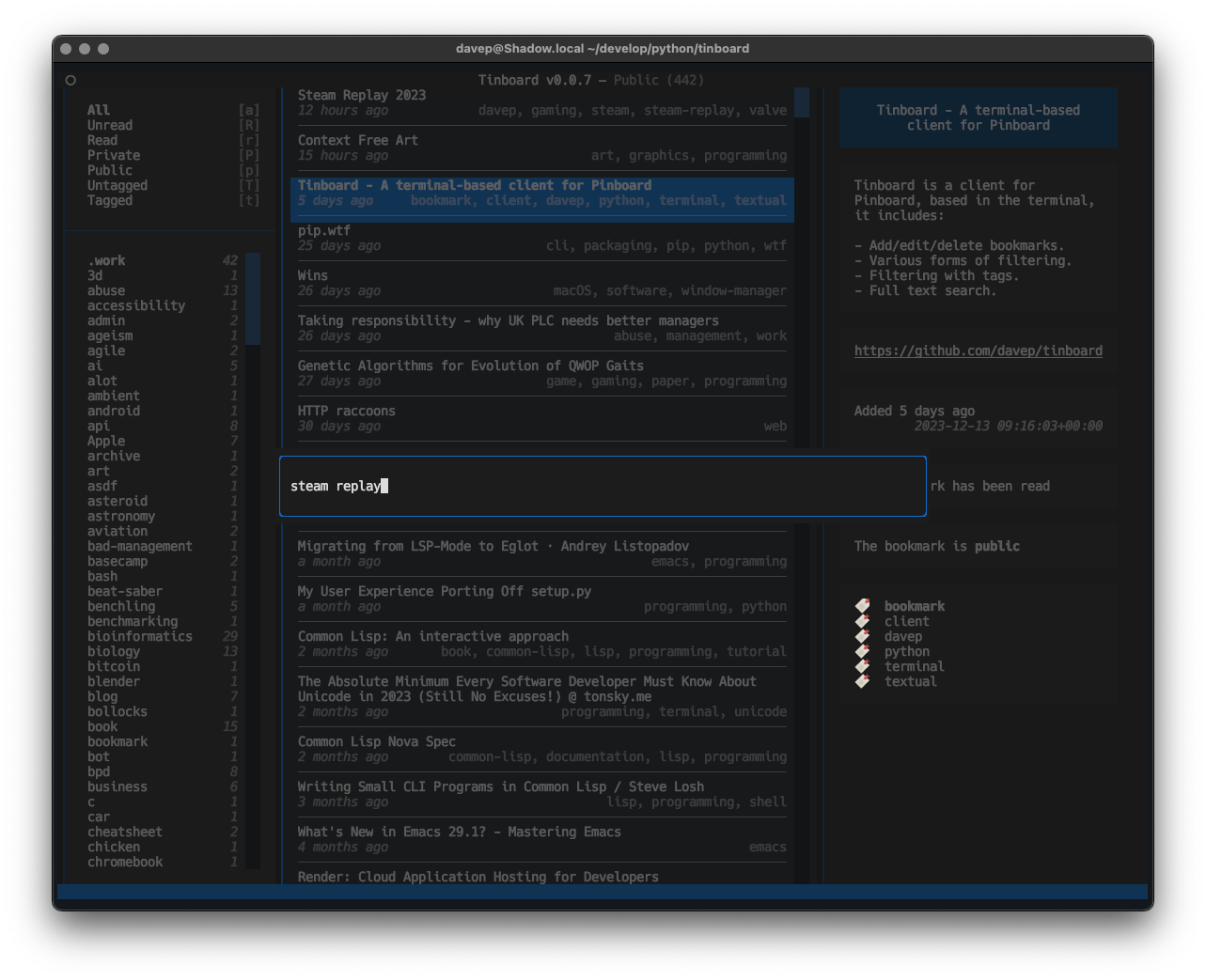
Tinboard in action

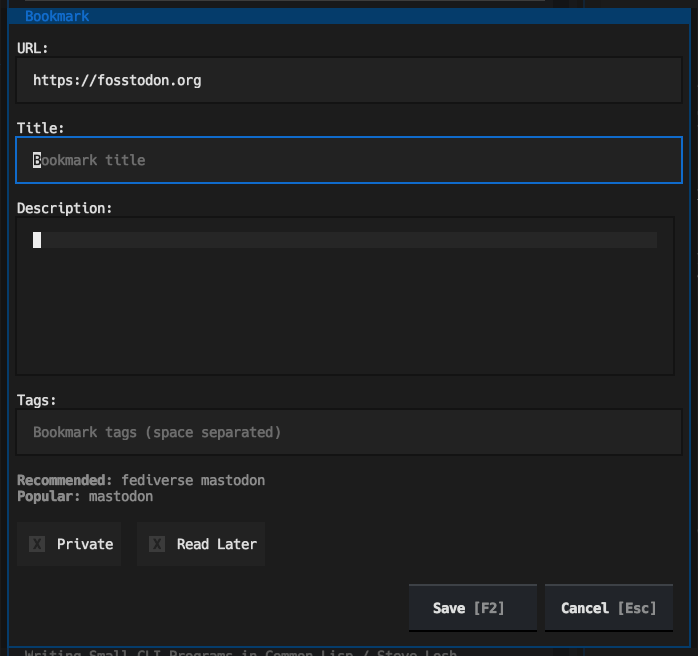
Tinboard is designed as a fully-featured client, allowing for the creation of new Bookmarks, complete with tag suggestion support:

Adding a new bookmark

Not only are tag suggestions pulled from Pinboard, but entry of tags can auto-complete, taking completions from both the suggested tags and also tags used amongst your own bookmarks:

Auto-complete of tags

That feature was really easy to add thanks to the Suggester API.

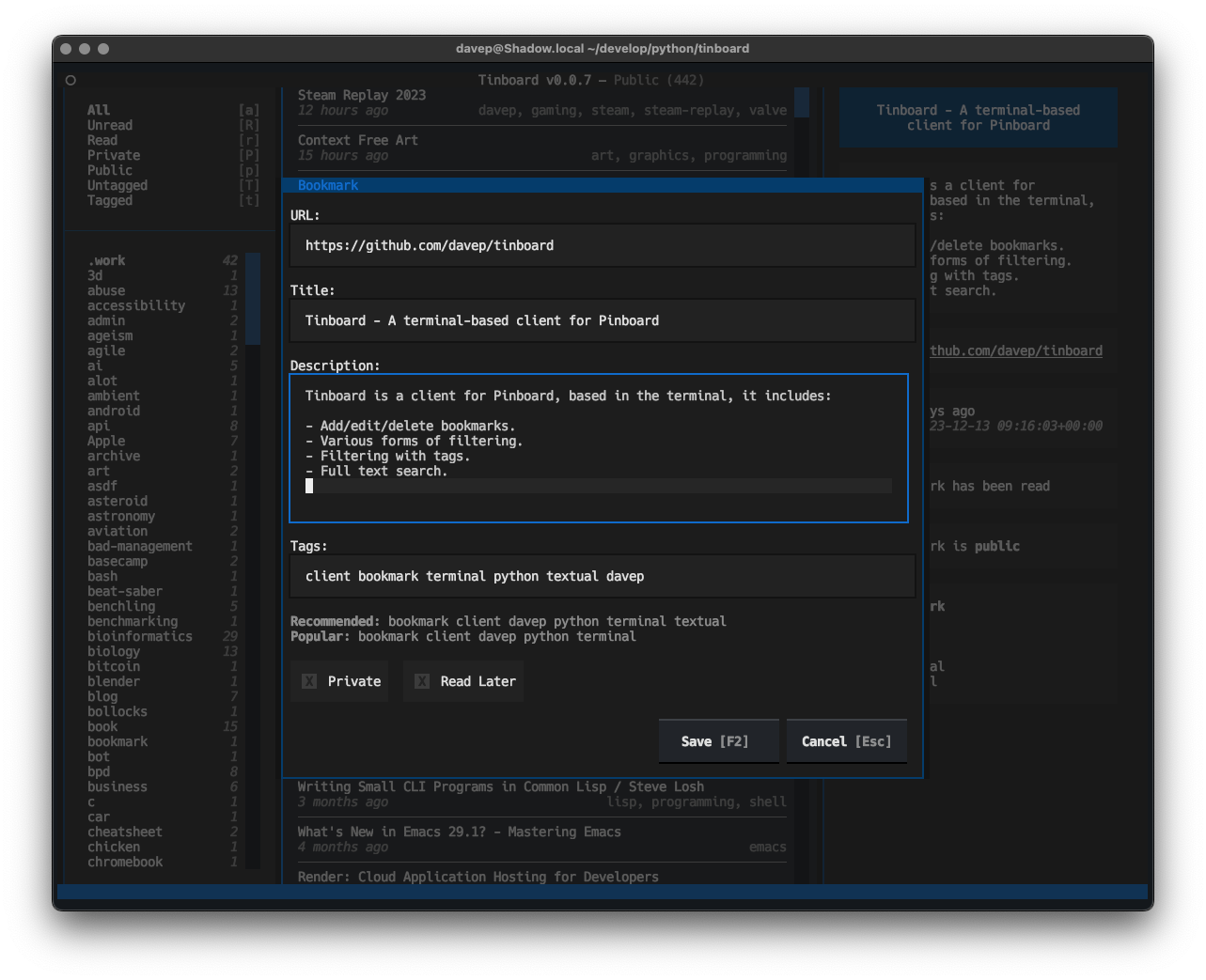
Thanks to the recently-added TextArea widget the add/edit dialog allows for proper full editing of the extended text description of the bookmark too:

Editing a bookmark

One caveat here is a lack of word-wrapping; but this will be arriving in an update to Textual early in the new year.

As well as all the usual add/edit/delete facilities, Tinboard is also designed to make it pretty easy to find bookmarks too. There are filtering options for seeing all read/unread, public/private and tagged/untagged bookmarks; this makes bookmark management really easy for me because I can filter for all the untagged and private bookmarks, which are likely the ones that need editing and expanding on, and tidy up my bookmark library.

There is also, of course, full text search too.

Text search entry

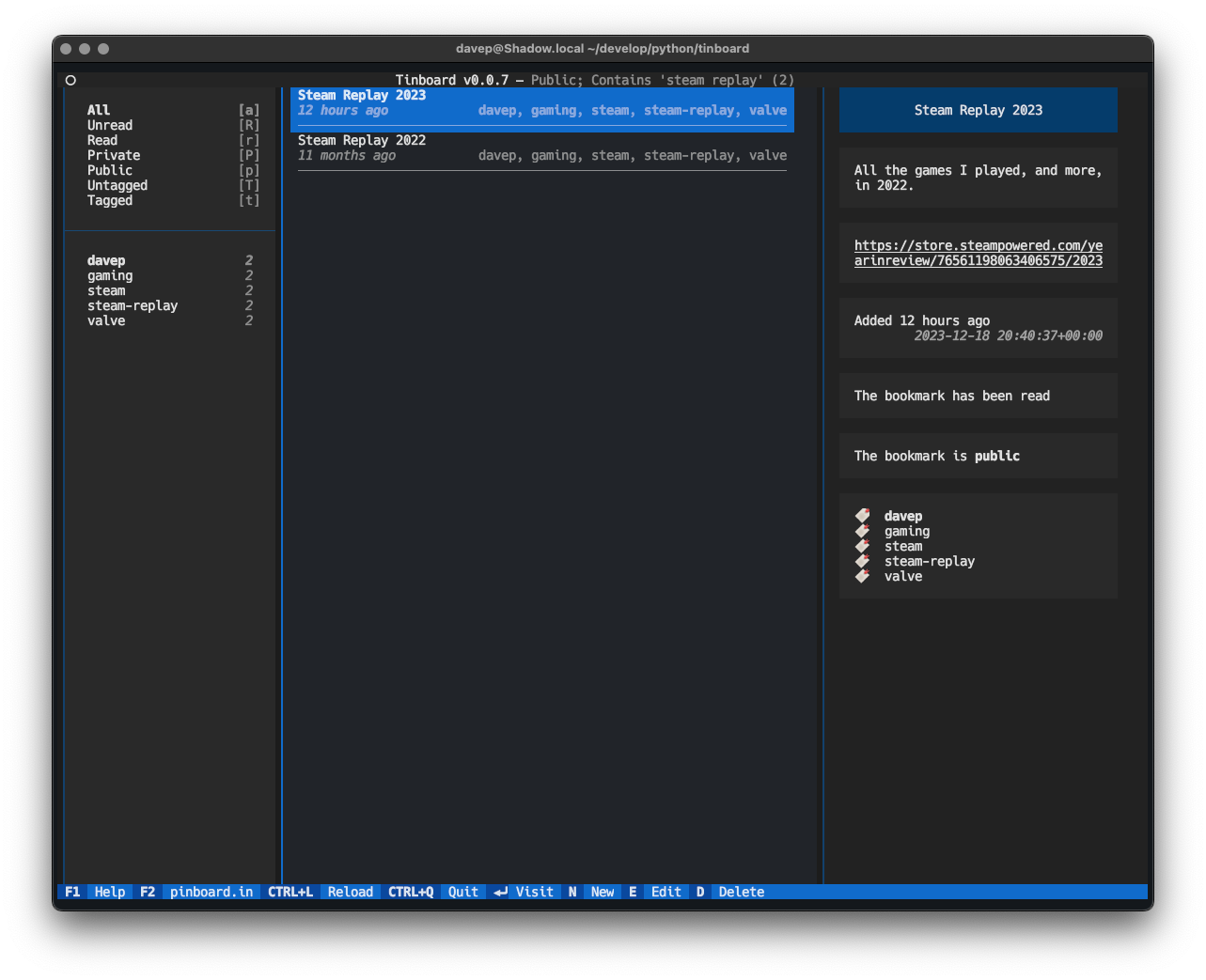
When a filter or search is in operation, the related tags and the like react too:

A search result being shown

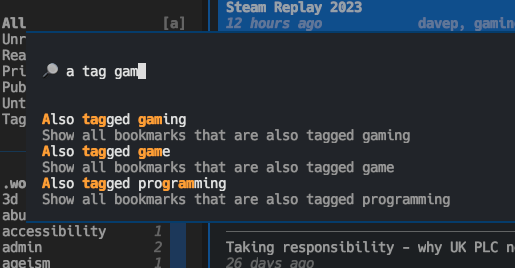
Another thing I've made a point of doing in Tinboard is leaning pretty hard on the Command Palette. No functionality is only available by it (I've done my best to make sure that keyboard is the primary input device here, with keyboard shortcuts for as much as possible). Initially I approached this as a "for the sake of completeness" feature, but already I'm finding that it's a pretty quick method of pulling up a tag filter.

The command palette in action

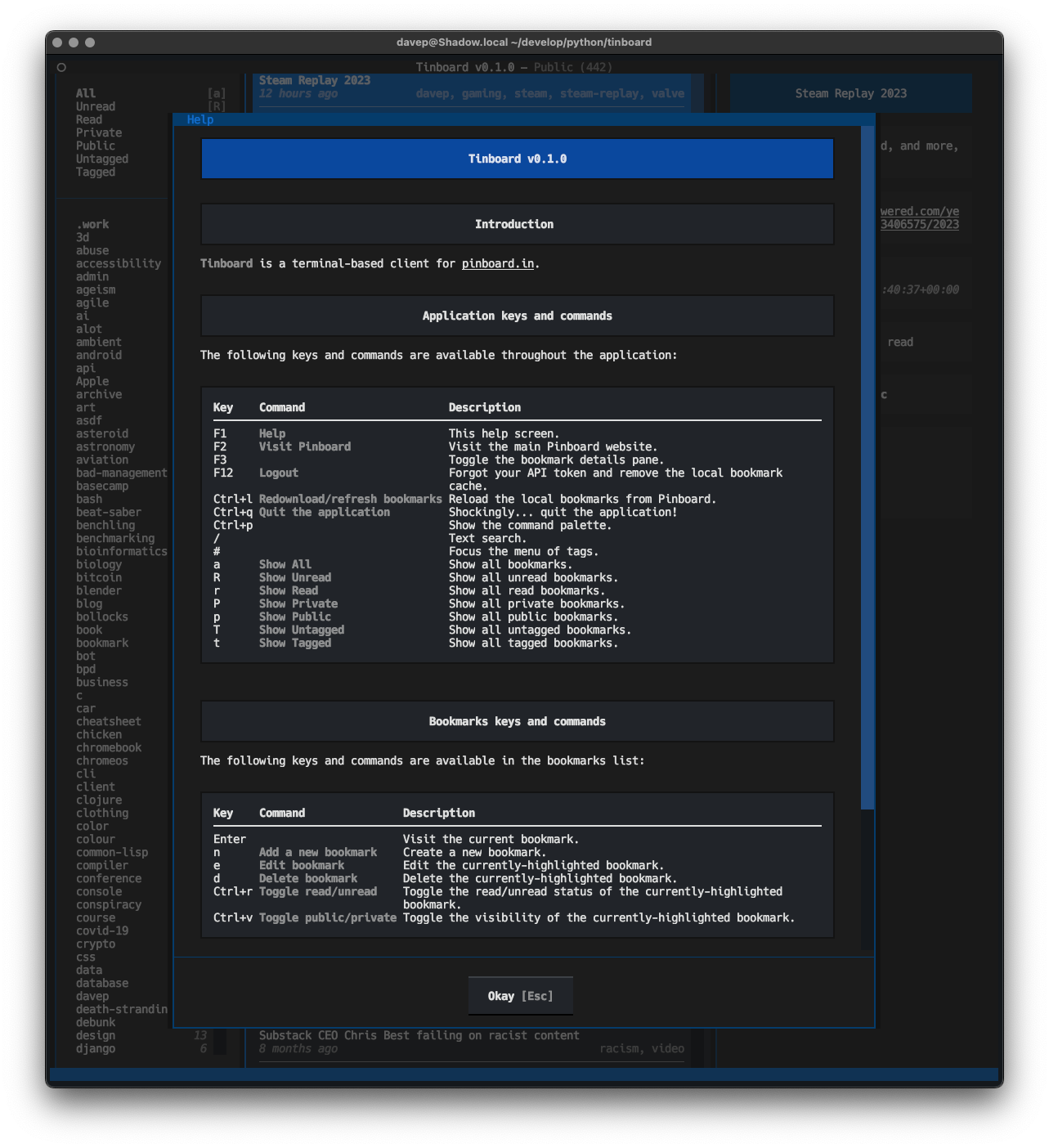
To help make all the features as discoverable possible, I've also ensured there's a pretty comprehensive help screen:

Help

Anyway; that's v0.1.0 out in the wild. I'm pleased with how it's turned out and there's a few more things I'd like to add. It's licensed GPL-3.0 and available via GitHub and also via PyPi. If you have an environment that has pipx installed you should be able to get up and going with:

$ pipx install tinboard

I hope this is useful to someone else. :-)

Steam Deck

5 min read

Back in 2021, I think it was, when Value first announced the Steam Deck, I was all "hell yes sign me up!"; like... really, I signed up there and then to go on the waiting list. The idea of a wee device that would let me play a ton of games in my Steam library seemed like a great idea. The price seemed right too.

So, I signed up, and waited, and waited, and life moved on.

When I finally (I think it was the best part of 18 months later?) got the email saying my Deck was up for grabs and did I want to complete the purchase I... said nah. By this point I was so heavily into VR gaming that mucking with stuff on a Deck didn't seem to make much sense to me any more.

I moved on.

Then a few weeks back they announced the OLED version and I took a second look. There was now over a year of reviews to read, hacks to notice, fun to follow; now I could get an idea if a Deck was any good and if it was for me. So after a bit of review-reading and review-watching, Thursday last week, I slapped down an order; and by Tuesday the Deck turned up.
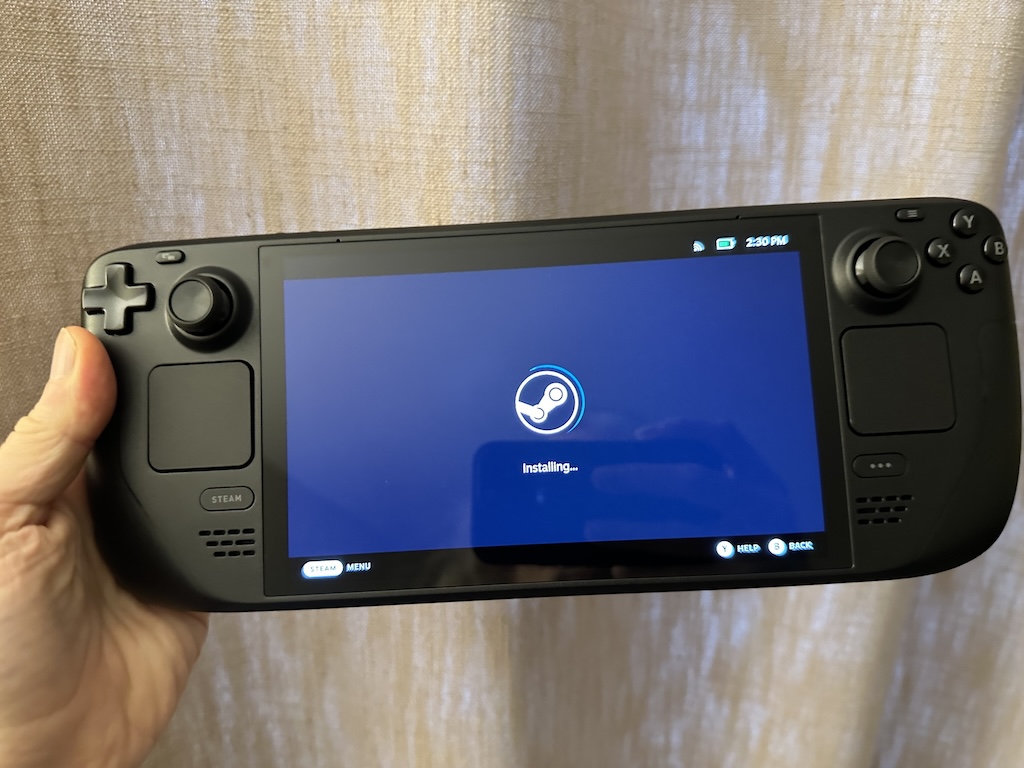
New Deck getting going

The overturning of my original decision to not buy came down to a couple of things. The first was: I recognised that there were a lot of games in my library, sometimes things I'd bought (often in a sale), sometimes things I'd got as part of a Humble Bundle, that just never got played. This, I noticed, was sort of down to an unfortunate relationship I'd developed with gaming.

See... VR has won me over. I love gaming in VR. Also, I love recording my gaming sessions and throwing them on YouTube. This means that, to some extent, in my head, there's effort to getting going with playing a game: I've got to power up the Windows PC; I've got to let it update stuff; I've got to let Steam update stuff; I've got to power up the VR headset; I've got to get it to connect to the PC (which generally works fine but on occasion needs a complete restart of everything); I need to decide what I'm playing next and what to record; I've got to get the recording software going; I've got to...

You get the idea.

Also, of course, I've got to be in the right state to be okay with having a computer strapped to my face (sometimes you don't feel 100% and being lost in a virtual world isn't the best thing to be doing).

This can feel like too much effort. It also means that gaming tends to be left for when I've got a few hours to dedicate to it.1

But I also love playing games.

My thinking then was a Deck would be a great way of "forcing" myself to play the more casual stuff. There's no easy (that I know of) way to record or stream from the Deck; it's also easy to have it on the sofa and turn it on in a moment. This felt like the ideal device to have to hand, that was dedicated to gaming, and which would encourage me to take smaller gaming sessions when the time arises.

Like... sometimes I'll put something on to cook, come into the living room, pick up the tablet and scroll through the Internet. While I try not to doom-scroll too much, I can see that it would be more healthy to pick up the Deck and play DooM!

So far, two days in, I'm convinced this was an excellent idea and I'm totally won over.
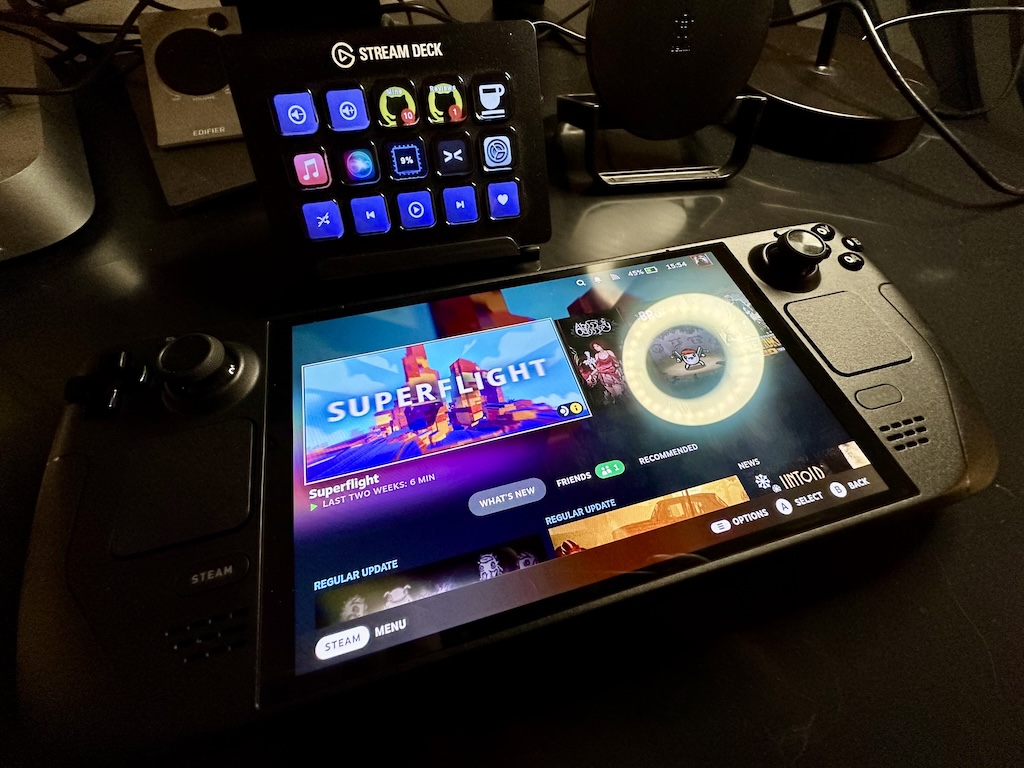
My Steam Deck and Stream Deck

I'm still getting a feel for what does and doesn't work best on the Deck, from a "my taste in games" point of view, but things that allow for dipping in and having a quick blast are winners.

Hong Kong Massacre has finally got a play, despite me owning it ever since I saw John Wick 4.
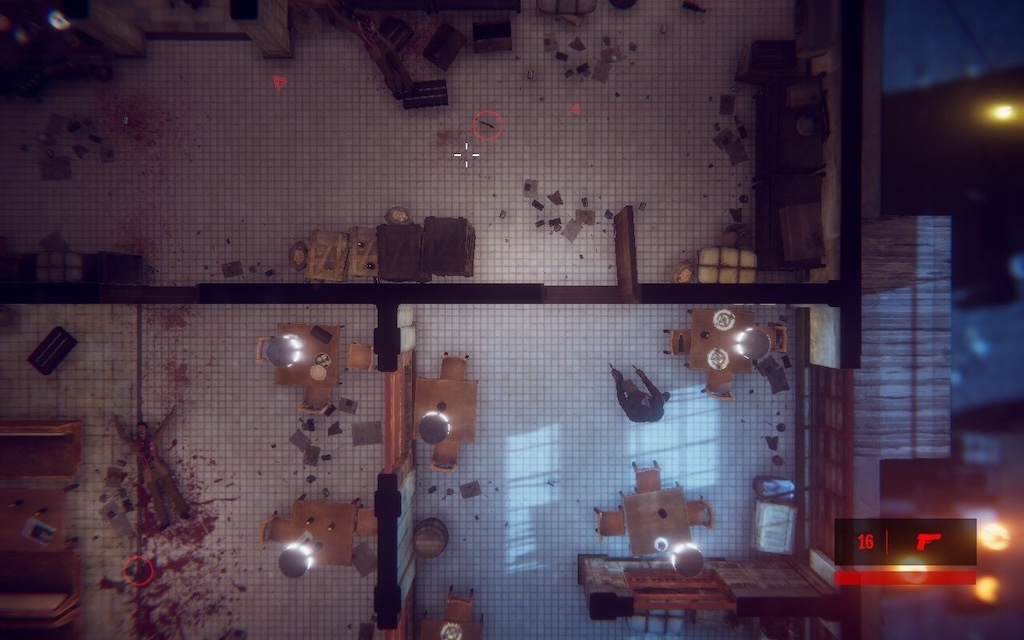
Hong Kong Massacre

DooM II got installed and is working well -- I may have to slowly play my way through the whole thing. I've also installed Abyss Odyssey and so far am finding it quite charming and fun (it's an example of a game that isn't really my kind of thing; but I got it in a Humble Bundle, I think, and it's been sat there with 0 hours for way too long).

I've also failed to resist one of the more questionable titles from my younger days...
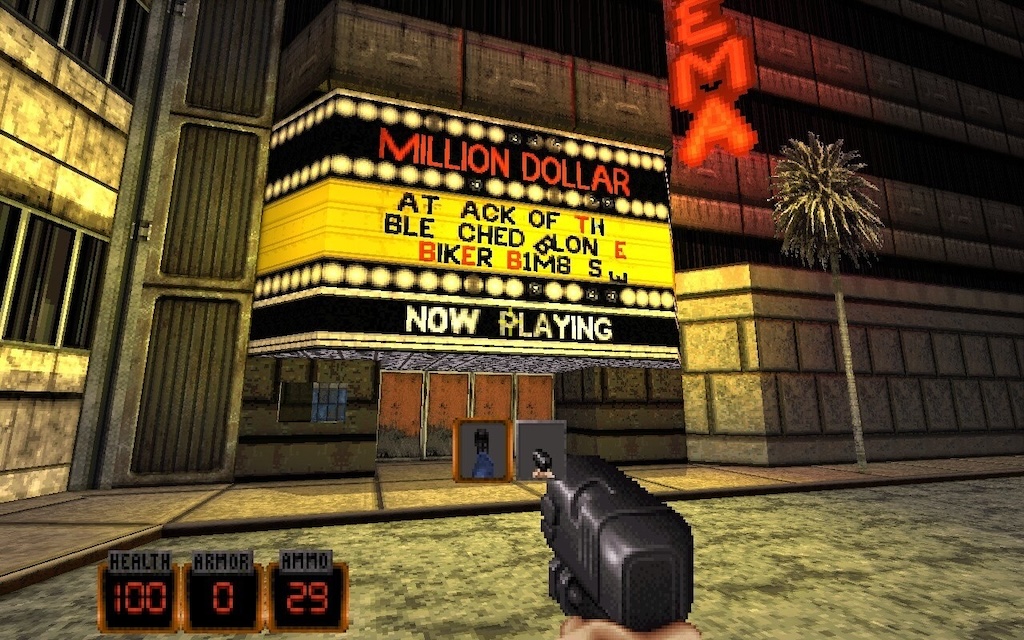
Come get some

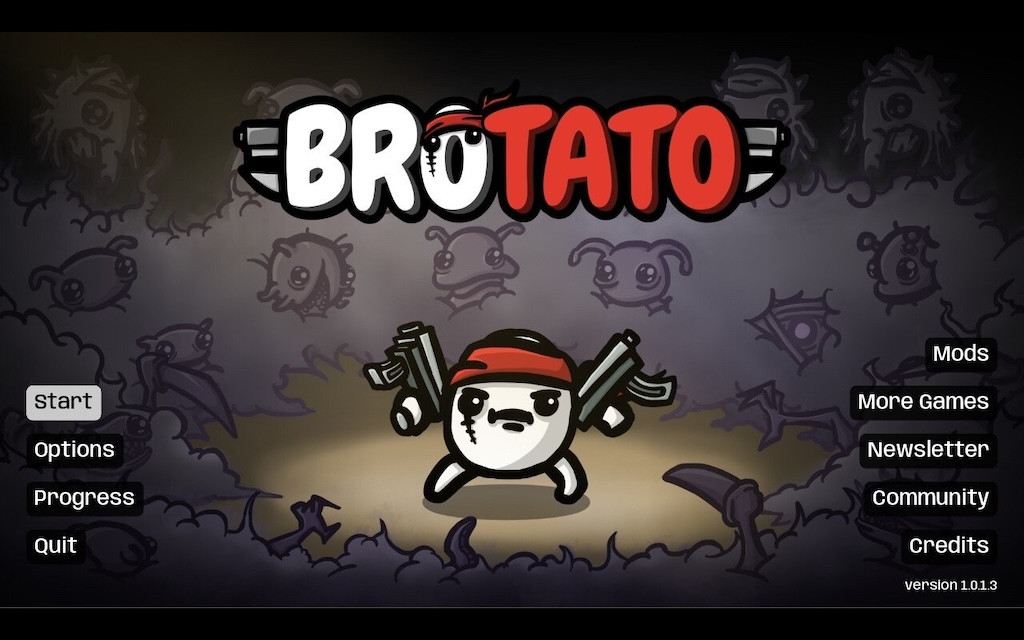
The real surprise for me though has been a game I bought on a whim a couple of weeks back, which was going cheap, looked fun, seemed nice and casual and which I installed on the PC and totally ignored (because, again, turning on the PC to have a quick game seems like a lot of faff): Brotato.
Brotato

This game is frantic, way over the top, kinda confusing in parts (for me) but accessible enough that I can actually have a ton of fun with it; and what's really important is that I can pick up the Deck, turn it on, play a game of this for 10 minutes and then go on to do the thing I needed to do next. It's the perfect game to play while waiting for the next step in dinner to cook.

So, yeah, The Steam Deck... I'm won over; I'm so won over. And I haven't even properly explored the fact that it has a full GNU/Linux desktop inside it that I can use as a desktop machine...

  1. Some of this is also true with gaming on the PS5; while it's easier to turn on and get going, and while I don't have a VR setup for it, I do have it in my head that it's more for "epic gaming" than quick casual stuff; see Death Stranding or Cyberpunk 2077 for example. 

When it doesn't just work

3 min read

My journey into the Apple ecosystem has been gradual but all-consuming. I've gone from, around a 8 years ago, being unconvinced about how good the whole Apple world is, to pretty much having all the hardware they make available, in some form, that I have an actual use for1.

One of the devices I was late to, but won over by, after moving away from Android to iPhone, was the Apple Watch. These days I have two: the original SE, and also a Series 8. Generally I've marvelled at just how seamless the experience is. I swap watches: the connection to my phone "just works" and it figures all that out. Stuff syncs. Stuff stays in sync.

I lean heavily on the watch. The Series 8 is my daily driver, and the SE acts as my nighttime tracking device while the 8 charges and I sleep.

I record walks. I record runs. I record lots of heart rate data. I pay for things, pretty much everything, with it. I... take it for granted really.

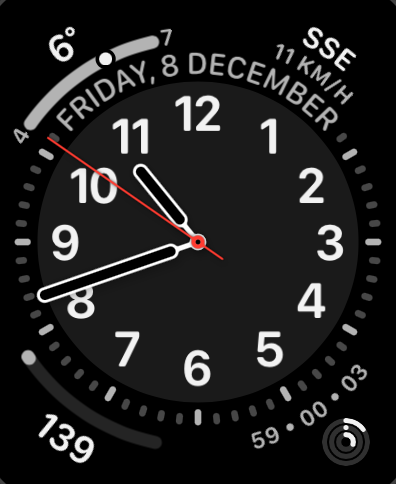
My main watch face

Yesterday though, something odd started to happen. I noticed that some things didn't seem to be syncing from my watch to the phone. Health-related things weren't turning up. A recorded workout didn't show. The control of all things audio seemed to decouple and the watch kept taking over use of my AirPods from the phone in an annoying way I'd never experienced before. Things like that.

I tried a reboot of the watch. Stuff turned up.

It happened again. I tried a reboot of the phone. Stuff turned up.

It happened again.

I then rebooted watch and phone, stuff seemed fine, and I didn't think much more about it.

Then this morning I swapped from the SE back to the Series 8 as I sat down for breakfast, my usual routine, and the syncing was failing again.

This, for me, this is when Apple stuff gets really frustrating. There's no easy or obvious way to diagnose what's going on. Like: I could not sync some health data from the watch to the phone, but I could use "Find My" to ping the watch (presumably a difference in communication route, BT vs Wi-Fi perhaps). There's no obvious error dialog. There's no obvious log to look at. There's no "your BT is borked" alert or something.

Searching online the advice seemed to be the nuclear option: unpair the watch, reset it, start again. So I've done that this morning and it's been quite the pain. Getting it set up again was straightforward enough, but having to go through the whole thing of dismissing all the "here's some tips on how to use this watch you've had for a year and used every day" cards was annoying, also having to set up my payment cards again was annoying. Also, and this is on me for not backing them up recently, trying to recreate my watch faces from memory and remembering which ones they were based on was also annoying.

Apple are actually so good at a lot of this seamless shit; but damn do I wish they'd also be good at making a tool that lets you easily and smoothly diagnose some issues. I would imagine sync issues between watch and phone are common enough that a wee tool where you run through diagnostics, and where there's a Q&A to help narrow down the issue, would be a great experience.

Anyway... it seems to be up and running again, so hopefully that's that issue solved. I tried a couple of things that would need to sync from the watch to the phone and they showed up instantly; actually faster than I've been used to for quite a while.

Fingers crossed...


  1. During a conversation about this at work the other week, I think I figured out that the only Apple product category in which I don't own an example of the hardware is displays2. :-/ 

  2. When the VisionPro comes out I'll be able to say there's two.