Recent Posts

Strange Obsidian sync issue

2 min read

Since October last year I've been getting into using Obsidian. Not that heavily, not to the extent some people do, but just as a way to keep a daily journal of work-related things. Each day at Textual HQ we finish off with a chat about how our day has gone, stuff we're wondering about, etc, etc... So I don't lose tack of what I've been up to I keep notes and Obsidian is how I do that.

One of the things I really like about it is how I can have iPhone, iPad and macOS versions on the go and have it all sync via iCloud. It generally works well.

But in the last couple of days I've noted the oddest problem, and I've yet to pin down the exact flow. But it seems to be this:

  • If I create or edit a note on my iPhone, it doesn't turn up on my Mac.
  • If I create or edit a note on my Mac, it turns up on my iPhone.

I think I might have seen variations on that theme but I've not made careful note -- normally I'm made aware of it when I'm trying to get something done.

What's super weird is this: on the iPhone, if I create a note, and then go into the Files app and look at the iCloud folders for Obsidian, the file isn't there! It's there in Obsidian itself, I can move it about, edit it, etc, etc... but it's not in the "vault" as seen from the Files app.

It's the last part that has be really puzzled.

If I get to the bottom of this I'll try and remember to write up what I find. I suspect I'm going to need some proper clear time, without other distractions, and experiment with all the edit and sync options and see what works and what fails.
Off to see Nick Harper

1 min read

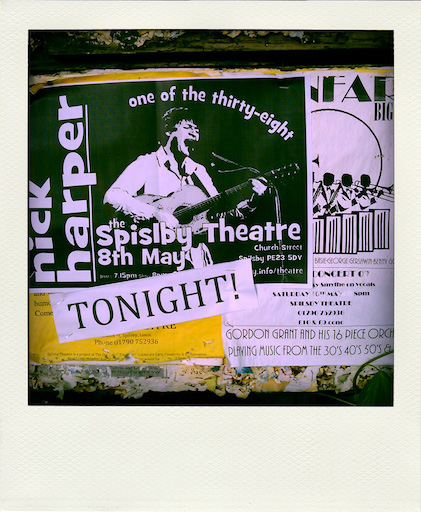
Poster from likely the last time I saw Nick

I've lived near Edinburgh for getting on well over 6 years now and, aside form the odd show here and there, I've never really done the Fringe. As in, really dived in. Since moving up here my life situation didn't quite allow for it and then the pandemic hit and... well, you can imagine. Every year I've been up here I've managed one show, at least, but this year I want to try and make myself get to a few.

Maybe one per week. Possibly.

Might not happen, but I'm going to try. What can I say? I don't live in Edinburgh, I'm not a big "be out amongst people" kind of person, and the activation energy to get on a bus into town vs what I can do in my little part of Scotland is a constant battle.

But this year I'm going to try my best.

This evening I've booked a ticket for an artist I've been a fan of since the 1990s: Nick Harper. I saw Nick quite a few times in the 200xs (see the image above, I think 2009 might be the last time I saw him!) and then my going to gigs tailed off somewhat (again, life stuff). So seeing that he's playing here for a few days was something I could not ignore.

This weekend me can thank Monday me for committing him to doing something kinda sociable. I'm sure he'll be mad at me most of the day it's happening, but once it all kicks off and the music is flowing he'll be thankful.

Right now, at this moment... I'm rather looking forward to it.

HomePod Stuck Installing Update

1 min read

I have three HomePods. I have a Mini in the kitchen and one in the bedroom. I then have one of the newer-gen "big" HomePods in the living room, which amongst other things is the speaker for my Apple TV device (yeah, I'm kinda Apple all over the place these days).

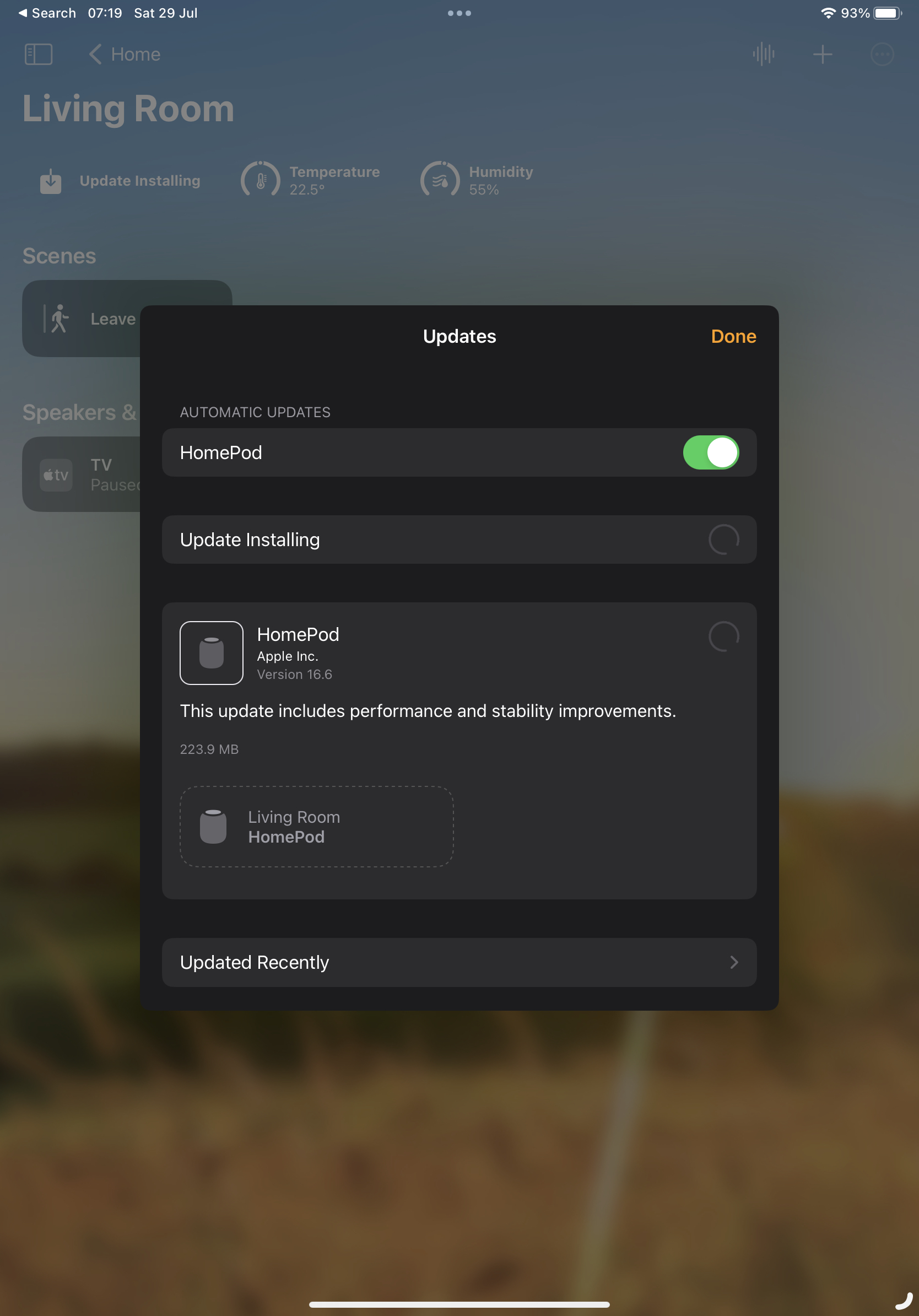
This week there was an update to the software, updating to 16.6. The two Minis updated just fine. The big one, however, days later...

HomePod stuck installing the update

It's been like this all the time since the update turned up. I've tried a reboot from the Home app. I've tried pulling the plug and plugging it in again. Nope. It just keeps sitting there like this.

Meanwhile... it's working (more or less) fine. It's still playing music. It's still being the speaker for the Apple TV. It still answers most questions and performs most commands (most of the commands I give it are to add stuff to my Reminders).

On occasion if I ask it questions about other devices in the apartment ("hey siri, what's the temperature in the bedroom?") it'll do the "working on it" thing and then give up saying the thing wasn't responding. That seems to be about the worst of it.

Having checked this online it looks like, annoyingly, the one option I have left is to do a full reset, removing it from my Home, doing a factory reset, and then setting it up again. I'm sure it's something that'll take 10 minutes or so; but it's an annoyance.

Apple: #ItJustWorks.

Quiche Reader

2 min read

I can't quite remember where I found this this week, I think it might have been via a comment on some article on the orange site1, but I stumbled on a really handy bit of free (as in beer) software called Quiche Reader.

It's really simple and I feel exactly the sort of thing I need. Over the years I've tried all sorts of "save to read later" tools and systems; be it things like Pocket, or tools now built into the browser these days, even adding URLs to Remember the Milk (back when I used that) or (these days) Apple Reminders.

Nothing ever quite stuck. Normally I'd end up slapping stuff to read into these systems and then never reading them.

Quiche Reader, so far, feels like the perfect approach.

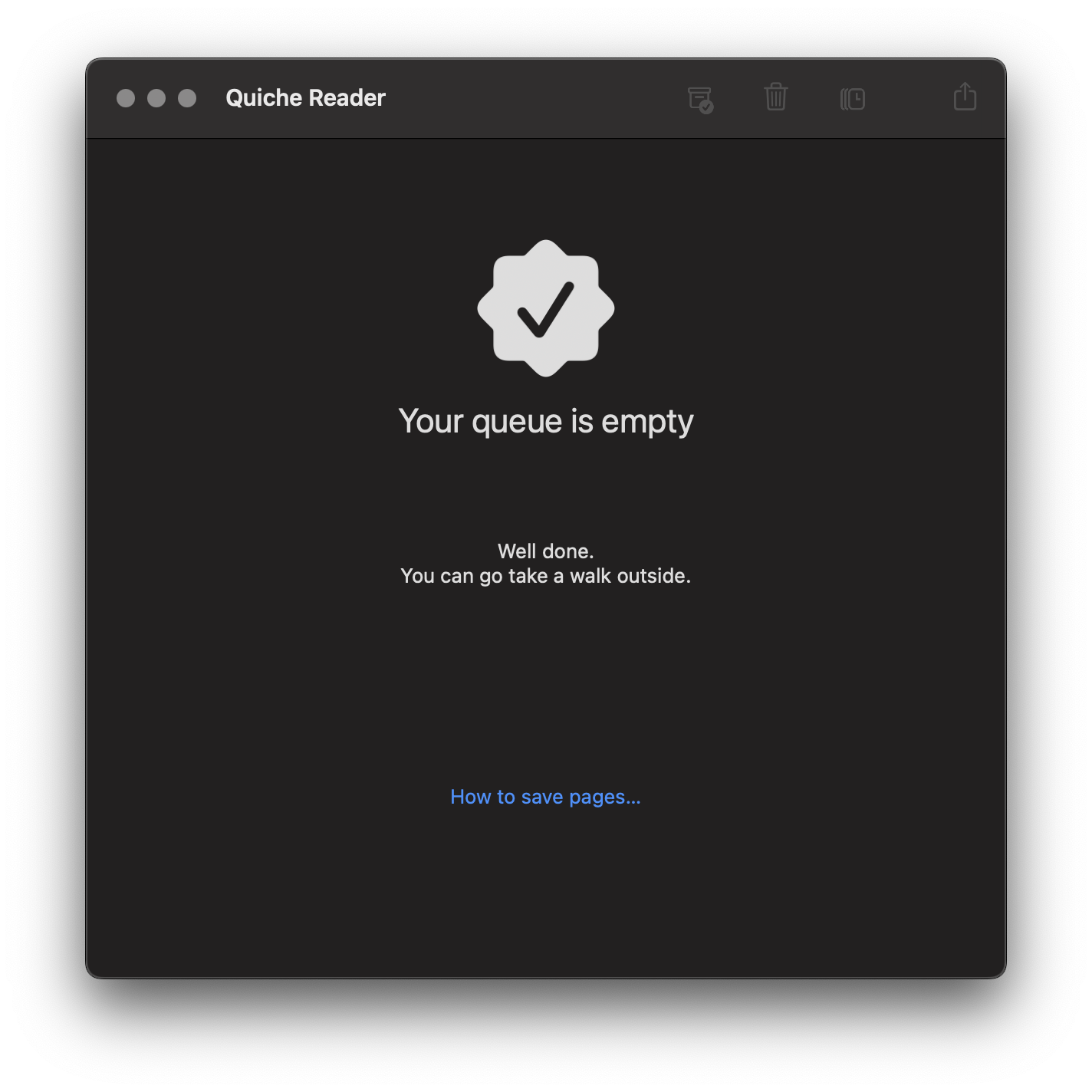
Quiche Reader in action

It's quite simple: if I see something I want to read a bit later I save it into the application (which will sync to my other devices via iCloud). Then, when I go to Quiche Reader, I have to read the article or delete it and move on. This is sort of what I'd do anyway, saving stuff up for months on end until one day I'd declare saved reading bankruptcy and then start the whole cycle again.

Now I can look at the saved article stack and I'm forced to either read the thing, or be honest with myself that if I'm not gonna read it now, I'm probably never going to.

It does have a "pause" facility (or something like that, I forget the name) where you can throw an article to the back of the queue; but even then that means it'll keep popping back to the top again.

I'll see how it goes; but so far I feel like this is the best "I'll save this to read later" tool I've found yet.


  1. I know, I KNOW! But there's so few places left to aimlessly scroll on the bus now! 

Encouragement, I guess?

1 min read

Anyone who was (un)lucky enough to follow me on Twitter back in 2020 will know that, starting January 1st that year, I set about losing weight. At the time I was very overweight and wanted to get into some sort of healthy state. By August that year I'd managed to drop 30kg and hit and then went a wee way under my goal.

These days I'm back up a wee bit. Not much: generally about 5kg or so above that goal, most of that having turned up on the last 7 or 8 months (not exactly coincidental that it's happened in conjunction with the new job, the new work location, and the new commute). While it's no real cause for concern -- I'm still generally careful and still get plenty of exercise (normally walk around 35km a week, run 20km, get my 10k steps in every day)

About a week back I decided that it was time to give myself a bit of breathing room, to try and at least drop a couple or kg; so with that in mind I set a lower daily calorie goal in my tacking app.

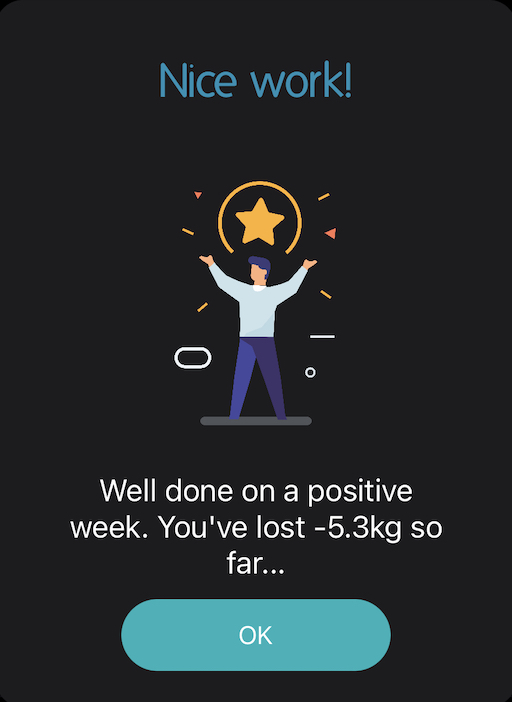
When recording my weight first thing this morning (yes, I'm one of those people who records it every day and have for a few years -- it makes for interesting data!), this is what my calorie/stats tracker had to say:

Screenshot of my calorie and weight tracking app

I guess it's putting a positive spin in things? (for the record, I'm 5.3kg above my absolute goal).

textual-canvas v0.2.0

1 min read

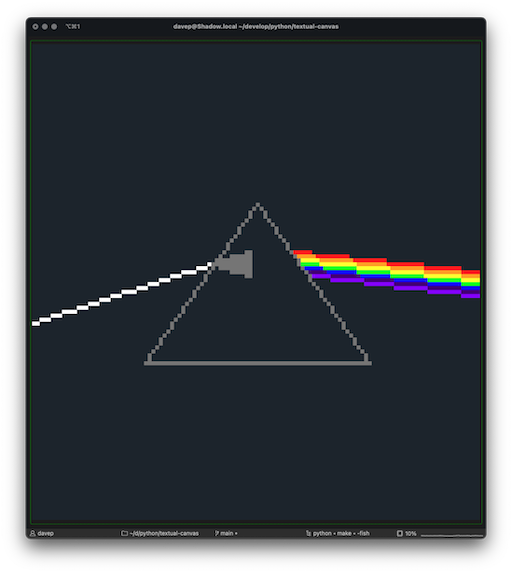
Demo of textual-canvas

Given that for a good chunk of this year I've been a bit lax about writing here, there's a couple or so coding projects I've not written about (well, not on here anyway -- I have spoken lots about them over on Fosstodon). One such project is textual-canvas.

As the name might suggest, it's a "canvas" for Textual applications, which provides a pretty basic interface for drawing pixels, lines and circles -- and of course any other shape you are able to build up from those basics.

I've just released a quick update after it was requested that I add a clear method to the Canvas widget; a request that makes perfect sense.

Cmd-Tab switcher on all screens

2 min read
TIL

This week, on Monday gone in fact, we moved office. We've now got a bigger space and, as part of that, bigger desks. Somewhat (but not entirely) coincidentally the work desk will also convert into a standing desk1. Also also... I inherited a second screen for the desk too. Ever since the days of CRTs and video cards that supported it, I've been a fan of having at least a couple of screens in front of me, and now at my work desk I've got 3 (two external displays and the display of the MacBook Pro itself).

This caused a slight problem though: horizontally there's quite the spread of things to look at. This is fine, mostly I'm looking at the screen that's in front of me; the MacBook is to the left and the "second" screen is to the right, both with "other" stuff on them. In front of me is Emacs and my browser, which I flip between lots.

The problem is this: the MacBook needs to go to the left (because of physical layout), which means that despite me setting the screen in front of me as the "main" screen, the Cmd-Tab display (you know the thing: when you hit Cmd-Tab you see the icons of all your active applications) appears on the left-most display, which is the MacBook.

Not great. If I'm looking at the right-most display, and want to switch using the keyboard, I've got to look over to the left, as a worst case. That makes for a lot of unnecessary head-swivelling.

One quick Google later and Today I Learnt that the following pretty much solves the problem:

$ defaults write com.apple.Dock appswitcher-all-displays -bool true
$ killall Dock

As the name of the setting would suggest: once done, the switcher appears on all displays.

That's perfect.


  1. Although the work one is manual hand-cranked, not electronic button-push goodness like my new one at home

Dot Files

1 min read

While I'm still in blog-tinkering mode (long may it last!), I thought it might be handy to keep a page kicking around that has links to the small collection of "dot file" repositories I have.

Like many people, I keep these in a central location (in my case up on GitHub) so that I can very quickly spin up a familiar work environment on a new machine (new machines are something that doesn't happen too often, but it's always good to be able to get going quickly when it does).

So, depending on browser type/size, either above here or off to the side, there should now be a permanent link to a page of links to those repositories.

As I look at it now it's actually surprising to me how much of my "comfortable" environment is encapsulated in so few tools, and configured with so few collections of files. There are other tools I use a lot too, but most of them either have their own sync systems, or they have so few configuration options (and are likely in a format that isn't easy to grab/store) that it's not worth the bother.

This feels like a good thing, really.

One thing that's not amongst all of this, partly because it's not that interesting, but also partly because the repository is private, is a single bash script called myenv. On a new machine, once I've got enough of a setup that I can clone from GitHub, I drag this down and run the script and most of the rest of the environment follows.

It's quite satisfying when I need to use it.

New desk

2 min read

I moved into my current place back in August 2019, bringing with me a fairly small desk. Originally, many years back, I'd had a pretty big office with lots of office space but, upon moving up to Scotland back in 2016, I needed to go with something a lot smaller.

Which was perfectly fine. Me and that desk wrote a lot of code. Me and that desk transitioned from one job to another, and then another. Me and that desk made it through the pandemic.

It's been a good desk.

But it was small. I'm in a place where I could spread out a fair bit again, but I also kept putting it off and putting it off.

Earlier this year I decided that it was high time I actually upgraded; I also promised the desk to someone else who I know will get a lot of good use out of it; so finally earlier this week I put in the order for something bigger and fancier.

Yesterday, with the help of a very good friend (thanks Mariëlle!), I got the desk built and roughly in place, and then today I've been putting the desktop back together and adding extra bits.

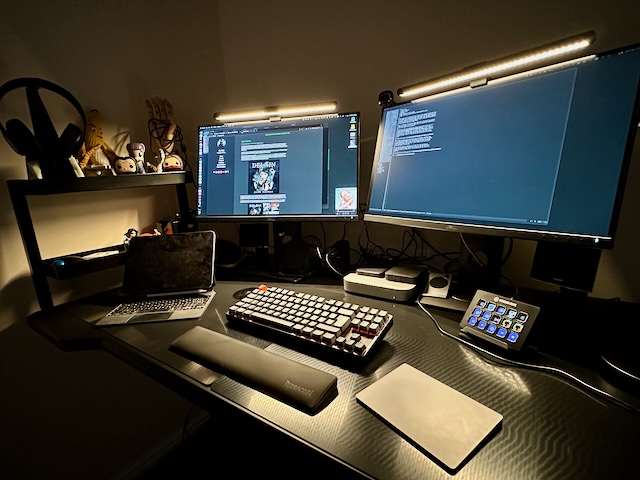
My new desk

It's so nice to have more space to spread out, it's also nice to have a black desk again! (the last one was white because... reasons) But what's really exciting is that it transforms into a standing desk at the touch of a button.

I've been trying it in the standing configuration today and, while I doubt I could do a whole day of coding with it like that, I'm already really liking it as a way of breaking up the time at the keyboard. On the days I work from home, or the days of my own where I get sucked into a personal project, I can absolutely see me swapping between the two states.

All that's left now is to get used to it. The screens are ever so slightly further away, the height is ever so slightly different (although I can adjust it, of course, but what I've done is adjust the sitting position to a nicer one and that's going to take some getting used to), my iPad and Stream Desk are in just a slightly different location, etc, etc... So I'm sure there'll be a few days of sitting here and making small tweaks to the spot where things live.

Before I know it I'll be used to it. It'll be "my spot".

Dark Waters

2 min read

More than ever I'm listening to music while I work. Despite having grown up in the 80s, and so having a good vinyl collection, and then having got into buying all the CDs in the 90s and 00s, these days I have managed to embrace the "just stream all the things" approach. After a long time using Spotify I finally ended up migrating to Apple Music.

One of the things I do find Apple Music does well is the whole "you seem to like this, have you tried this?" thing; which on occasion has resulted in a pretty neat rabbit hole of discovery.

Earlier this year this happened with female-fronted Dutch goth/rock type bands. I don't even remember how that happened, but it's a thing that happened and I gleefully dived right in. I came away with a few names I didn't know before, but one album has really stuck in my head and, now that we're just over 1/2 way through the year, I feel it's the one that gets played more than anything else.

Delain Dark Waters

This keeps creeping back to the top of things I'm playing; sometimes when I'm in "bang on the keyboard lots" coding mode (you know the sort of coding mode: where you don't have to think too much because you have a good plan for what you're doing, but you've got a lot of tapping away to do), plus also often while I'm in the car.

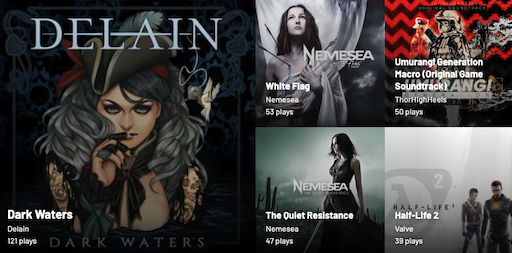
I won't be the least bit surprised to find that this ends up being my most-played album this year. According to last.fm it's at the top of the albums I've played (in places where I have scrobbling set up) in the last 365 days.

My last 365 days of albums on last.fm