Recent Posts

And now for some iOS

4 min read

I'm on a bit of a "explore other universes" trip at the moment, it would seem. The other weekend I finally cracked and purchased my first ever OS X device and, earlier today, I purchased my first ever iOS device.

Don't worry, I'm not abandoning the world of Android; far from it if my experiences of iOS so far are anything to go by. However, having started slowly working through a book that teaches Cocoa and Swift I thought it might be interesting to be in a position, at some point in the future, to be able to make and throw an app at an iOS device and it seemed the most affordable way of doing that was to grab an iPod.

So I did.
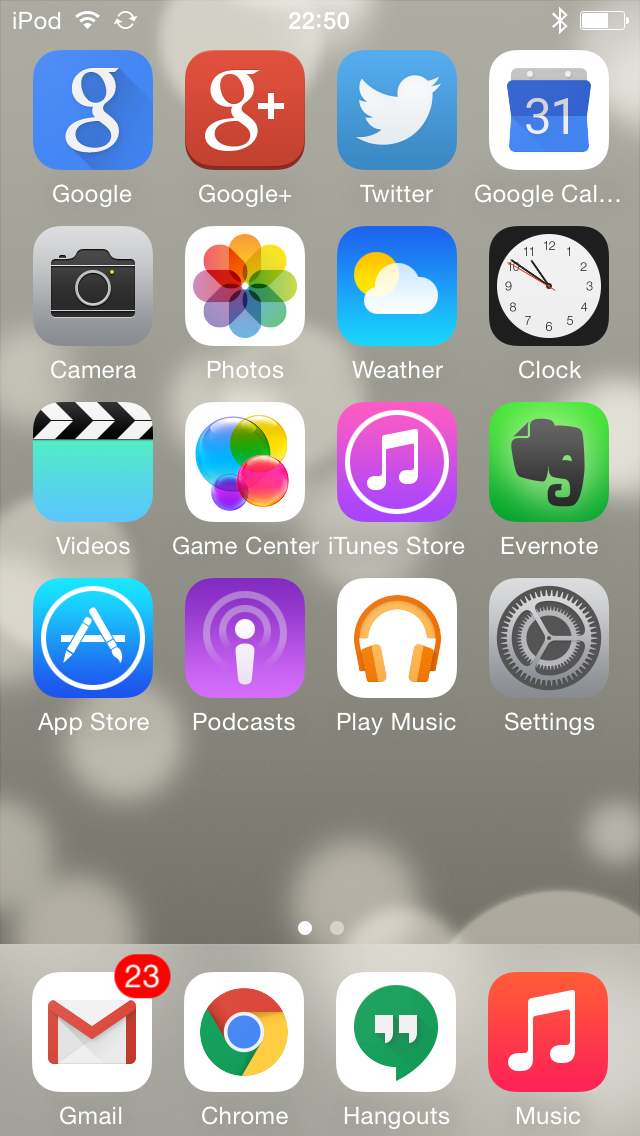
I now own an iPod

One of the first things I did, and I'm glad to find it was possible, was to load it up with apps that make it into a reasonable Google device (so, so far, I've got Gmail, Google+, Google Calendar and Google Music on there -- need to sort Google Drive too, at least). Next up was to get some music on it too -- might as well actually use it to listen to music, I guess.

That actually turned out to be more fun than I was expecting. See, I gave up on iTunes many years ago, back when it was pretty much the only legit method of buying music online. Since then I've tended to work with ripped copies of my CD collection or I've listened to music I've bought on Google Play (the latter bulked out with the former thanks to Google's music uploader).

And here's the fun part: if you use the recent Google Music Chrome app (which, it seems, allows unlimited downloads of your albums) to pull the music down, and drop them into iTune's import folder, magic happens and iTunes gets nearly populated with music. Even better, music that I'd originally ripped as WMAs comes back own as mp3s, so solving the problem of iTunes not doing WMAs.

Handy!

So, anyway, that's the iPod set up as a generally useful device.

As for iOS itself.... Ugh. I'm far from impressed. Compared to Android it feels old and clunky and very constraining. For example, I can't really control what's on the home page. Sure, I can move things about, and I can even remove apps I've installed, but I can't remove/hide Apple's own apps at all. The best I've managed to do is drop all of them in a folder together and ignore that folder.

I'm finding the whole navigation thing kind of frustrating too. The lack of a standard back button -- as you have on Android -- means that different apps seem to do different things in terms of allowing back navigation. I'm also still unsure how you can easily task switch (if there is a way of doing that it's not obvious to me).

Another thing that's frustrating me is "AirDrop". I tried to use it to get the screenshot you see above onto my iMac but nothing I did would make it work. The iPod would see the iMac and the iMac would see the iPod but the filed didn't appear to want to move at all.

Yet another thing that seems rather unstable is the whole business of WiFi sync. That seems like a sensible idea -- let iTunes on the Mac know that the iPod lives on the same network and have them sync that way. Problem is that I'm finding that it drop out during a sync more often than not. The only reliable method of doing a sync that I've found is to use the USB cable.

I've yet to write the blog post about my experiences with the Mac so far but what I'm finding here fits in with what I've found with the Mac: some of the ideas are really rather clever but they just don't quite work as well as people would seem to want to have you believe. Apple gear has this reputation of "just working" and I'm finding that this really doesn't seem to be the case at all.

Still, it's all a learning process and I know far more about Apple gear now than I did a week or so back, and I'm learning more as I go.
ChromeOS file manager got better

1 min read

The ChromeOS file manager has always been a bit.... rubbish. Kind of. Back in the very early days it only let you work with the Chromebook's (very small) local file system. Then, some time later, they added Google Drive integration, which was seriously handy. But it still lacked some important stuff, like the ability to mount filesystems from Windows machines, or to use sftp, or the like.

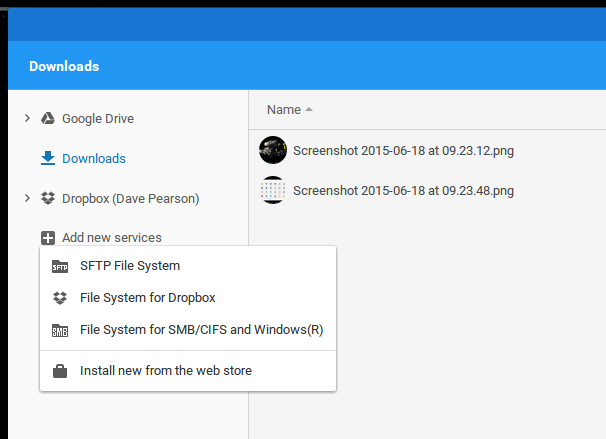
That seems to have all changed with the addition of the "Add new services" button:

Now I can add more stuff!

As is often the way with Chromebooks, unless you're closely following forums or Google+ communities (I don't), you tend not to know when this stuff is going to turn up or even when it does (I mean, really, is it too much to ask that the device alert you to handy new features? I mean, my watch did!). For all I know this has been there a while and it's the first time I've noticed.

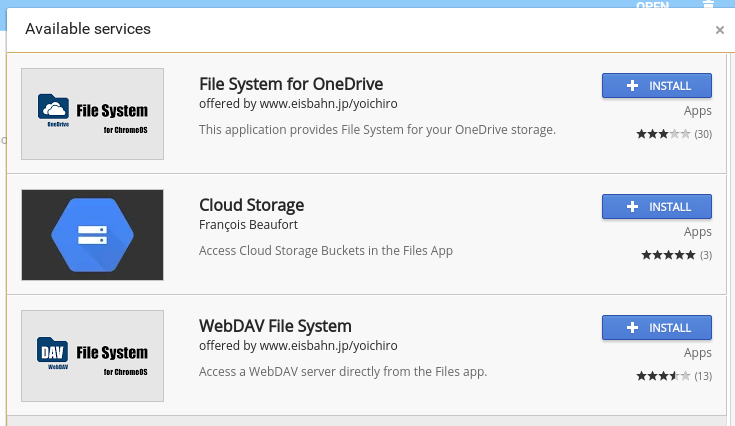
No mater how long it's been there, it's really rather handy. I've already been able to hook it up to my Dropbox account, there's an SMB filesystem handler (that I've not had a chance to test yet) and an sftp service (which I have tested and seem to work well enough for my needs). There's more too:

Handlers for all

I'm guessing there's an API out there now that people can work with so I guess the list of services you can install will grow over time.

For people who want to do a little more than just browse the web, Chromebooks (and other Chrome* devices for that matter) just got a little more useful.

A ChromeOS issue

2 min read

Since the last update I've being having a rather odd issue on my old Chromebook. This is my Samsung Series 5, the "original" commercial Chromebook to be released (in the UK anyway). I first noticed it in TweetDeck but have since noticed that it's affecting any browser tab. Simply put, sections of the display either "lag" in their content or they simply show up empty.

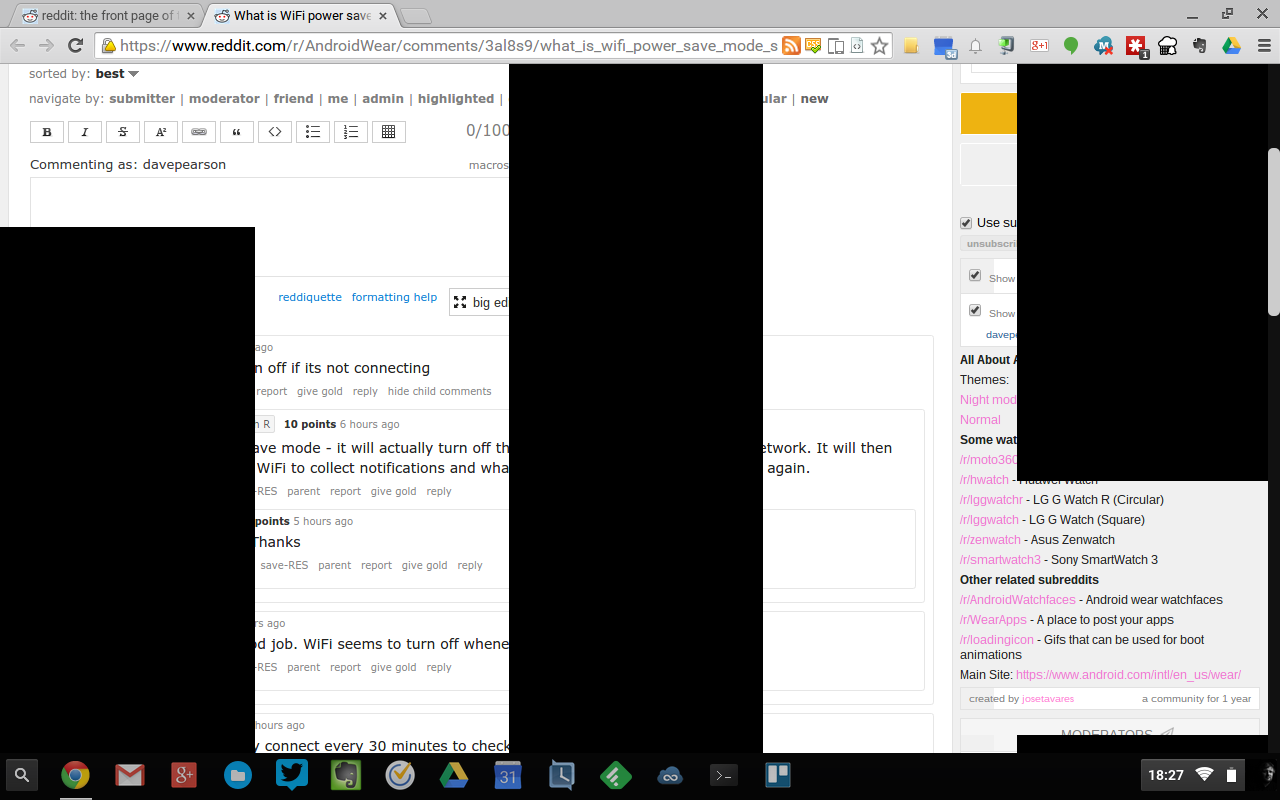
First I tried to get a screenshot of what was going on but it didn't work. I did get to show that there was a problem, but what was grabbed by the screenshot wasn't what I saw seeing on the screen. Here's the screenshot:

Screenshot of new ChromeOS issue

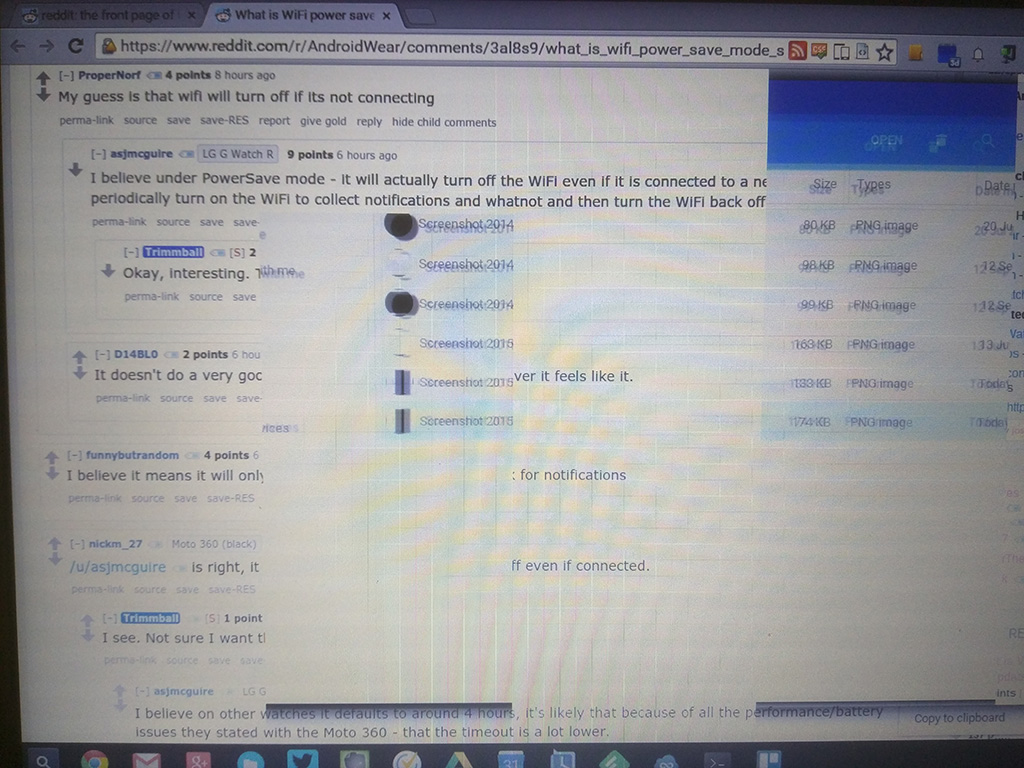
The only way I can show how it looked to me on the screen is with a (rather horrible I'm afraid) photo:

Photo of what the screen actually looked like

It's unclear to me if this is something wrong with the Chromebook itself, or in this release of the OS. It is running the beta channel -- currently on 44.0.2403.54 -- so, of course, this sort of thing is to be expected.

If it is the case that that Chromebook is on its way out -- either in terms of that actual machine dying or support for it at the OS level going away -- it won't be a terrible loss. It's been a great machine and has served me well and wasn't terribly expensive to begin with (the lack of expense is one of the things I really like about Chromebooks, which is why the Pixel continues to perplex me), replacing it with one of the newer crop of Chromebooks won't break the bank.

But I'd be a little sad to see it go, I've done some pretty significant things on it and it is, in some ways, a little bit of computer history.


Edit to add: I've now moved it back over to the stable channel, with a powerwash on the way (of course) and this seems to have done the trick. I'm no longer seeing any problems. The switch to stable even had the problem showing. Here's a video of stable downloading:

That's pretty much the sort of thing I was seeing all over the place, and it appeared to be getting worse as time went on.

Hopefully this was a one-off and the problem isn't simply up in the beta cannel and waiting to head down to stable.

Moto360 updated

2 min read

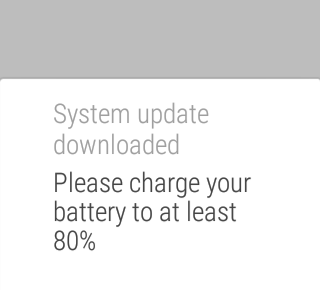
Yesterday evening I finally got the following notification on my Moto360:

Moto360 Update Notification

Given the charge was quite a way below that I took the watch off and put it on charge and then did the update later.

From what I could tell it all went pretty smooth. After updating it even offered me a little tutorial on some of the new things it's added. So far I've used (or set up) the following:

  • The much better "launcher" Finding and running apps on the watch was always a bit of a pain, so much so that others had even written special launchers for Android Wear. This seems to be pretty much solved now. Pressing and holding the watch's side button will pop up application list, from here you can swipe right to your contacts (them letting you send messages, start calls, etc) and right again for the usual list of actions that you used to go straight into.

The way it's done now makes a lot more sense and seems far cleaner.

  • WiFi I've yet to notice the benefit of this, but I've not paid too much attention yet either. The watch now does WiFi. This is supposed to mean that it can still work with my phone when it's out of Bluetooth range. I say I don't know if it's working yet because I use an app to tell me if my phone is out of range and it still keeps tripping as normal -- but I'm unsure if that means it's simply telling me it's out of BT range but really the watch is now doing its thing over WiFi, or perhaps the phone connection really has been lost despite me having set up the WiFi connection. More testing needs to happen here.

Setting this up was curious: I had to turn it on on the watch and then select the access points I wanted to work with, again on the watch. But to actually connect I had to switch back to my phone to enter the AP passwords (which makes perfect sense of course, nobody wants to type passwords into a watch face).

  • Gestures These needed to be turned on in settings. I've being using them this morning to navigate cards on the watch and it's really well done and really natural. Simply put, you flick your wrist up, or down, to "flick" from one card to another. All it seems to be missing is some method of gesturing that I want to swipe a card out of the way.

Other than the above it's pretty much business as usual. Hopefully there's been some work to improve battery life and all that sort of stuff, and only time will tell if a difference has been made there.

ChromeOS ssh has gone! (sort of)

1 min read

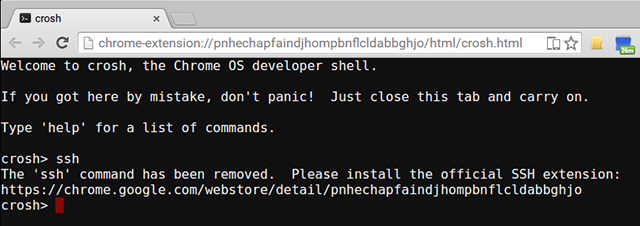
I've no idea when this happened, and I'll admit that the advice it gives is advice I've mostly being following anyway for quite a long time, but it seems that ssh in the ChromeOS terminal has been removed. This is what just happened when I tried to use it just now:

ChromeOS ssh no longer working

To be fair, Chrome Secure Shell is pretty damn good and has served me well for the past couple or so years, working well on the Chromebook and on Windows 7 and 8 (and also now on the Mac, although I'm tending to use ssh in its native terminal more).

I wonder if any other of the limited features of the ChromeOS terminal (in non-dev mode anyway) are going to go the same way?


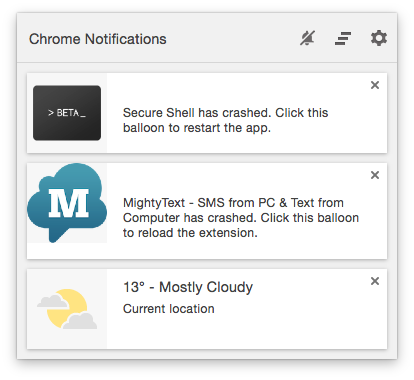
As an aside to the above, something kind of ironic happened as I was writing this. I opened Chrome so I could preview the post as I was writing it and I suffered one of Chrome's rather common extension crashes. Look what one of those extensions was (and I wasn't even using it at the time):

Chrome ssh extension crashes for no reason

Not exactly the best advert for the non-optional replacement.

A mild Chrome annoyance

2 min read

For a long time now Chrome has been my web browser of choice. It has, to some degree, become my "other emacs" (ignoring for a moment that my use of GNU emacs has sort of lapsed the last few years). By that I mean that it's a portable environment that serves me well on many operating systems and, for one of my machines, actually is the operating system. I really appreciate how Chrome's sync lets me feel right at home no matter which machine I'm on.

But I've run into one small issue that's kind of annoying.

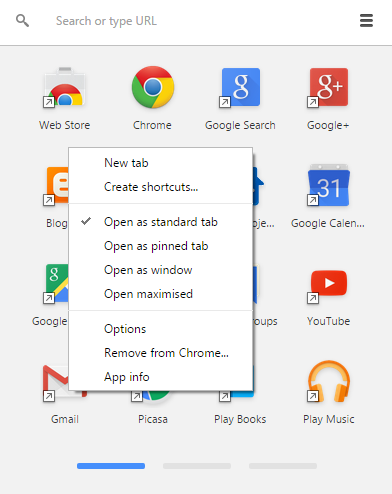
In some situations I find it pleasing, and I find it makes sense, that some web "apps" open in a window of their own rather than in a Chrome tab. On Windows and on ChromeOS this is simple enough, all I need to do is find the "app" in the Chrome app launcher, pull up the content menu, and tell it to open as a window.

Chrome app context menu on Windows 7

Nice and simple1.

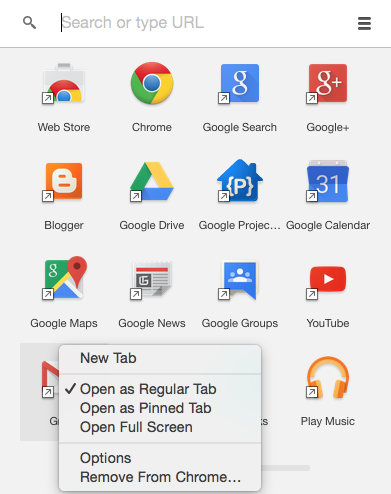
Now, the Mac, so well known for doing everything every other OS does but doing it better and being easier to use.... you'd expect it's at least the same there, right?

Nope.

Chrome app context menu on OS X

There's no option at all to open as a window!

So, on the Mac, while I'd love to be able to open Gmail as a window/app in its own right, I'm totally out of luck, it seems. I've no idea whose "fault" this is. It's not clear to me if this is a Chrome/Google decision or if it's about how things have to work on a Mac. Thing is, I find it hard to believe that it's the latter given that Google Keep runs in its own window on the Mac and I can happily pin it to the dock.


  1. It's that simple on ChromeOS too. In case you're wondering why I didn't also illustrate that, it's because you can't take a screenshot on ChromeOS while you've got a context menu open. O_o 

Hello, World!

2 min read

Hello, world.

So I've decided that it's time I had a blog again. An actual blog. Not a set of posts on Google+ or a torrent of 140-character thoughts on twitter but an actual blog.

Part of the reason for this is that there's a couple of personal coding projects I want to have a go at over the next few months and writing about them as I work on them might be fun. Another reason is that I've being wanting to explore the business of hosting a blog on GitHub pages for quite some time and now's the perfect time to do it.

So how am I doing this? Well, for starters, I recently acquired an iMac. The reasons for how and why I chose to do this are varied and mostly uninteresting but what it does mean is that, for the first time in quite a long time, I have a Unix desktop machine again. This fact alone means it's nice and easy for me to play with the likes of Git (or, at the moment more GitHub for Mac than the command line git), ruby, Jekyll and SublimeText (along with a rather nifty package for quickly kicking off a blog post). So that's how I'm doing it. Writing it all locally and pushing it up to GitHub and hosting it with GitHub Pages.

As this goes on I imagine much will change. I've started out with a basic setup, created by simply using:

davep@Ariel:~/blogging$ jekyll new davep.github.com

From now on I'll be playing with styles and my own layouts to see what I can come up with and what I like (although, I most say, for the most part I'm actually liking the clean look it delivers out of the box).

One thing that's obviously missing right now is a facility for commenting. That's something I'll look into should I feel it's necessary -- from what I've seen elsewhere it's easy enough to make use of something like disqus. Update: This has now happened.

One other thing I might look at doing is putting this behind my own domain. For the moment it's only available via github.io and I guess it might look nicer if it was actually available via a URL that looks like the name I've attached to the blog. Update: This has now happened.

Anyway, that's it for now. Time to push this up and think some more about where it'll go from here.