Posts from September 2023

Mandelbrot Commands

2 min read

I don't think I've mentioned it before on this blog, but some time back I decided it would be fun to use Textual to write a Mandelbrot explorer (simple Mandelbrot explorers have been another one of my favourite known problem to try an unknown thing problems). Doing it in the terminal seemed like a fun little hack. I started off with creating textual-canvas and then built textual-mandelbrot on top of that.

Not too long back I added a "command palette" to Textual (I'd prefer to call it a minibuffer, but I get that that's not fashionable these days), but so far I've not used it in any of my own projects; earlier today I thought it could be fun to add it to textual-mandelbrot.
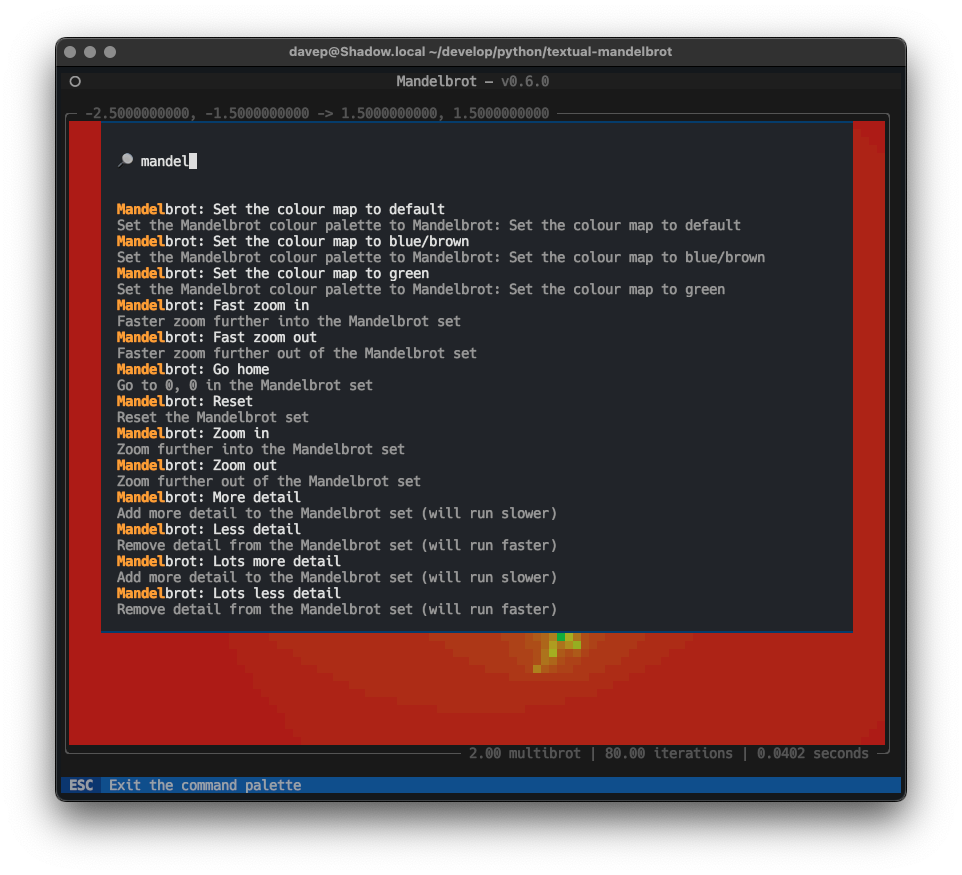
Mandelbrot commands in action

Most of the commands I've added are trivial and really better covered by (and are covered by) keystrokes, but it was a good test and a way to show off how to create a command provider.

Having started this I can see some more useful things to add: for example it might be interesting to add a facility where you can bookmark a specific location, zoom level, iteration value, etc, and revisit later. The command palette would feel like a great way to pull back those bookmarks.

What I really liked though was how easy this was to do. The code to make the commands available is pretty trivial and, I believe, easy to follow. Although I do say so myself I think I managed to design a very accessible API for this.

There's more I'd like to add to that (the Textual command palette itself, I mean), of course; this was just the start. Support for commands that accept and prompt for arguments would be a neat and obvious enhancement (especially if done in a way that's reminiscent of how commands could be defined in CLIM -- I remember really liking how you could create self-documenting and self-completing commands in that).

All in good time...

Apple Design

2 min read

As someone who started out in the Android ecosystem when it came to smart phones -- starting out with a HTC Magic and going through a few different phones before settling on Pixels (until I finally jumped ship to iOS in 2020) -- I have to admit that there's always been something nice about the design of iPhones. iOS, less so... My first exposure to iOS was back in 2015 when I got an iPod, and I wasn't terribly impressed. It looked okay, but it felt so far behind Android in terms of functionality.

Much has changed and improved since then. These days, 3 years into being totally consumed by the Apple ecosystem (one day I should write a post about how comprehensively I've moved over), I'm won over and I like how iOS works now.

Except this...

Bad design

That thing where, when you're in one app, it will show the most useless link "back" to another app, and in doing so bump the time up and out of the way a little. Like, seriously, compare it to when the app link thing isn't there:

Good design

Once you see it, you can't unsee it.

Toggle of the two images

After all this time you'd think they would have found a less janky way of doing this; perhaps even simply removed it (I can't remember the last time I needed or wanted the ability to go "back" an app like this, especially not with the bottom-of-screen swipe gesture being a thing). If nothing else you'd think that, by now, they'd have found a way of doing it that doesn't look so terrible.

The "eh, let's just shove it here" approach that seems to be on display here almost reminds me of the "time wiggle" that used to mildly annoy me back on my iMac.

A map of my year in Obsidian

3 min read

Some time around late October or early November last year, around the time I started working at Textualize, I "discovered" Obsidian. While I didn't need another note-taking application (having gone through Evernote, trying to use Org, dabbling with a couple of other things and finally settling mainly on Apple Notes), I was quite taken by its style and ubiquity and the fact that it was, at heart, just a bunch of Markdown files.

So quite quickly I started using it; not to replace Apple Notes (which is still my general note-taking tool of choice), but to keep work notes and a daily coding journal, the latter coming in useful for the quick end-of-day meetings we normally have.

One of the things I was quite taken by was the graph. It was interesting and fun to see how each of my work days related to other work days, and what subjects kept getting pulled in, etc.

So come the start of this year I had an idea: what would it be like to keep a personal vault, but one where I track things I've done. Not a journal as such (I do keep one of those too, have done for many years now, but that's for other far more important reasons -- perhaps I'll write about that one day too), just a daily record of stuff I've achieved, stuff I've actually done, the routine things and the exceptional things?

What would that graph look like?

While it's not the end of this year yet, here's how that's shaping up:

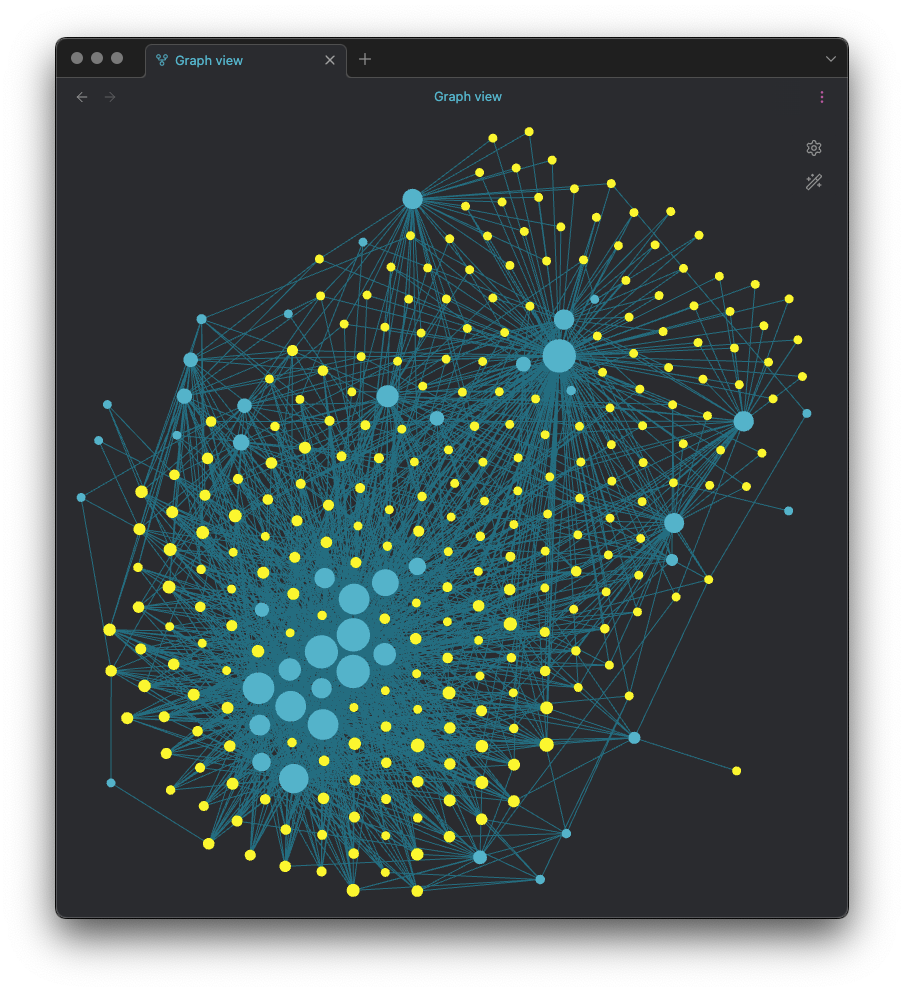
The main graph

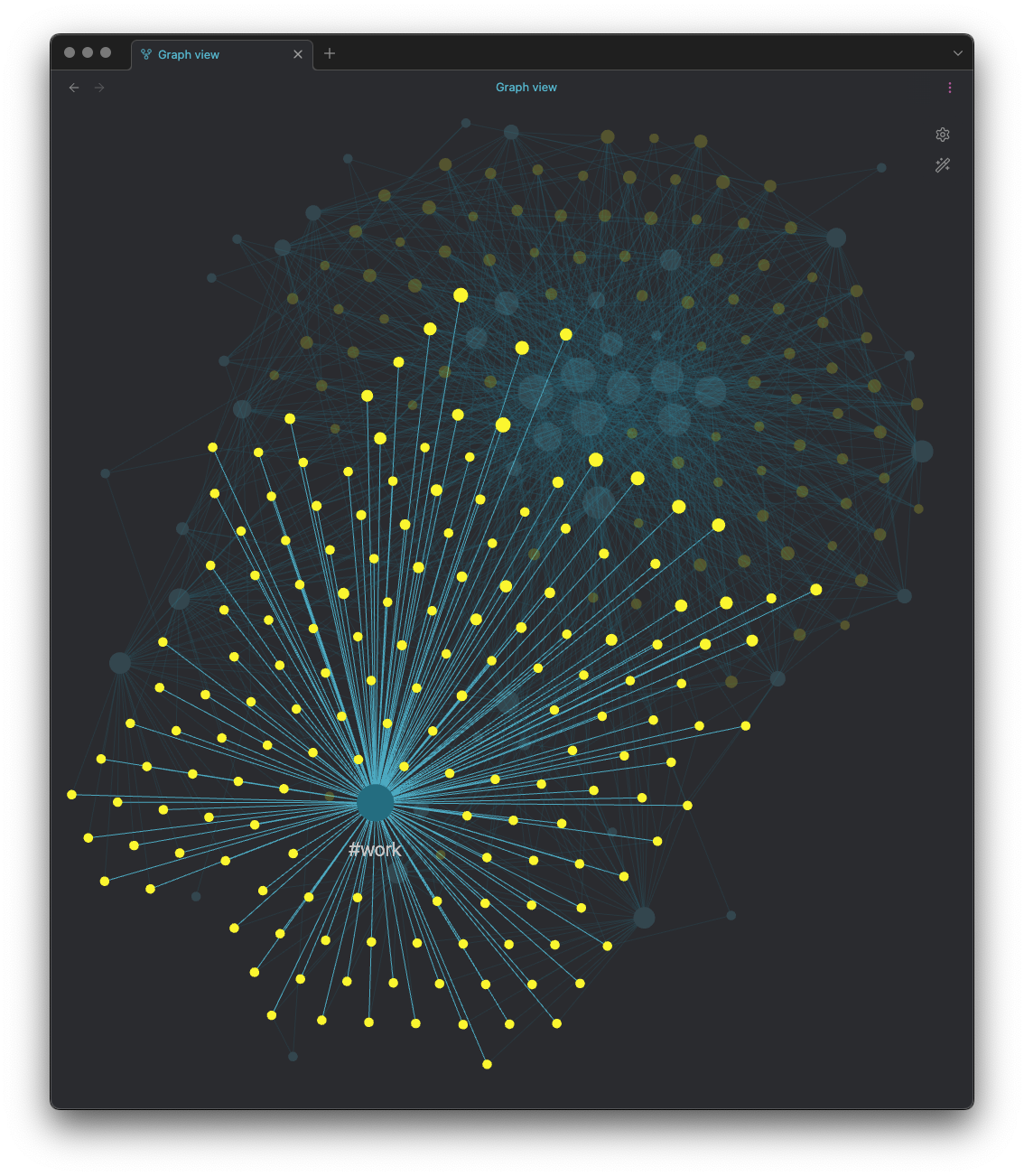
Each of the yellow circles is a day, each of the blue ones is a tag of some sort. As you'd imagine, the size of the circles relates to how often that item is tagged. So I can see what proportion of my days so far this year have been tagged with being heavily involved with work:

Work

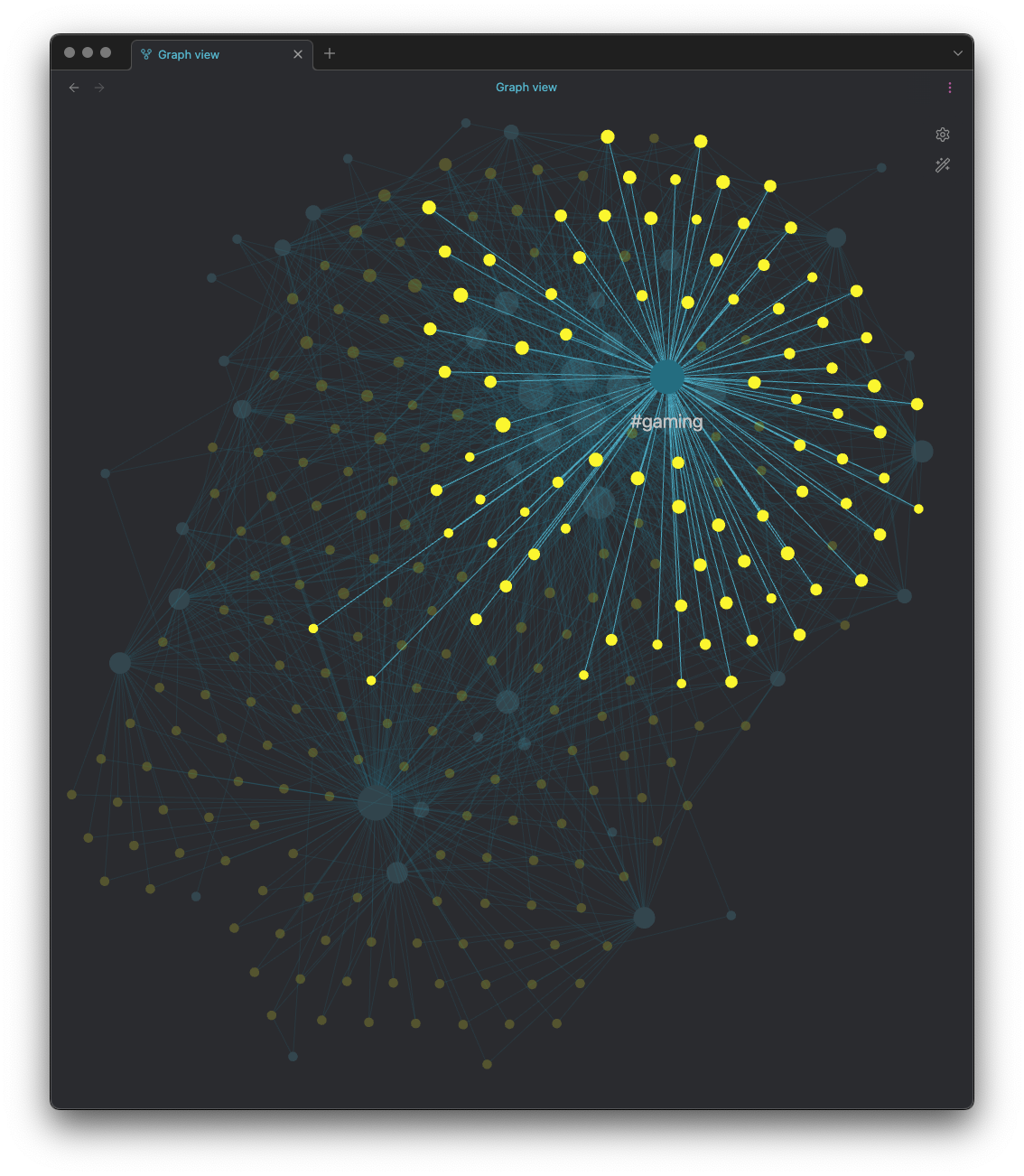
Likewise, if I want to see how many days this year have involved a significant spot of gaming:

Gaming

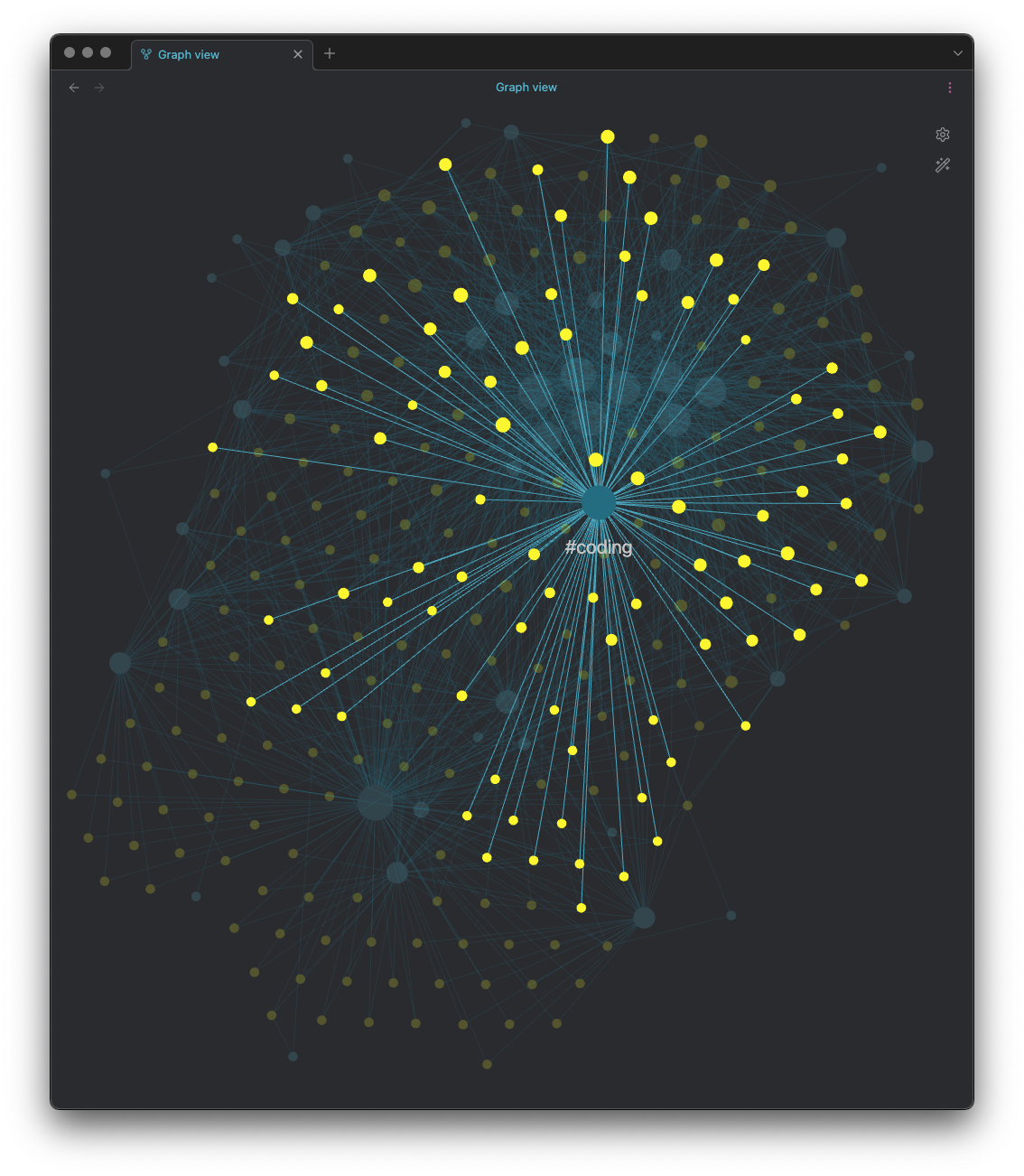
Ditto for days where I've done some coding on pet projects, or even some personal-time coding relating to work projects (it might be work, but it's also Free Software and I do like to support FOSS!)

Coding

I sort of have a curated set of tags I apply, but I've not made it a strict set; if some new situation crops up that calls for a new tag I'll use it. Mostly though I try and keep the tags pretty general so lots of days can relate to the same general subject.

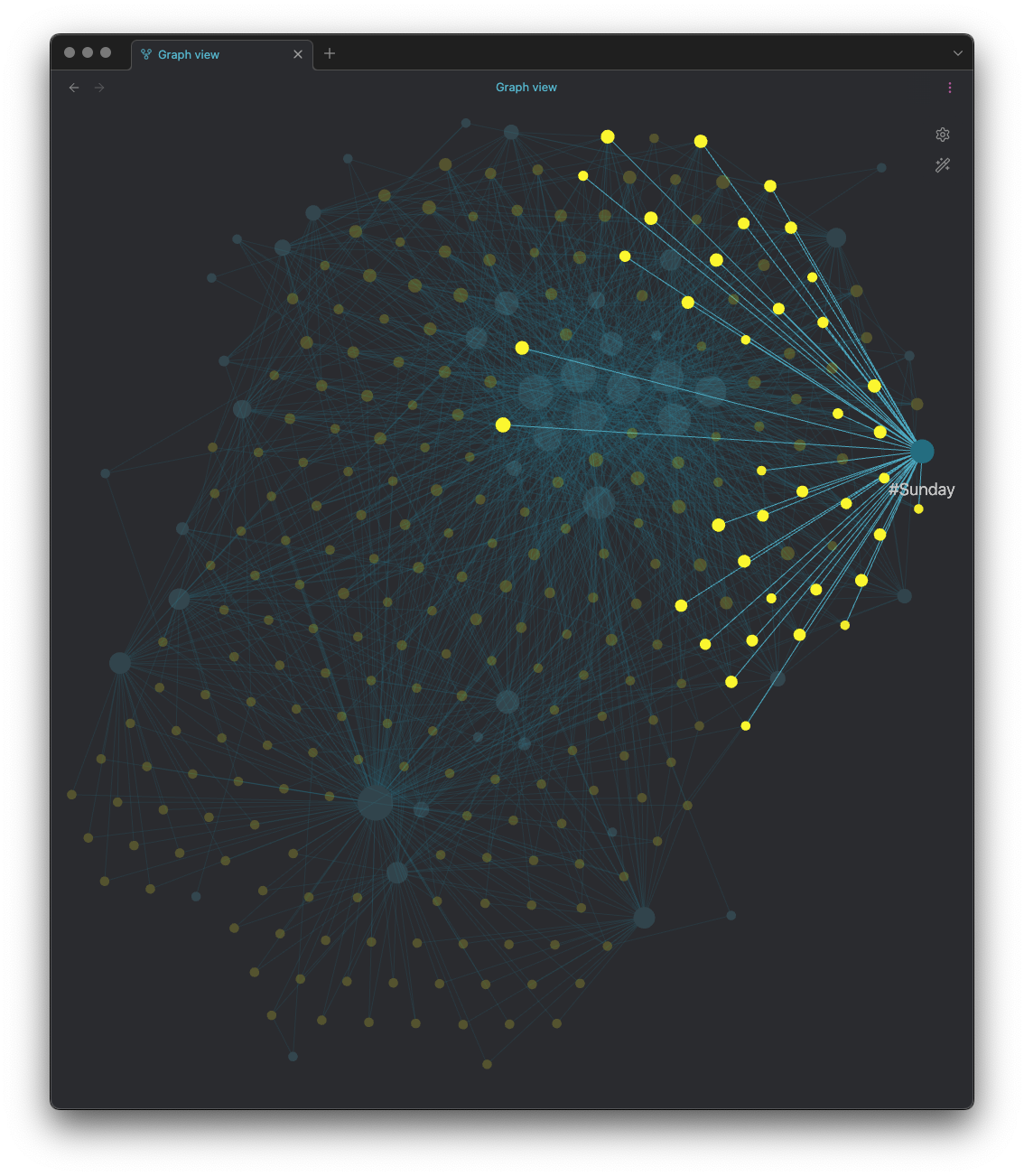
Another thing I've done is tag each and every day with the day of the week, so while it's not really surprising to find that Sunday doesn't dominate over other days, I can see which days are Sundays and perhaps wander along the connections and see what I get up to:

Sunday

I don't quite know what I hope to get out of this, I don't really know if there's anything useful to be had here at all, but it will be interesting to look back over it at the end of the year. It also means that I'll have a directory hierarchy full of Markdown files, all tagged and filled with information, which I'll be able to grep and slice and dice and count and perhaps pull into a database and cross-reference with stuff and things.

Or perhaps it's all just really me not having a good use for Obsidian but inventing one anyway. ;-)

Textual Query Sandbox Update

2 min read

Since quickly hacking together textual-query-sandbox a few days back, I've made a bunch of small changes here and there. While most have been cosmetic and playing with some ideas, some have also been internal improvements that should make the tool work better.

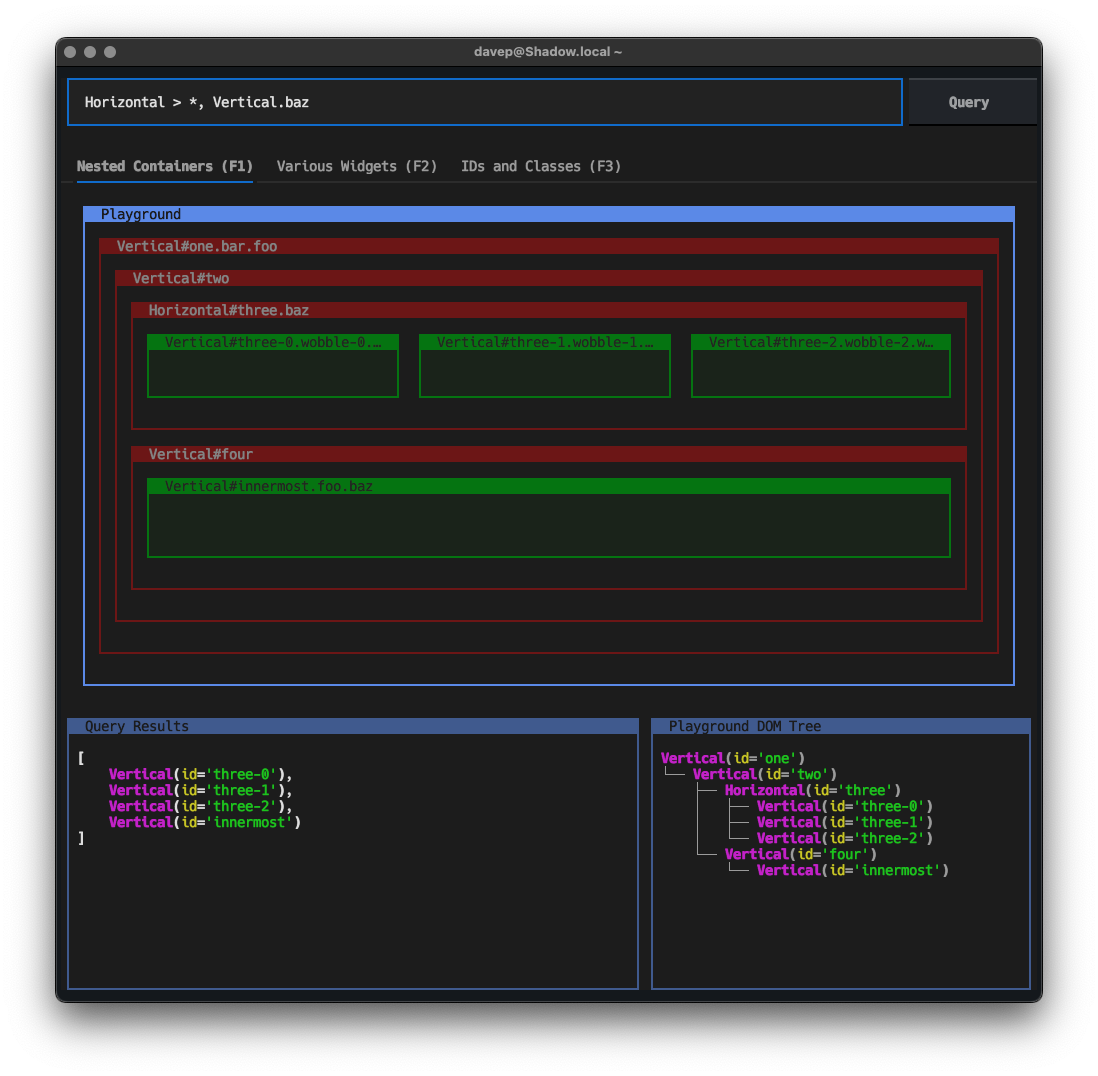
The most prominent change is one I pondered in the previous post, where I thought it might be interesting to have a small collection of playgrounds grounded together with a TabbedContent. So as of now the tool still has the original playground which had an emphasis on nested containers:

Playground 1

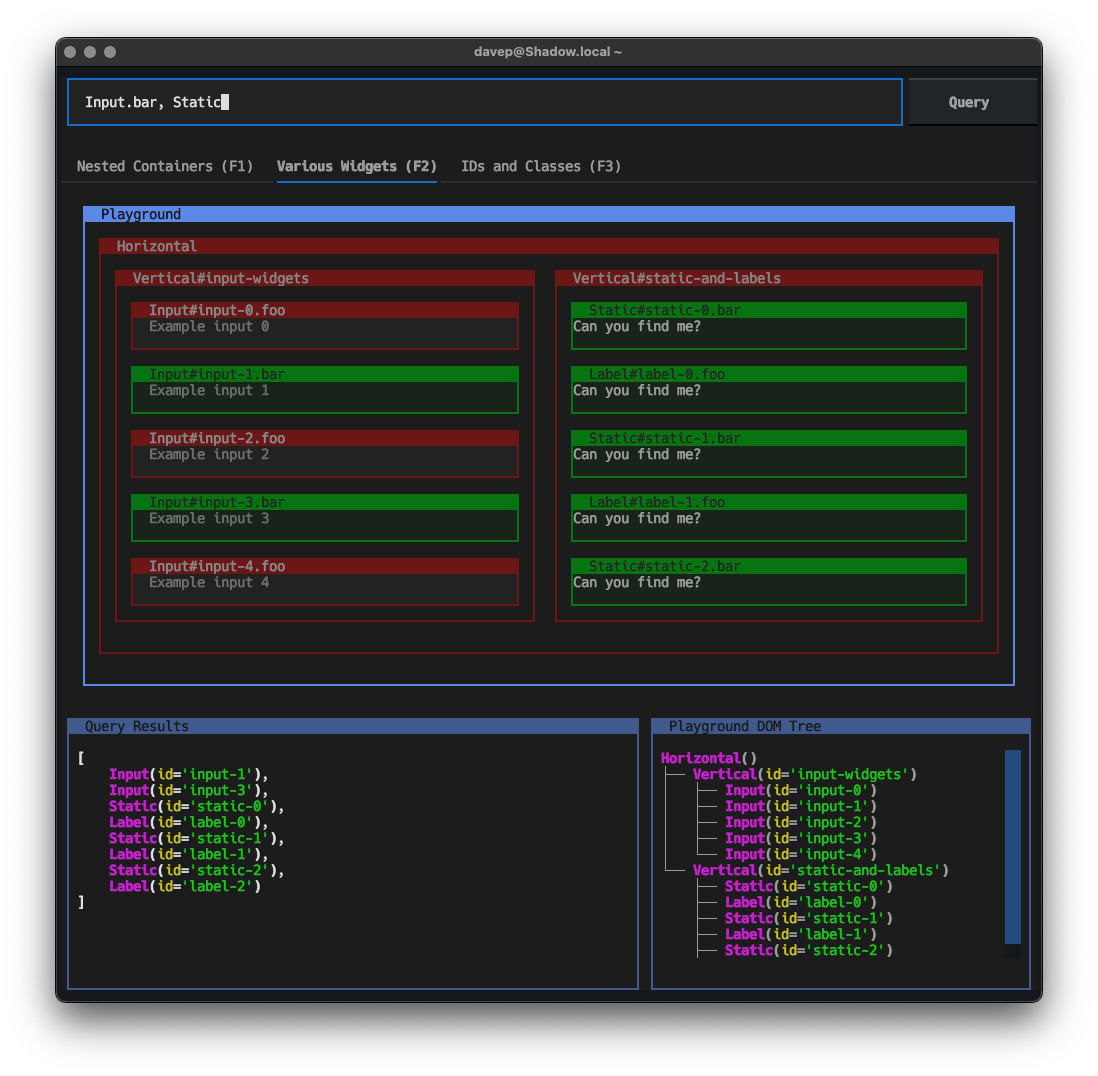
There's now a playground with an emphasis on selecting widgets within containers1:

Playground 2

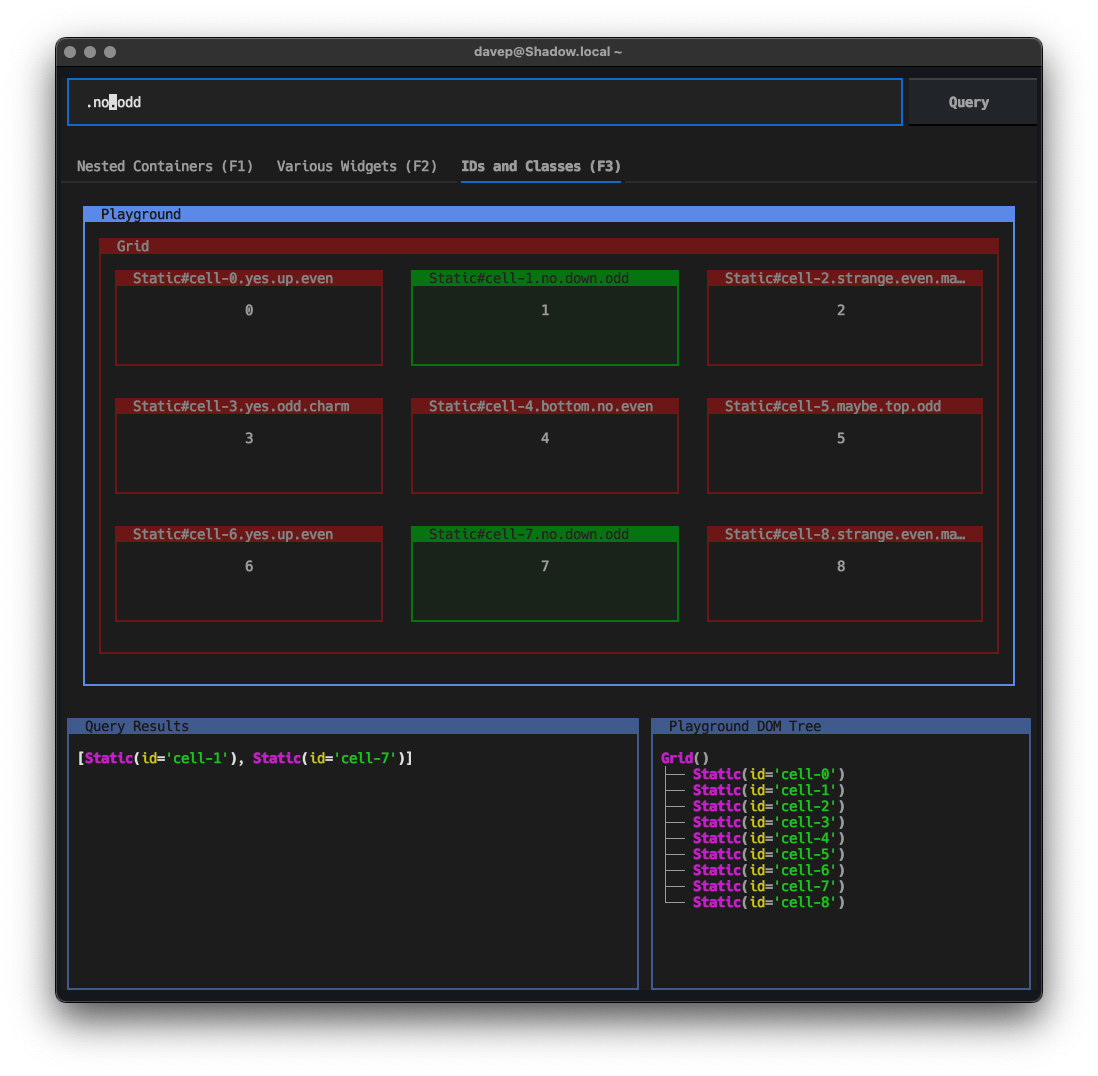
There's also now a playground that has an emphasis on pulling out widgets based on ID and classes:

Playground 3

The other change you will notice from the original post is the DOM tree shown in the bottom right corner. Note that that isn't there to show your query result (that's the bottom left panel), it's there to help picture how the DOM in the current playground hangs together, and will hopefully help in picturing the structure for when you write a query.

I sense there's still a lot of fun things I could add to this, and I'm still keen on the idea of having the playgrounds "soft coded" in some way, so people can make their own and load them up.

Another thing I want to try and work on is making the display as useful as possible. While I think it's actually pretty neat and clear, there's not a lot of space2 available to show the playground and the results. Finding a good balance is an interesting problem.

For a number of reasons this is turning into a really enjoyable tinker project.


  1. This is, of course, slightly nonsensical wording. Containers are widgets in Textual. Pretty much everything you see in your terminal is a widget, even a Screen is a widget. 

  2. A lot of this of course hinges on how big someone's terminal is. I tend to run a fairly high resolutions with the smallest font I find readable so my terminal windows are often pretty "big"; other people tend to have something much smaller in terms of cell with/height. 

Textual Query Sandbox

3 min read

Sometimes I can have an idea for a Textual widget, library or application on my ideas list for weeks, months even, before I get around to it -- mostly just due to not having the clear time to make a run at getting it going -- and then other times an idea can pop into my head and it has to be created there and then. Has to be!

This happened yesterday evening.

While the tool I built is something I'd thought of before (back around November last year I think) it hadn't even made it to my "list of stuff I should make" that I keep in Apple Reminders; not sure why really. But then yesterday evening a question cropped up on the Textual Discord server that related to the subject and I was reminded of it.

The subject being: Textual DOM queries. I like to think that DOM queries in Textual are pretty easy to do, and well-explained in the docs, but it's fair to admit that they need a bit of practice first, just like any powerful tool. So I was reminded that I'd wanted to write a sandbox application, that would have a practice DOM inside it, an input field to type in a query, and a way of displaying the results.

So textual-query-sandbox was born!

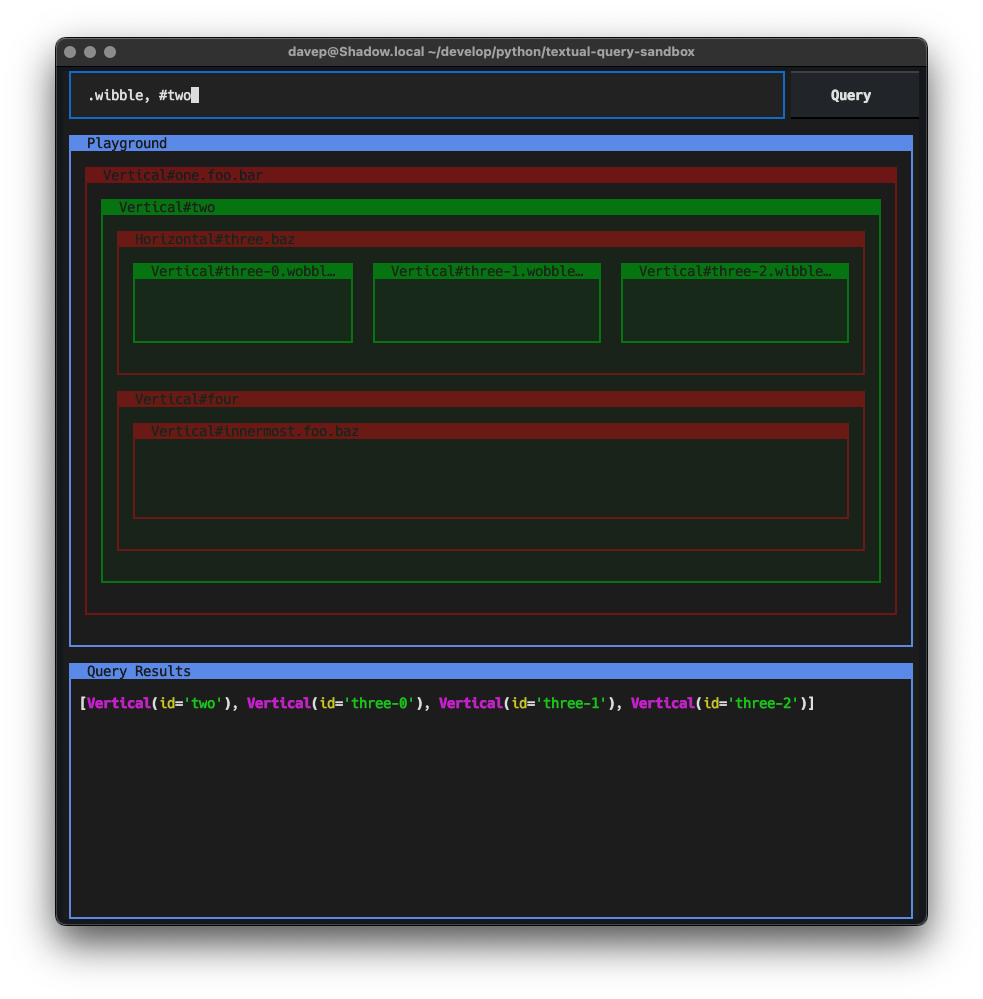
Textual Query Sandbox

In this very first version (which was really quickly put together -- it was something like 15 minutes to write the main code and then probably 45 minutes tweaking styles, adding all the admin stuff to allow deployment to PyPi and writing the README) there's an Input, a display of a group of nested containers with different IDs and classes, and then a Pretty widget at the bottom to show the query result.

If you think this looks like it might be useful to you, it can be installed using either pip or (ideally) pipx:

$ pipx install textual-query-sandbox

and then you can run it with:

$ tqs

At which point load up the Textual query docs, type queries into the input field, hit enter and see what gets highlighted and which widgets end up in the result set at the bottom of the screen.

Like I say: this was a quick hack yesterday evening, I think there's a lot more can go into this. For one thing I think a more interesting practice DOM would be a good idea, with a good mix of widgets; another thing could be having a collection of different DOM playgrounds that can be switched between (a TabbedContent of different playgrounds could be fun here); this could even be taken further such that the user can create their own playground DOM to practice against.

Eventually it would be neat if this could be turned into a library that can be included in a Textual application, as a development-time debug tool, so that on-the-fly test queries can be made.

For now though, it's started, it's under way, and I think the current version probably covers 90% of the use cases for something like this; making for a really quick and easy tool to double-check how to query something.